


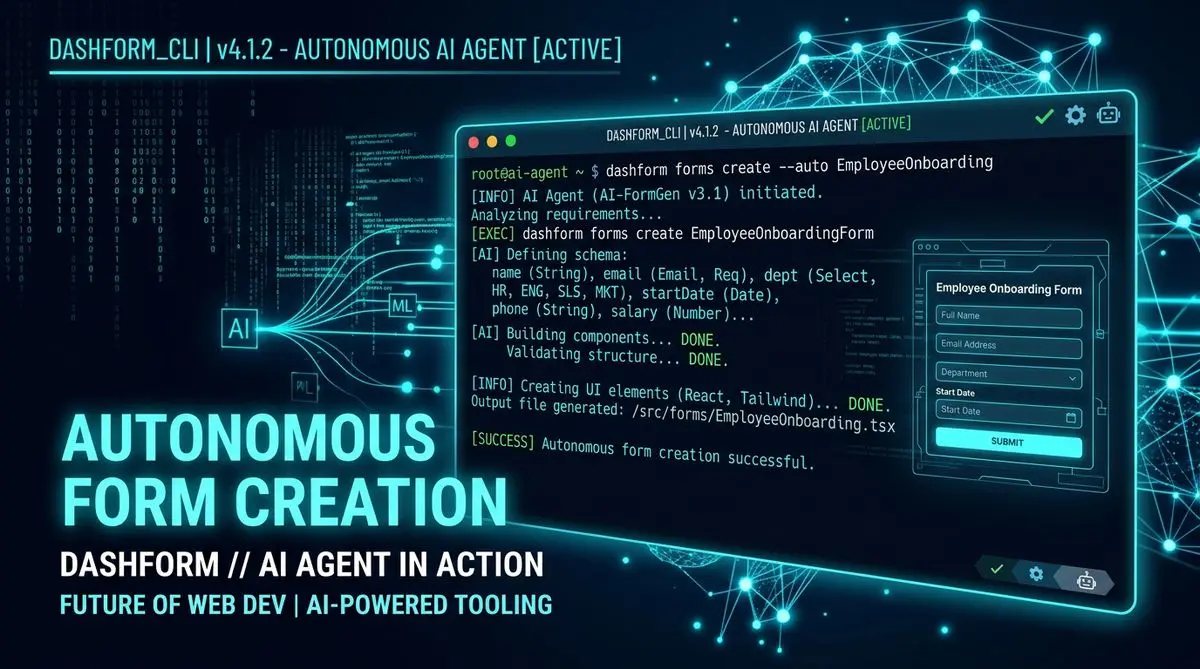
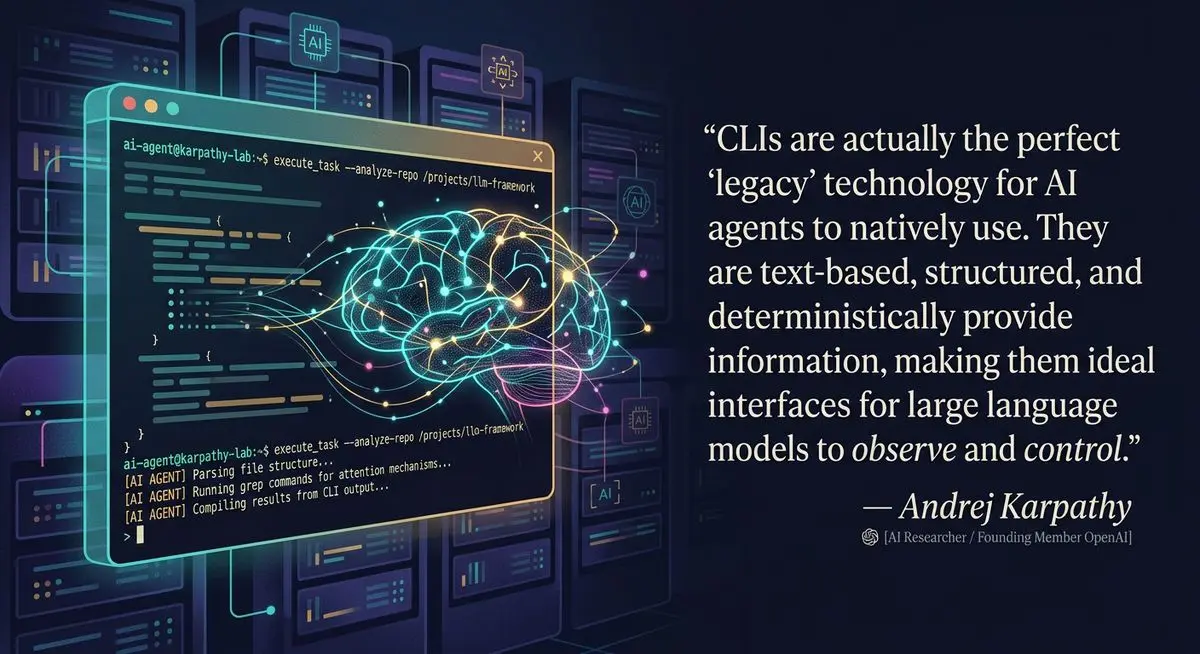
Andrej Karpathy dropped a tweet this week that sent shockwaves through the developer community: "CLIs are super exciting precisely because they are a 'legacy' technology, which means AI agents can natively and easily use them, combine them, interact with them via the entire terminal toolkit."
He ended with a simple, powerful statement: "It's 2026. Build. For. Agents."
We couldn't agree more. That's exactly why we built Dashform CLI — the first form builder designed not for humans clicking buttons in a browser, but for AI agents executing commands in a terminal. If your agent needs to collect data from humans — qualify leads, run surveys, gather intake information — it can now do it with a single command.
Dashform CLI: Key Commands for AI Agents
| Command | Description | Use Case |
|---|---|---|
| dashform forms create | Create a new form from prompt | AI agent builds lead capture form |
| dashform forms list | List all forms | Agent discovers existing forms |
| dashform forms get | Get form details | Agent reads form configuration |
| dashform submissions list | List form responses | Agent analyzes lead data |
| dashform submissions export | Export to CSV/JSON | Agent processes data |
| dashform forms update | Modify existing form | Agent optimizes form fields |
| dashform forms delete | Remove a form | Agent cleans up unused forms |
Why Karpathy Is Right: CLIs Are the Native Interface for AI Agents
Karpathy's insight is deceptively simple but deeply important. Think about it: when you ask Claude Code, Cursor, or Codex to do something, what does it actually do? It runs terminal commands. git clone, npm install, kubectl apply — these are the tools agents already know how to use.
CLIs are agent-native because they are:
Text-in, text-out. No pixels to parse, no DOM to navigate, no JavaScript to execute. Just plain text that LLMs understand natively.
Self-documenting. Every CLI has --help. Agents can discover capabilities without external documentation.
Composable. Unix philosophy — small tools that do one thing well and pipe into each other. Agents can chain commands into complex workflows.
Machine-readable output. Add --json and you get structured data that agents can parse and act on programmatically.
Battle-tested. CLIs have existed for decades. They're stable, well-maintained, and handle authentication, error reporting, and API versioning out of the box.
As Karpathy demonstrated, he asked Claude to install the Polymarket CLI and build a terminal dashboard of the highest-volume prediction markets — and it did it in about 3 minutes. No API documentation reading, no SDK installation, no boilerplate code. Just: install the CLI, use it, build something.
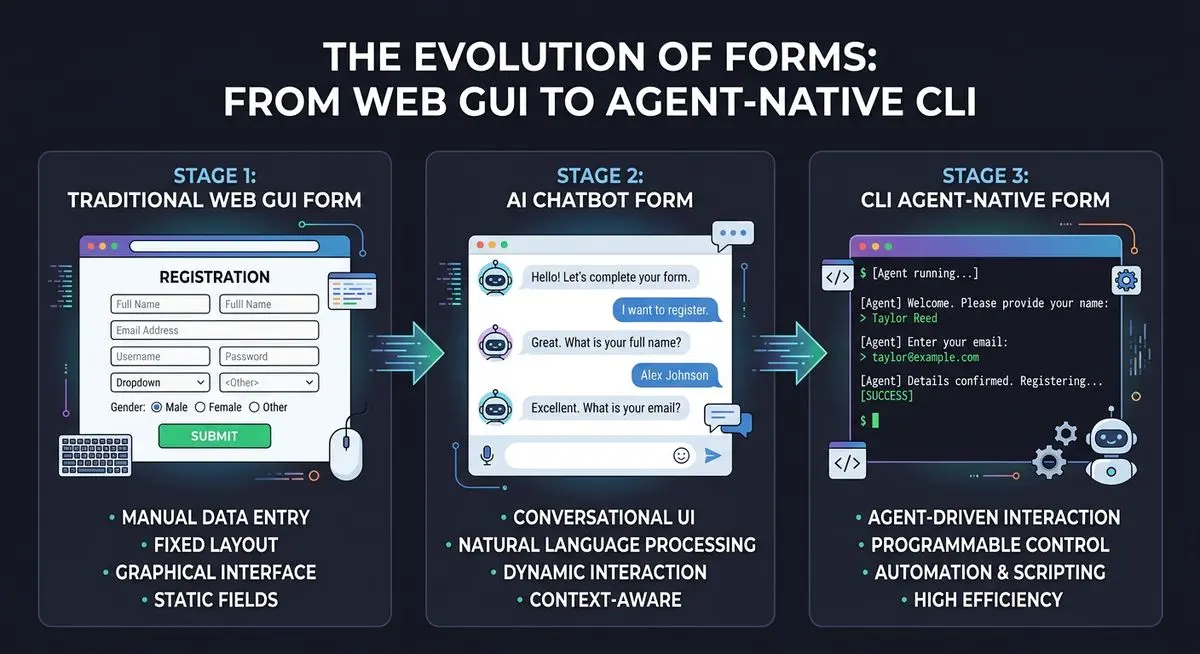
The Problem: AI Agents Can Do Everything Except Talk to Humans
Here's the irony of AI agents in 2026: they can write code, deploy infrastructure, analyze data, manage databases, and orchestrate complex multi-step workflows. But the moment they need to collect structured information from a human being — a lead's budget, a client's preferences, a patient's symptoms — they hit a wall.
Why? Because forms have always been a human-facing, browser-based, GUI-dependent product. Every form builder on the market — Typeform, JotForm, Google Forms, even AI-powered ones — assumes a human is sitting in front of a web browser, dragging and dropping fields, previewing layouts, and clicking "Publish."
But what happens when the "user" isn't a human? What happens when the entity that needs to create a form, deploy it, collect responses, and process the data is an AI agent running in a terminal?
It can't use Typeform. It can't use JotForm. It can't use any existing form builder. Until now.
Introducing Dashform CLI: Forms That Agents Can Create, Deploy, and Manage
Dashform CLI is a TypeScript-based command-line interface that gives AI agents full CRUD access to the Dashform form platform. It's not a wrapper or a hack — it's a purpose-built CLI designed from the ground up for agent workflows.
Here's what an agent can do with Dashform CLI:
Authenticate: dashform auth login --api-key sk_live_xxx — Store credentials securely with XDG-compliant config and 0600 file permissions.
Create forms: dashform forms create --name "Lead Qualification" --type dynamic --tone professional — Create both structured (traditional) and dynamic (AI-powered conversational) forms.
List and inspect: dashform forms list --json — Get machine-readable JSON output that agents can parse and act on.
Update: dashform forms update abc123 --type dynamic --tone casual — Modify forms on the fly based on results or changing requirements.
Delete: dashform forms delete abc123 --yes — Clean up with a safety confirmation guard.
Every command supports both human-readable table output (default) and machine-readable --json output. This dual-mode design is exactly what Karpathy was talking about — a "legacy" interface that both humans and agents can use natively.
Real-World Scenario: An AI Agent That Qualifies Leads Autonomously
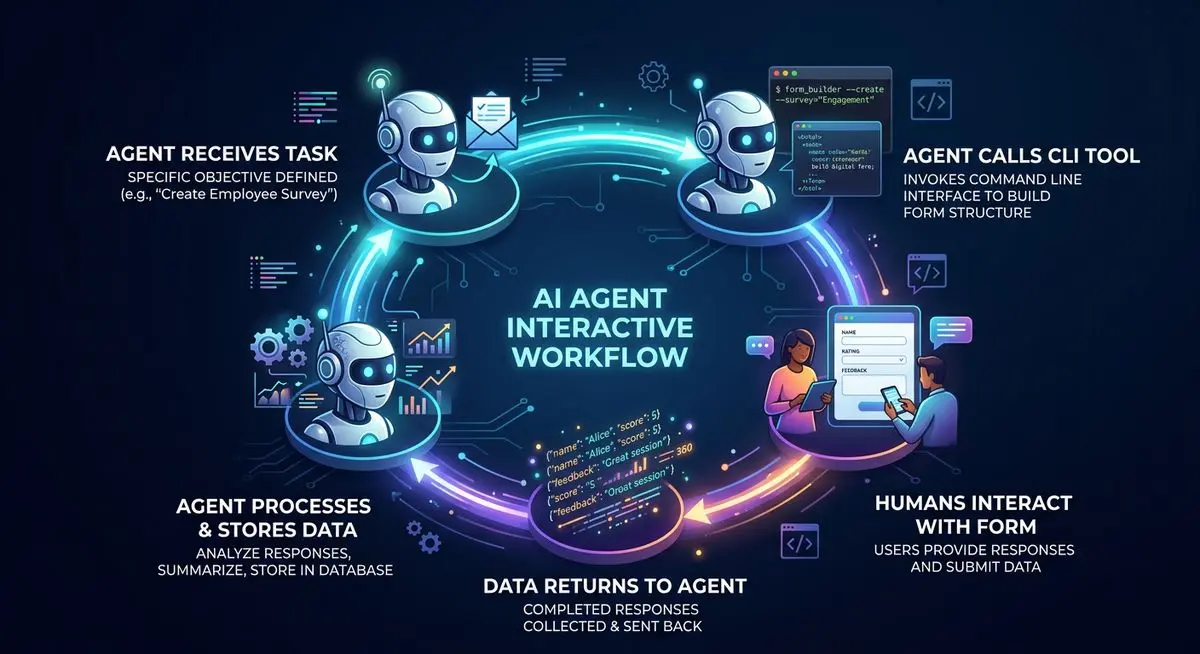
Let's walk through a concrete example. Imagine you're a solar installation company and you've built an AI agent to handle your lead generation pipeline. Here's what it can do with Dashform CLI:
Step 1: The agent creates a qualification form.
dashform forms create --name "Solar Installation Qualifier" --description "Qualify homeowners for solar panel installation" --type dynamic --tone friendly
Dashform's AI generates a complete conversational quiz — asking about homeownership status, roof type, monthly electricity bill, timeline, and budget. No human designed these questions. The AI understood the context from the description and created an intelligent qualification flow.
Step 2: The agent gets the shareable link and distributes it.
dashform forms get <form-id> --json
The agent parses the JSON response, extracts the public_id, constructs the shareable URL, and sends it to prospects via email, SMS, or embeds it on a landing page — all programmatically.
Step 3: Leads fill out the form, and the agent processes responses.
The dynamic form has a conversation with each lead — adapting follow-up questions based on their answers. A homeowner with a flat roof gets different questions than someone with a pitched roof. Someone with a $300/month electricity bill gets fast-tracked to a sales rep while a $50/month prospect gets routed to educational content.
Step 4: The agent iterates based on performance.
dashform forms update <form-id> --tone professional --description "Updated: focus on ROI and payback period for higher-income prospects"
The agent analyzes conversion data, determines that a more professional tone converts better for this audience, and updates the form — all without human intervention. This is the autonomous lead qualification loop that every business wants but couldn't build until now.
Why CLI and Not Just API? The Karpathy Insight
You might ask: "Dashform already has an API. Why build a CLI?" This is where Karpathy's insight becomes critical.
Yes, agents can use raw APIs. But there's an enormous difference between "can use" and "natively use." When an agent uses a raw REST API, it needs to:
- Understand the API documentation (or generate code to call it)
- Handle authentication headers manually
- Construct request bodies with correct JSON schemas
- Parse response bodies and handle error codes
- Manage state across multiple API calls
- Deal with rate limiting, retries, and timeouts
With a CLI, the agent just runs a command. Authentication is handled. Input validation is built in. Errors come back as human-readable messages. Output formats are standardized. The CLI is the abstraction layer that makes the API agent-friendly.
This is the same reason Polymarket built a CLI, the same reason GitHub has gh, and the same reason every major cloud provider (AWS, GCP, Azure) has a CLI. The interface that was built for human power users in the 1970s turned out to be the perfect interface for AI agents in 2026.
The "Build for Agents" Checklist — Where Does Your Product Stand?
Karpathy laid out a clear checklist for every product and service builder:
"If you have any kind of product or service think: can agents access and use them?"
Are your docs exportable in markdown? Dashform's API documentation is fully available in markdown format, parseable by any LLM.
Have you written Skills for your product? Yes — we've published Dashform Agent Skills on GitHub, a collection of AI skills that allow Claude Code users to generate customized Dashform forms through natural language conversations.
Can your product be usable via CLI? That's exactly what Dashform CLI is. Full CRUD operations, authentication, JSON output — everything an agent needs.
Or MCP? We're working on it. MCP (Model Context Protocol) support is on our roadmap, which will allow agents to interact with Dashform through the standardized tool-calling interface.
Most form builders check zero of these boxes. Dashform checks all of them.
The Technical Details: What Makes Dashform CLI Agent-Ready
Dashform CLI isn't a quick wrapper around a REST API. It's built with the rigor that agent-native tooling demands:
TypeScript with strict mode — type safety throughout the codebase, reducing agent confusion from unexpected responses.
Zod-validated API responses — every API response is validated against a schema at runtime. If the API changes, the CLI catches it immediately rather than passing malformed data to the agent.
XDG-compliant configuration — credentials are stored at ~/.config/dashform/config.json with 0600 permissions. Agents can authenticate once and create many forms without re-authenticating.
Dual output format — human-readable tables by default, machine-readable JSON with --json. Agents automatically use --json for structured parsing.
Safety guards — destructive operations like delete require --yes confirmation, preventing accidental data loss even when agents are running autonomously.
Two form types — structured for traditional surveys and registrations, dynamic for AI-powered conversational forms that adapt questions based on responses.
Use Cases: What Agents Will Build With Dashform CLI
The use cases for agent-operated forms are broader than you might think:
Autonomous lead qualification. An AI sales agent creates qualification forms for each new campaign, distributes them, and routes qualified leads to the right sales rep — all without human intervention.
Client onboarding automation. A customer success agent creates customized intake forms for each new client based on their plan tier and industry, collecting the exact information needed for personalized onboarding.
Dynamic survey deployment. A research agent creates, deploys, and iterates on surveys based on real-time response analysis. If early responses show confusion on a question, the agent updates the form automatically.
Event registration pipelines. An event management agent creates registration forms for upcoming events, adjusts questions based on event type (conference vs. workshop vs. webinar), and processes registrations.
Insurance and financial intake. An insurance agent creates pre-qualification forms that ask the right questions based on policy type, automatically routing applicants to appropriate underwriters.
Multi-agent orchestration. In a multi-agent system, one agent creates the form, another monitors responses, and a third processes the data — all coordinating through the CLI's JSON output.
Getting Started: From Zero to Agent-Powered Forms in 5 Minutes
Getting started with Dashform CLI is straightforward:
Clone and install
git clone https://github.com/makloai/dashform-cli cd dashform-cli pnpm install && pnpm build
Authenticate
dashform auth login --api-key <your-api-key>
Verify
dashform auth whoami
Create your first agent-powered form
dashform forms create --name "Lead Qualifier" --type dynamic --tone professional
List all forms (machine-readable)
dashform forms list --json
If you're using Claude Code, it's even simpler. Just tell your agent:
"Install the Dashform CLI from github.com/makloai/dashform-cli and create a lead qualification form for my solar installation business."
The agent handles the rest — cloning, installing, authenticating, and creating the form. Exactly the workflow Karpathy described.

More Dashform product guides: Dashform Agent Skills | Dashform MCP | What Is AI Form | 50 AI Form Prompts.
Frequently Asked Questions
Q: What's the difference between Dashform CLI and regular Dashform?
A: Regular Dashform is a web-based platform where humans create forms through a browser interface. Dashform CLI provides the same capabilities but through a terminal interface that AI agents can use programmatically. Both create the same forms — the difference is who's creating them: a human clicking buttons, or an agent running commands.
Q: Can I use Dashform CLI with Claude Code, Cursor, or other AI coding agents?
A: Absolutely. That's the primary use case. Any AI agent that can execute terminal commands can use Dashform CLI. Claude Code, Cursor, GitHub Copilot Workspace, Codex — they can all install and use it out of the box. We also offer Dashform Agent Skills specifically designed for Claude Code.
Q: What are "dynamic" forms?
A: Dynamic forms are AI-powered conversational forms that adapt in real-time based on responses. Instead of a static list of questions, the form has a conversation with the respondent — asking follow-up questions, skipping irrelevant sections, and qualifying leads based on their actual answers. Think of it as a quiz funnel that thinks.
Q: Is Dashform CLI free?
A: The CLI itself is open source and free to use. You need a Dashform account to create forms — the free tier includes 100 AI conversations per month and unlimited structured forms. The Pro plan at $19/month includes 1,000 AI conversations and 500 forms.
Q: Why not just use the API directly?
A: You can, and many developers do. But as Karpathy explained, CLIs are a higher-level abstraction that's more natural for agents. The CLI handles authentication, input validation, error formatting, and output structuring. An agent running dashform forms create --name "My Form" is faster and more reliable than an agent writing HTTP request code from scratch. The CLI also serves as executable documentation — agents can run dashform --help to discover all capabilities instantly.
The Future: Every SaaS Product Needs an Agent Interface
Karpathy's tweet isn't just about CLIs. It's about a fundamental shift in how software is consumed. In 2025, humans used software. In 2026, agents use software on behalf of humans. And the products that win will be the ones that make themselves agent-accessible.
Polymarket built a CLI so agents can trade prediction markets. GitHub built gh so agents can manage repositories. Stripe, Vercel, Fly.io — they all have CLIs that agents use daily.
Dashform CLI is the first to bring this paradigm to forms and data collection. When your AI agent needs to talk to a human — to qualify a lead, gather feedback, collect requirements — it no longer needs to hand off to a human operator. It just runs a command.
It's 2026. Build. For. Agents. Start with Dashform CLI and give your agents the power to create intelligent forms from the terminal.
Related Reading
Dashform MCP: Let AI Agents Build Forms for You
Dashform Agent Skills: Create AI Forms in Claude Code
Agentic AI and MCP Are Reshaping Business Automation





