


Quick Summary
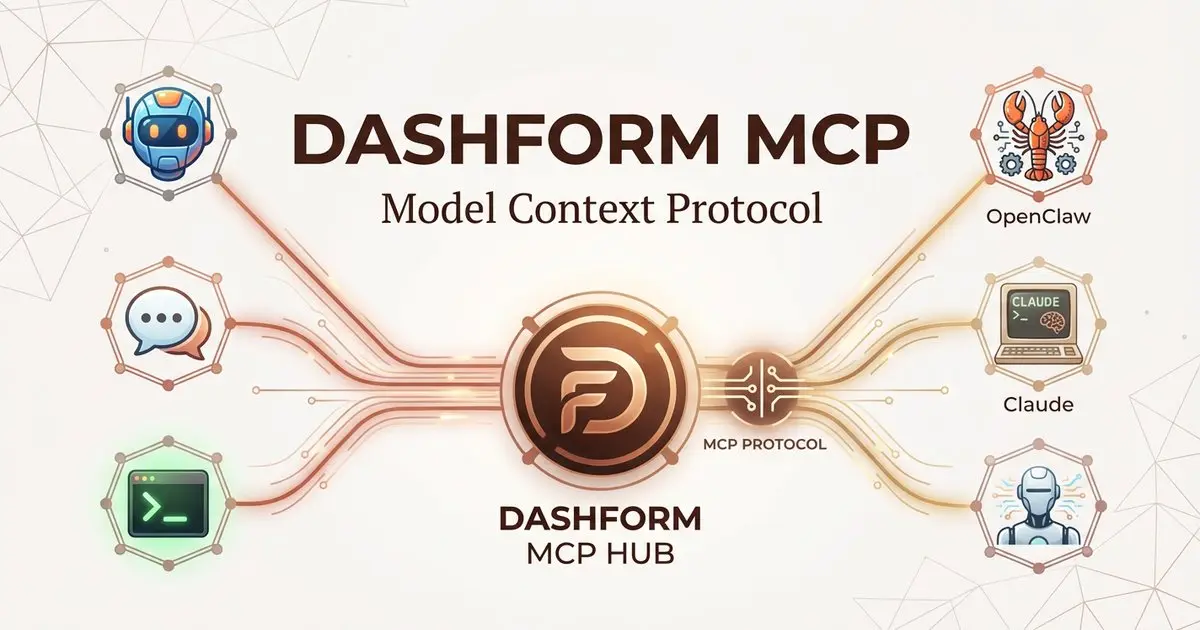
- Dashform now supports the Model Context Protocol (MCP), the open standard for AI agent integrations
- Any MCP-compatible agent, including OpenClaw, Claude Code, and LangChain agents, can create and manage Dashform forms programmatically
- MCP endpoint: getaiform.com/api/mcp with OAuth authentication
- No SDK or custom integration required. Connect, authenticate, and start creating forms
- Free to use with your Dashform account
2026 is the year of AI agents. From OpenClaw reaching 160,000 GitHub stars to enterprise teams deploying autonomous workflows, the shift from chatbots to persistent AI agents is happening faster than anyone predicted.
At the center of this shift is the Model Context Protocol (MCP), the open standard that lets AI agents discover and use external tools without custom integrations. MCP is to AI agents what REST APIs were to web applications: a universal interface that makes everything interoperable.
Today, we are announcing that Dashform fully supports MCP. Any AI agent that speaks MCP, whether it is OpenClaw, Claude Code, LangChain, or a custom agent, can now create, manage, and publish AI-powered forms and quiz funnels through a single endpoint.
1. What Is the Dashform MCP Server?
The Dashform MCP server is a JSON-RPC 2.0 endpoint at getaiform.com/api/mcp that exposes Dashform's form creation and management capabilities as standardized MCP tools. Instead of building custom API integrations, AI agents can connect to this endpoint and immediately access the full Dashform platform.
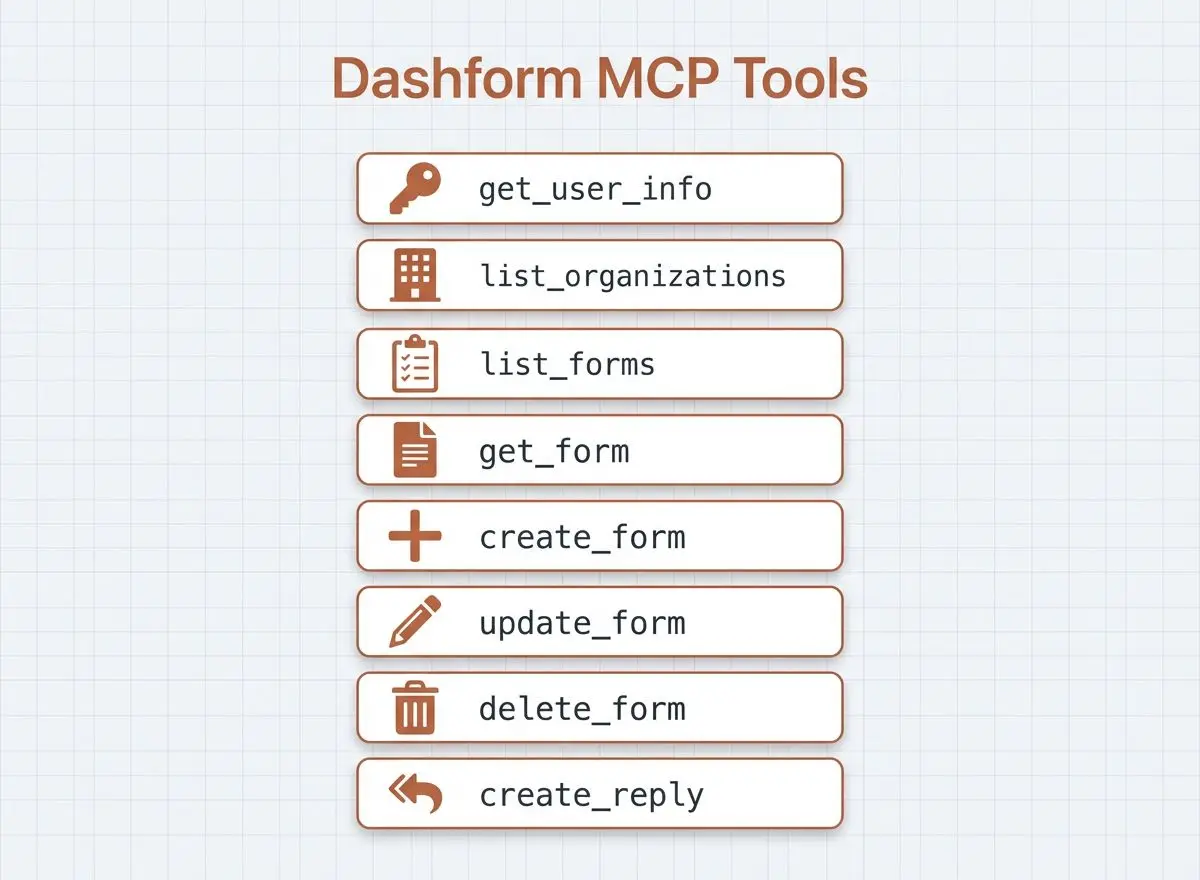
Connect your Dashform account through the client’s OAuth sign-in flow. Available tools include:
- list_my_organizations: List all organizations the user belongs to
- list_forms: List all forms within an organization
- get_form: Retrieve full details of a specific form
- create_form: Create a new form with complete configuration (questions, themes, welcome/end screens)
- update_form: Modify an existing form's configuration
- delete_form: Remove a form from the organization
- create_reply: Submit a response to a form programmatically
You can inspect all available tools and their schemas using the MCP Inspector, a standard tool for exploring MCP servers.
2. Why MCP Matters for AI Agents in 2026
The Model Context Protocol solves a fundamental problem: every AI agent needs to interact with external tools, but building custom integrations for each tool is expensive and fragile.
MCP provides a standardized interface where:
- Tools describe themselves (name, parameters, capabilities) so agents can discover what is available
- Communication follows JSON-RPC 2.0, a well-established protocol
- Authentication is handled through standard patterns (session tokens, OAuth, API keys)
- Any MCP client can connect to any MCP server without custom code
This means when Dashform publishes an MCP server, every MCP-compatible agent in the ecosystem gains instant access. OpenClaw users can add Dashform as an MCP tool. Claude Code users can configure it in their MCP settings. LangChain agents can discover and invoke Dashform tools automatically.
3. How OpenClaw and Other Agents Connect to Dashform
OpenClaw is the most popular open-source AI agent in 2026, with over 160,000 GitHub stars and support for 20+ messaging channels. Its MCP integration is a core feature, with production deployments running 100+ MCP tools simultaneously.
To connect Dashform to OpenClaw, add it as an MCP server in your configuration:
For OpenClaw:
Add the server and sign in using OpenClaw’s MCP commands:
openclaw mcp set dashform '{"url":"https://getaiform.com/api/mcp","transport":"streamable-http","auth":"oauth"}'
openclaw mcp login dashform
Approve access in the browser, then check the connection with openclaw mcp probe dashform.
For Claude Code:
Run the command from Claude Code’s MCP guide, then use /mcp to sign in to Dashform:
claude mcp add dashform --transport http https://getaiform.com/api/mcpFor any MCP-compatible agent:
Point your MCP client to https://getaiform.com/api/mcp. The server supports the standard MCP Streamable HTTP transport with both application/json and text/event-stream responses.
Once connected, your AI agent can create forms by simply describing what you need. Say something like:
- "Create a customer satisfaction survey with NPS scoring and follow-up questions"
- "Build a lead qualification quiz for my coaching business"
- "Make an event registration form with calendar booking"
The agent calls the Dashform MCP tools, generates the form configuration, and returns a shareable link and an edit link.
4. Dashform MCP Tools Reference
Here is what each tool does and when your agent should use it:
create_form
The primary tool for building new forms. Accepts a complete form configuration including name, type (structured or dynamic), questions, welcome screen, end screen, and visual theme. Returns the form ID, share URL, and edit URL.
create_reply
Submits a response to an existing form. Useful for testing, seeding data, or building automated workflows where one agent fills out another agent's form.
list_forms and get_form
Query tools for retrieving form data. Agents can list all forms in an organization and get the full configuration of any specific form, including questions, responses, and settings.
update_form and delete_form
Management tools for modifying or removing forms. Agents can update form configurations (add questions, change themes, modify logic) or delete forms that are no longer needed.
All tools follow the MCP standard: they describe their parameters with JSON Schema, making it easy for any agent to understand what inputs are required and what outputs to expect.
5. Use Cases for Dashform MCP
Autonomous Lead Generation
An OpenClaw agent monitoring your WhatsApp or Telegram can create qualification quizzes on the fly when a new prospect reaches out. The agent generates a personalized quiz, sends the link, and scores the lead based on responses.
Multi-Agent Workflows
In a multi-agent architecture, one agent handles customer conversations while another manages form creation and data collection. The conversation agent triggers the Dashform agent via MCP when it needs to collect structured information.
Developer Automation
Developers using Claude Code can generate forms as part of their project scaffolding. Ask Claude to create an onboarding survey for your new SaaS product, and it builds the form, deploys it, and returns the URLs, all without leaving the terminal.
Agency Operations
Agencies managing multiple clients can use AI agents to create and manage client-specific forms at scale. An agent can spin up intake forms, feedback surveys, and qualification quizzes for each new client project automatically.
AI-to-AI Data Collection
Agents can create forms and also fill them out programmatically using the create_reply tool. This enables automated testing, data seeding, and agent-to-agent communication through structured form responses.
6. Getting Started with Dashform MCP
Setting up Dashform MCP takes three steps:
Step 1: Create a Dashform account. Sign up for free at getaiform.com. The free tier includes everything you need.
Step 2: Add the MCP server. Open the Install MCP picker on the Dashform homepage and follow your client’s steps for https://getaiform.com/api/mcp.
Step 3: Sign in. Complete the client’s OAuth flow in your browser and approve access to Dashform. Claude Code starts this from /mcp; Codex uses codex mcp login dashform.
That is it. Your agent now has full access to create, read, update, and delete forms through Dashform.
7. Exploring Dashform MCP with MCP Inspector
If you want to explore the available tools before connecting your agent, use the MCP Inspector. This is a standard developer tool for browsing MCP servers.
Connect MCP Inspector to https://getaiform.com/api/mcp with Streamable HTTP and complete OAuth sign-in to display the available tools with their full parameter schemas, descriptions, and annotations. This is the fastest way to understand what Dashform MCP can do.
Since Dashform MCP currently does not have separate API documentation, the MCP Inspector serves as the living documentation. The tool schemas are self-descriptive and follow JSON Schema standards, so agents and developers can understand the interface without external docs.
8. What Is Dashform?
Dashform is an AI-native quiz funnel builder designed for businesses that need to qualify leads, not just collect them. Key features include:
- AI Quiz Funnels: Build multi-step quiz funnels that qualify and segment leads based on their responses
- Lead Scoring: Score every lead in real time based on quiz answers
- Dynamic Forms: AI-powered conversational forms that adapt questions in real time
- Calendar Integration: Route qualified leads directly to your booking calendar
- CRM Integrations: Connect with GoHighLevel, HubSpot, Zapier, and other marketing tools
- MCP Support: Let AI agents create and manage forms through the standard Model Context Protocol
Dashform is trusted by 500+ agencies, coaches, and consultants who need a system that filters out unqualified leads before they waste time on sales calls.
The Bottom Line
MCP is becoming the standard for how AI agents interact with the world. By supporting MCP, Dashform becomes accessible to every agent in the ecosystem: OpenClaw, Claude Code, LangChain, custom agents, and whatever comes next.
If you are building AI agent workflows and need forms, surveys, or quiz funnels, you no longer need to write custom integrations. Just point your agent at getaiform.com/api/mcp and start building.
More Dashform product guides: Dashform CLI | Dashform Agent Skills | What Is AI Form | 50 AI Form Prompts.
FAQ: Dashform MCP
What is Dashform MCP?
Dashform MCP is a Model Context Protocol server at getaiform.com/api/mcp that lets AI agents create, manage, and publish forms, surveys, and quiz funnels programmatically. It provides tools following the MCP standard, making Dashform accessible to any MCP-compatible agent.
Can OpenClaw use Dashform MCP?
Yes. OpenClaw supports MCP natively. Add the Dashform MCP server URL to your OpenClaw MCP configuration, sign in through OAuth, and your OpenClaw agent can create forms through any connected messaging channel, including WhatsApp, Telegram, Discord, and Slack.
How do I connect Dashform MCP to Claude Code?
Run claude mcp add dashform --transport http https://getaiform.com/api/mcp, then use /mcp in Claude Code to sign in to Dashform. Claude can then discover the available tools.
Is Dashform MCP free?
The MCP server is free to use. You need a Dashform account to authenticate and create forms. Dashform offers a free tier that lets you build and publish AI quiz funnels at no cost.
Where is the Dashform MCP documentation?
The MCP tools are self-documenting through the MCP standard. Use the MCP Inspector to explore the available tools with their full parameter schemas at getaiform.com/api/mcp. Each tool includes descriptions, required parameters, and response formats.
What agents are compatible with Dashform MCP?
Any agent that supports the Model Context Protocol can connect to Dashform MCP. This includes OpenClaw, Claude Code, LangChain agents, OpenAI Agents SDK, and any custom agent built with MCP client libraries. The server uses standard JSON-RPC 2.0 over HTTP with Server-Sent Events.
Ready to connect your AI agent to Dashform? Point your MCP client at getaiform.com/api/mcp or create your free Dashform account to get started.





