


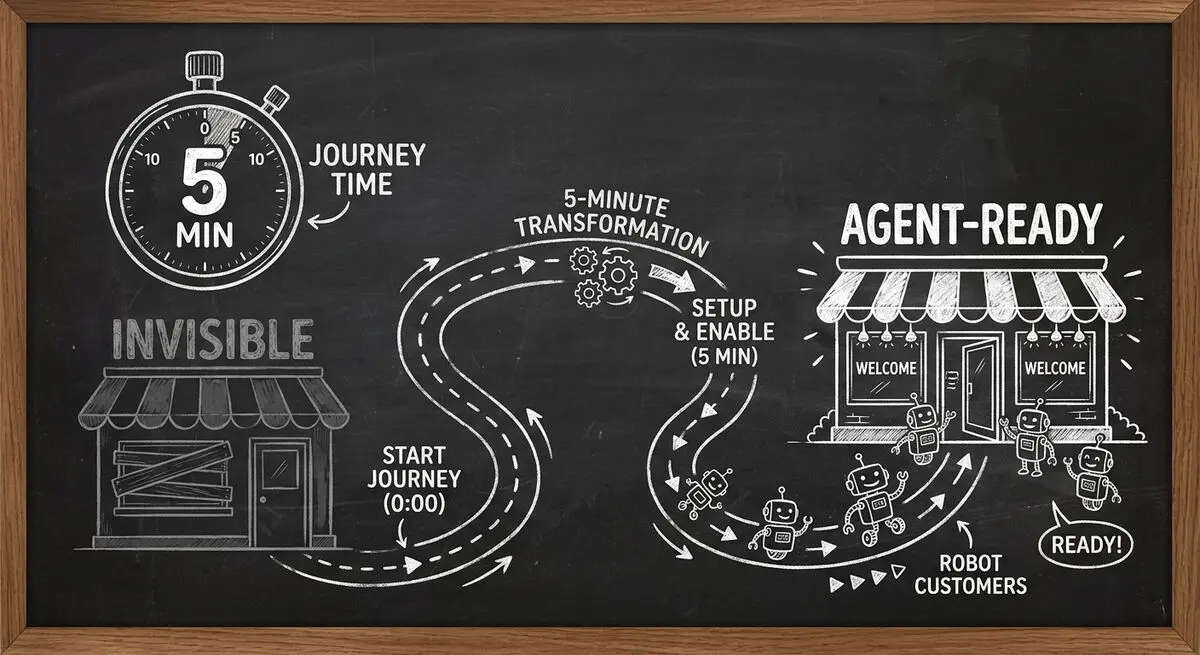
A new type of customer is already shopping for your services. It does not browse your website. It does not fill out your contact form. It does not call your front desk. It is an AI agent acting on behalf of a real person, and it books services programmatically -- in seconds, not minutes.
The businesses that AI agents can find and book are capturing a new revenue channel that barely existed a year ago. The businesses that AI agents cannot find are losing those customers to competitors without knowing it.
The good news: going from invisible to fully agent-ready takes less than five minutes. This step-by-step guide shows exactly how any service business -- spa, dental clinic, fitness studio, salon, real estate agent, home service provider -- can set up AI-powered booking today with zero technical skills required.
Agent-Ready Setup: Time and Impact by Step
| Step | Time | Impact | Difficulty |
|---|---|---|---|
| AX Audit scan | 30 sec | Baseline score | None |
| Unblock AI crawlers | 2 min | +15-25 pts | Easy |
| Add structured data | 3-5 min | +15-20 pts | Easy-Medium |
| Enable Agent Funnel | 2 min | +20-30 pts | None |
| Verify setup | 1 min | Confirmation | None |
| Total | ~5 min | 23 → 80+ score | No code needed |
Why Agent-Ready Booking Matters Now
The numbers make the case. BrightLocal's 2026 data shows 45% of consumers now use AI assistants to find local services. Google's share of local business discovery dropped from 83% to 71% in a single year. The AI agents market is growing at 49.6% annually and is projected to reach $182.97 billion by 2033 (Grand View Research).
When a consumer tells Claude "find me a deep tissue massage near Midtown under $200 this Saturday," the AI agent searches programmatically for businesses with structured service data. It evaluates pricing, location, and availability. It qualifies the lead. Then it submits a booking -- all without the consumer visiting a single website.
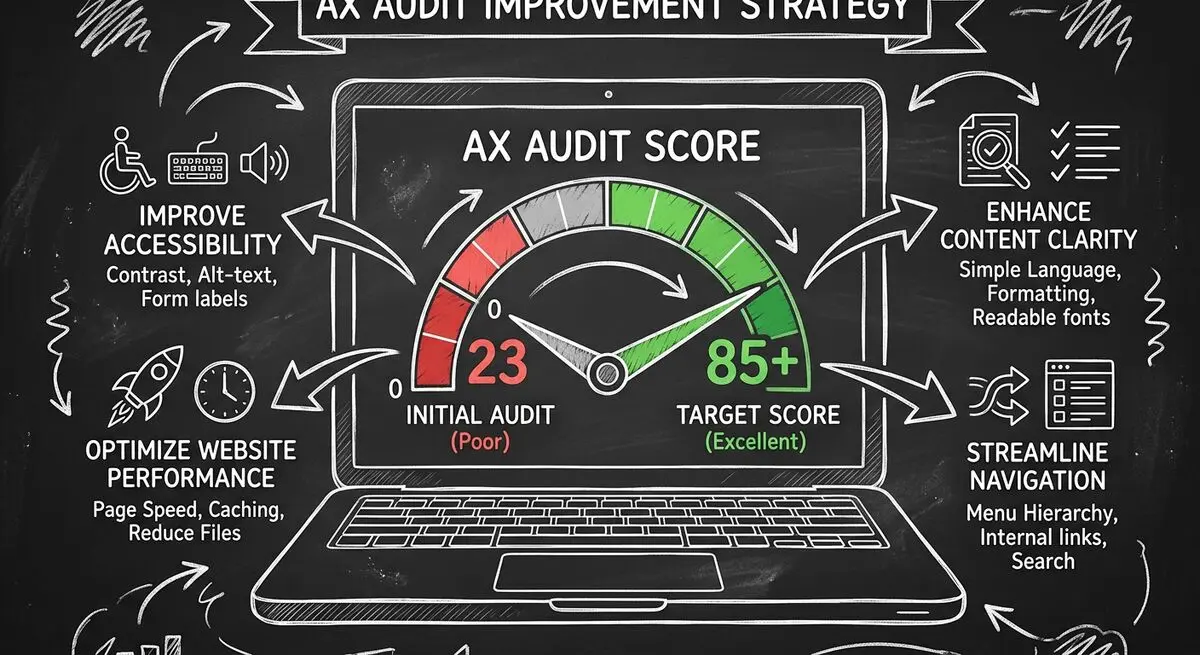
A scan of 100 business websites for AI agent readiness found that 93% scored "Not Ready." The average score was 23 out of 100. This means the competitive landscape for agent-ready businesses is nearly empty. Setting up now means competing against almost no one.
Step 1: Check Your Starting Score (30 Seconds)
Before making any changes, understand where you stand. Run a free AX Audit on your website. AX Audit scans your site across 6 dimensions:
Crawlability (25 points) -- Can AI crawlers access your site? Checks robots.txt rules for 12 major AI crawlers including GPTBot, ClaudeBot, and Google-Extended. Also checks for CAPTCHA walls, page load speed, and JavaScript rendering dependency.
Structured Data (25 points) -- Can AI agents understand your business? Checks for JSON-LD/Schema.org markup, business schema types, OpenGraph tags, and meta tag quality.
Content Quality (15 points) -- Is your content machine-readable? Checks semantic HTML structure, image alt text coverage, content extractability, FAQ schema, and heading hierarchy.
Agent Interaction (20 points) -- Can AI agents transact with you? Checks for llms.txt, MCP endpoints, API discoverability, sitemap, and CTA button friendliness.
Discoverability (10 points) -- Can agents verify your identity? Checks social media presence, Schema.org sameAs references, Google Business Profile, and contact info.
Security & Trust (5 points) -- Do agents trust your site? Checks HTTPS, SSL certificate, privacy policy, and terms of service.
Step 2: Unblock AI Crawlers (2 Minutes)
The most common failure point: 67% of business websites block AI crawlers in their robots.txt file. This is often unintentional -- many website platforms and security plugins block all bots by default.
Check your robots.txt file (usually at yourdomain.com/robots.txt). If you see lines that disallow GPTBot or ClaudeBot, these rules make your entire website invisible to ChatGPT and Claude. Remove these disallow rules or replace them with specific path restrictions that protect sensitive areas while allowing AI crawlers to read your public pages.
Our complete guide on fixing robots.txt for AI crawlers walks through this step by step, covering all 12 major AI crawlers you should allow.
Step 3: Add Structured Data (3-5 Minutes)
AI agents need machine-readable data about your business. Schema.org JSON-LD markup is the standard format. This goes in the head section of your website and describes your business type, location, services, hours, and pricing.
For a wellness spa, the structured data includes your business name, address, phone number, opening hours, service types with pricing, accepted payment methods, and geographic service area. For a dental practice, it includes specializations, accepted insurance plans, and new patient availability.
If you are using WordPress, Squarespace, Wix, or similar platforms, Schema.org plugins can generate this markup without coding. The key is ensuring your specific services and pricing are included -- not just basic business information.
Step 4: Enable Agent Funnel on Dashform (2 Minutes)
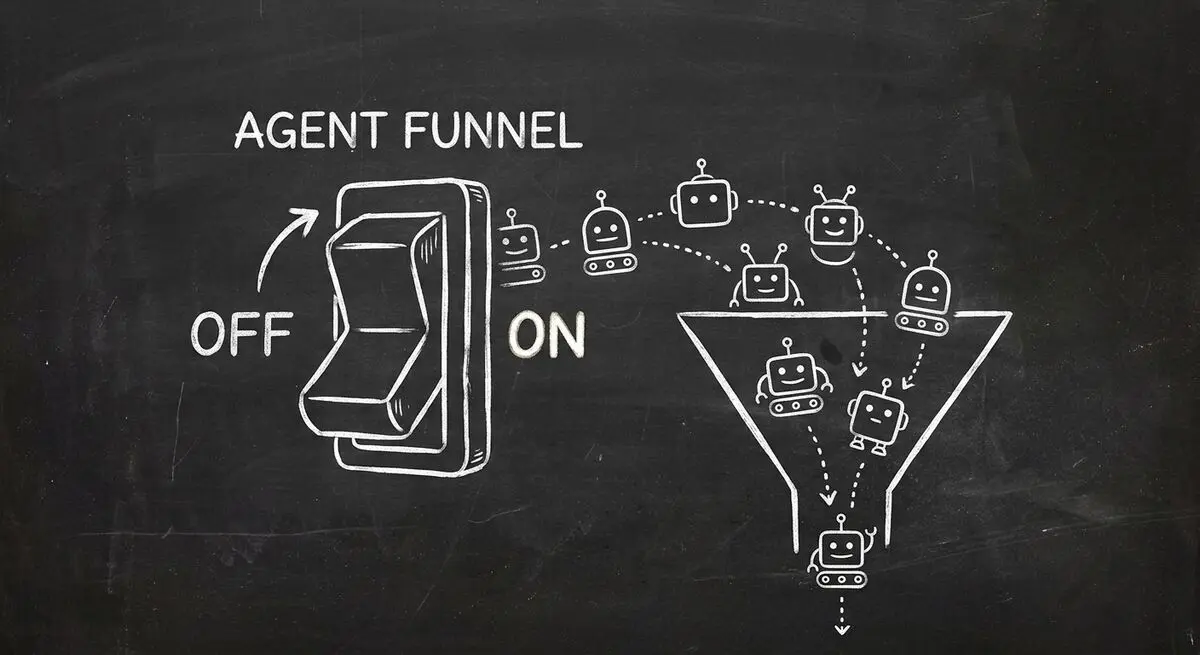
This is the highest-impact step. Dashform Agent Funnel turns any lead funnel into an MCP-accessible service with one toggle. Here is the process:
4a. Create or sign in to your Dashform account. If you already use Dashform for forms or funnels, your existing setup carries over. If not, the free tier includes Agent Funnel.
4b. Enable Agent Access. In your funnel settings, toggle "Agent Access" on. This activates MCP (Model Context Protocol) for your funnel, making it programmatically accessible to AI agents.
4c. Import your website profile. Enter your website URL and Dashform auto-extracts your business information: name, location, services, pricing, hours, and specializations. Review the extracted data, adjust anything that needs correction, and confirm.
4d. Publish to the agent marketplace. Your business is now listed in the Dashform agent marketplace, searchable by AI agents across 12 categories: Health & Wellness, Beauty & Personal Care, Fitness & Sports, Medical & Dental, Real Estate, Home Services, Professional Services, Education & Tutoring, Legal Services, Financial Services, Automotive, and Pet Services.
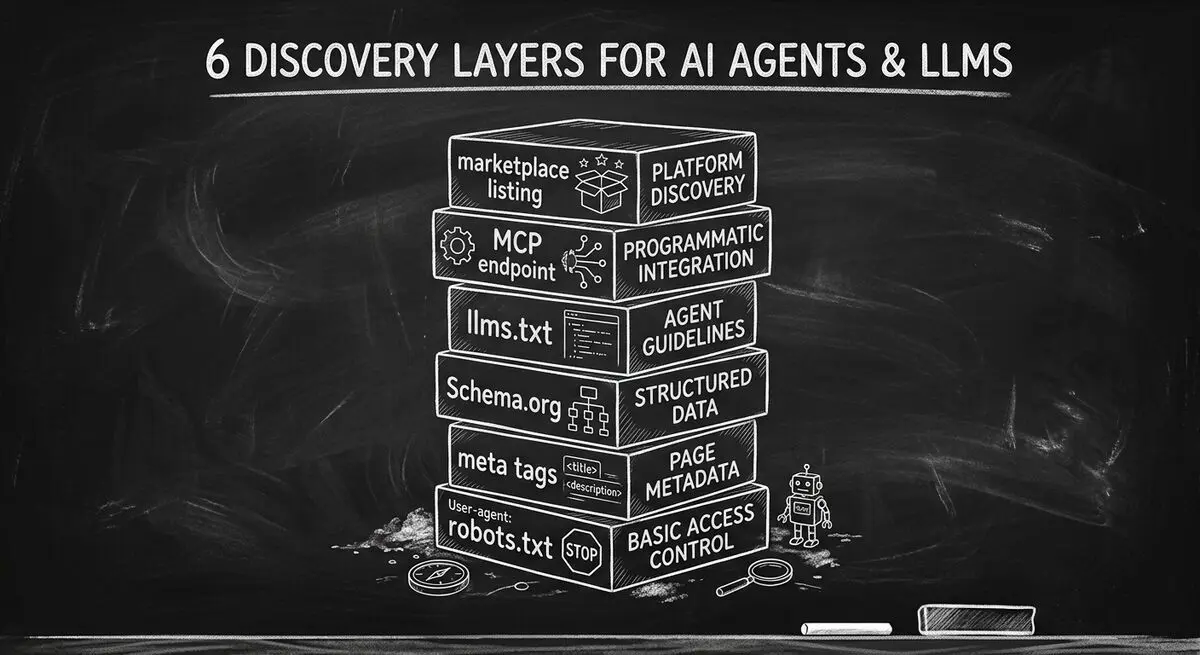
When you enable Agent Funnel, Dashform implements 6 discovery layers automatically: .well-known/mcp.json (the standard endpoint AI agents check for MCP servers), HTML meta tags, JSON-LD structured data, embed script injection, llms.txt, and unified search tools in the agent marketplace.
Step 5: Verify Your Setup (1 Minute)
After enabling Agent Funnel, run the AX Audit again. Your score should increase significantly -- particularly in Agent Interaction and Structured Data. Check that your business appears correctly in the agent marketplace by verifying your category, services, and location data.
What Happens After Setup
Once your business is agent-ready, here is what the AI agent booking flow looks like:
A consumer asks their AI assistant: "Find me a facial treatment near downtown under $150 this week."
The AI agent searches: It queries the Dashform agent marketplace using the list_marketplace_services tool, filtering by category (Beauty & Personal Care), keyword (facial treatment), location (downtown), and price range (under $150).
Your business appears: The agent sees your spa with services, pricing ($120 for classic facial, $140 for hydrating facial), location, and availability.
The agent qualifies the lead: It calls the check_marketplace_fit tool, which uses AI to evaluate whether this consumer is a good match. Budget match? Location proximity? Service availability? Score: 88, strong match.
The agent books: It calls the create_reply tool and submits a qualified lead with full context -- service requested, budget, preferred date, and contact information.
The entire process takes seconds. The consumer never visited your website. They never filled out a form. They asked their AI assistant and got booked.
How Agent Leads Compare to Traditional Leads
Agent-sourced leads are fundamentally different from traditional form fills. Because AI agents pre-qualify before submitting, agent leads arrive with context: the consumer's budget, preferred services, location, and timing. The check_marketplace_fit scoring means only strong matches reach your dashboard.
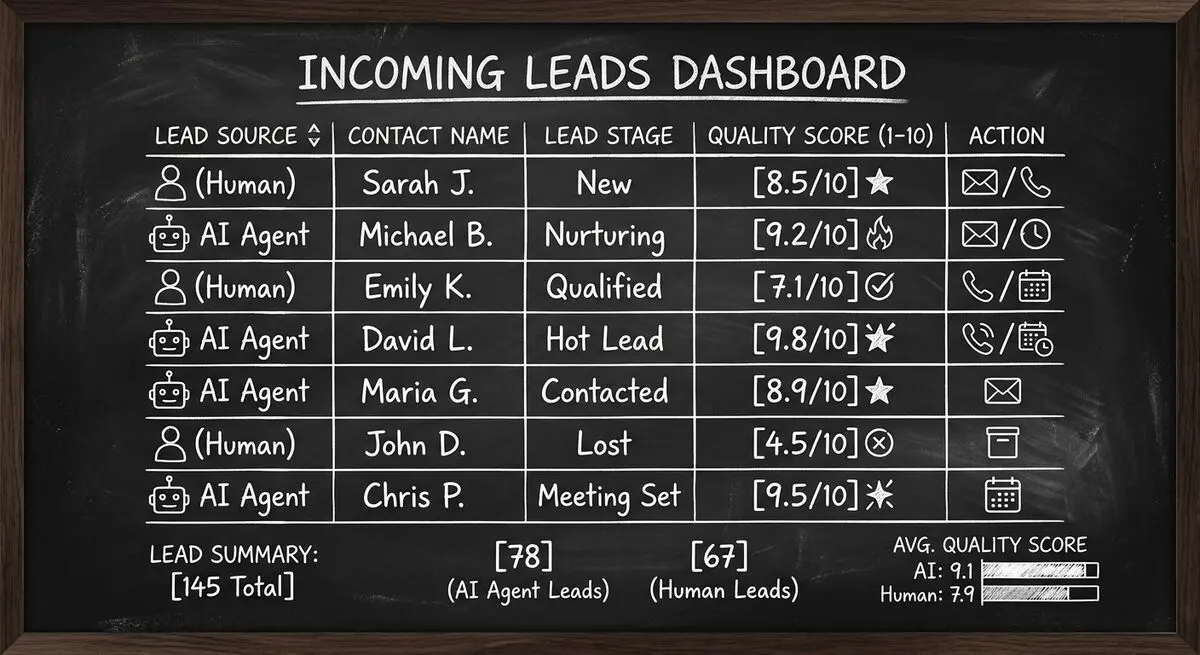
Traditional form fills are unqualified by default -- anyone can fill out a form. Agent leads are pre-screened, contextualized, and submitted only when the AI determines a strong match. This changes the follow-up process. Instead of calling a list of unknown leads, you are contacting people who have already been matched to your specific services, price range, and availability.
Keeping Your Agent Profile Current
Your agent profile works best when it reflects your current offerings. Update your Dashform profile when you add or remove services, change pricing, update availability or hours, add new specializations or certifications, or change location or service area. Dashform makes these updates easy through the dashboard -- no code changes or API configuration needed.
FAQ
Do I need any technical skills?
No. The entire setup requires zero coding. AX Audit needs only a URL. Dashform Agent Funnel needs one toggle and a website URL for auto-import. Structured data can be added through platform plugins (WordPress, Squarespace, Wix) without writing code.
What does Agent Funnel cost?
Agent Funnel is included in all Dashform plans, including the free tier. Agent-submitted leads count against the same response quota as direct form fills. There is no separate pricing for MCP access.
Which AI assistants can book through Agent Funnel?
All MCP-compatible clients: Claude (Anthropic), ChatGPT (OpenAI), Cursor, Windsurf, and every current and future MCP-compatible agent. The ecosystem is expanding rapidly as MCP becomes the standard protocol for AI-to-service communication.
Will this affect my existing booking system?
No. Agent Funnel adds a parallel channel. Your existing website, Calendly, Acuity, or phone booking continues to serve human customers. AI agents book through MCP. Both types of leads appear in your Dashform dashboard and flow to your existing integrations (Google Sheets, Notion, Airtable, Zapier, webhooks).
How do I know which leads came from AI agents?
Every agent-sourced lead is tagged with source: "agent" in your Dashform dashboard. You can filter by source to see agent lead volume, compare quality metrics between agent and direct leads, and track trends over time.
What if I get spam from AI agents?
Every lead submitted through Agent Funnel goes through AI-powered qualification. The check_marketplace_fit tool scores leads from 0 to 100 and only recommends booking for strong matches (score 70+). Agent leads are actually higher quality than typical unfiltered form fills because they are pre-screened before submission.
Can I control which services are available to AI agents?
Yes. You control your full service catalog in the Dashform dashboard. You can choose which services to expose to AI agents, set pricing, define availability windows, and configure qualification criteria. You have full control over what AI agents see and can book.





