


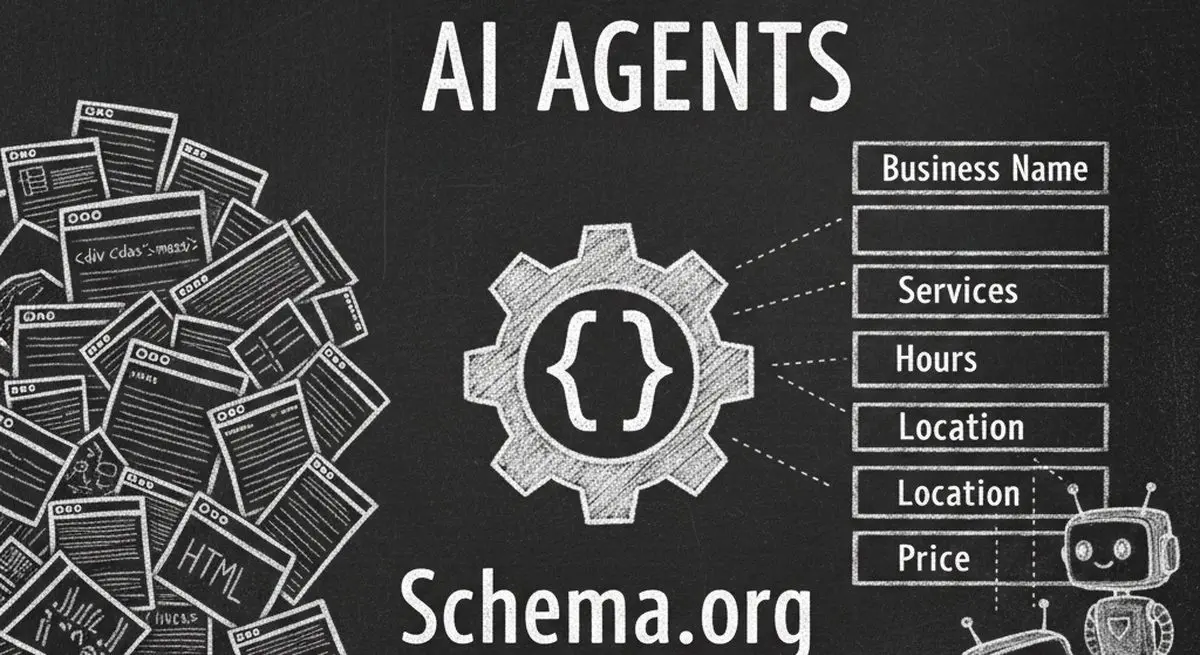
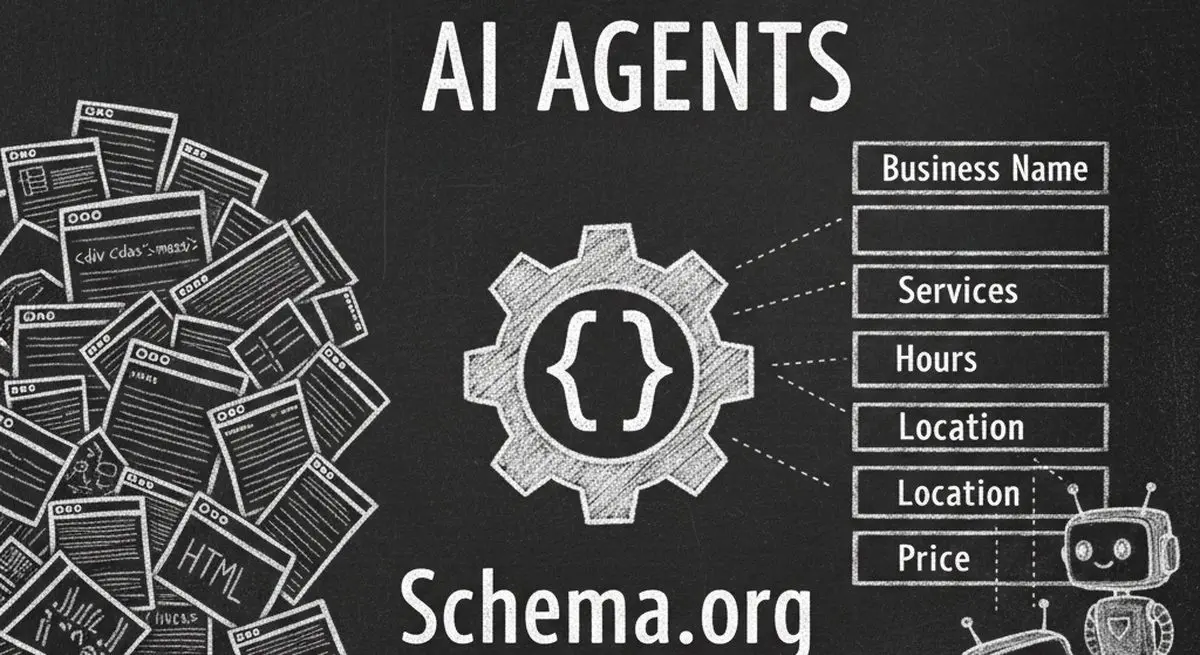
When an AI agent visits your website, it does not see beautiful design, compelling copy, or eye-catching images. It sees raw HTML -- and most of the time, it cannot figure out what your business actually does. Schema.org structured data is the bridge that translates your website into a language AI agents understand instantly.
In this guide, you will learn exactly how Schema.org markup makes your business visible and actionable to AI agents like ChatGPT, Claude, and Gemini -- and how to implement it in under an hour, even if you have never written a line of JSON-LD.
What Schema.org Actually Means for AI Agents
Schema.org is a collaborative vocabulary of structured data types maintained by Google, Microsoft, Yahoo, and Yandex. Originally created for search engine rich results (those enhanced listings with stars, prices, and FAQs), it has become the primary language AI agents use to understand websites.

| Without Schema.org | With Schema.org |
|---|---|
| AI reads: 'Open 9am-5pm Monday-Friday' | AI reads: {openingHours: 'Mo-Fr 09:00-17:00'} |
| AI guesses: 'This might be a dental office' | AI knows: {type: 'Dentist', specialty: 'Cosmetic'} |
| AI cannot extract pricing | AI reads: {price: '150', currency: 'USD'} |
| AI cannot verify location | AI reads: {address: {street, city, state, zip}} |
| AI cannot match to user query | AI matches: services, location, price range, hours |
The difference is not subtle. Without Schema.org, AI agents treat your website like a pile of unstructured text. With it, they treat your business like a structured database they can query, compare, and act on.
The 7 Essential Schema.org Types for AI Agent Visibility

1. LocalBusiness (or Organization)
This is the foundation of your AI visibility. Every business website should have this on the homepage. It tells AI agents your business name, type, address, phone, hours, and description.
| Field | Example | AI Agent Use |
|---|---|---|
| @type | Dentist, DaySpa, Restaurant | Categorizes your business for search queries |
| name | "Serenity Spa NYC" | Matches to user's natural language request |
| address | {streetAddress, city, state} | Location-based service discovery |
| telephone | "+1-212-555-0100" | Direct contact fallback |
| openingHours | "Mo-Sa 09:00-20:00" | Availability checking for booking |
| priceRange | "$$" | Budget filtering for recommendations |
| description | "Premium wellness center..." | Understanding service scope |
2. Service
List each service you offer with name, description, price, and duration. AI agents use this to match specific user requests ("deep tissue massage under $200") to your offerings.
3. Product
For businesses selling products, Product schema includes name, price, availability, brand, and reviews. AI shopping agents rely heavily on Product schema for comparison shopping.
4. FAQPage
FAQ schema does double duty: it generates rich results in Google and gives AI agents pre-answered questions about your business. This is especially valuable because AI agents often respond to questions by referencing FAQ content directly.
5. Review and AggregateRating
Review schema helps AI agents assess your reputation. When a user asks "find a highly-rated spa," agents filter by aggregate rating scores from Schema.org markup.
6. Event
For businesses that host events, classes, or workshops, Event schema tells AI agents what is happening, when, where, and how much it costs. Agents can recommend and book events directly.
7. BreadcrumbList
Breadcrumb schema helps AI agents understand your site hierarchy and navigate between related pages. This improves content extraction accuracy and helps agents find relevant sub-pages.
How to Implement Schema.org JSON-LD (Step by Step)
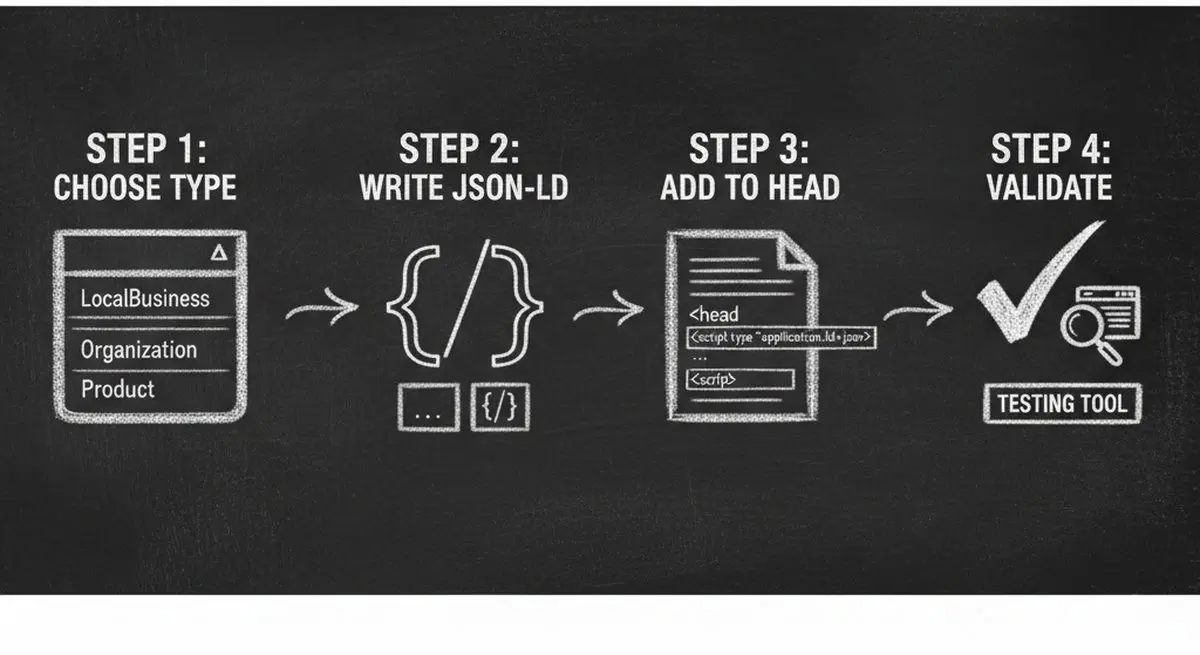
Step 1: Choose Your Primary Schema Type
Start with the most specific type that matches your business. Schema.org has over 800 types, but most local businesses need just one of these: Dentist, DaySpa, HealthClub, Restaurant, LegalService, RealEstateAgent, FinancialService, EducationalOrganization. If none fits perfectly, use the generic LocalBusiness type.
Step 2: Write Your JSON-LD Block
JSON-LD (JavaScript Object Notation for Linked Data) is the recommended format for Schema.org. It goes in a script tag in your page's head section. The key fields to include are: @context, @type, name, description, address, telephone, url, openingHours, priceRange, and sameAs (social links).
Step 3: Add Service and Product Schemas
After your primary business schema, add individual Service or Product schemas for each offering. Include name, description, provider (referencing your business), price or priceRange, and any category information. The more specific your service descriptions, the better AI agents can match them to user queries.
Step 4: Validate Your Markup
Use Google's Rich Results Test or Schema.org's validator to check your markup for errors. Common mistakes include missing required fields, incorrect data types (string instead of number), and invalid URLs. After validation, run Dashform's AX Audit to see how your structured data score improves your overall AI visibility.
5 Common Schema.org Mistakes That Hurt AI Visibility
| Mistake | Why It Hurts | Fix |
|---|---|---|
| Using Microdata instead of JSON-LD | Many AI parsers prioritize JSON-LD; Microdata is harder to extract | Convert all Microdata to JSON-LD format |
| Missing @type or @context | AI agents cannot identify what the data represents | Always include @context and specific @type |
| Generic Organization instead of specific type | Agents cannot match you to specific service queries | Use most specific type: Dentist, not Organization |
| No address or location data | Location-based queries cannot find you | Include full PostalAddress with all fields |
| Outdated hours or pricing | Agents recommend you for wrong times/budgets | Audit and update Schema data quarterly |
Advanced: Schema.org for AI Agent Transactions
Basic Schema.org tells agents who you are. Advanced Schema.org enables agents to do business with you. Here is the next level:
Combine Schema.org with llms.txt
Your llms.txt file provides a narrative summary while Schema.org provides structured data. Together, they give AI agents both context and actionable data. Reference your Schema.org types in your llms.txt for maximum discoverability.
Connect Schema.org to MCP Endpoints
Dashform's Agent Funnel automatically generates Schema.org WebApplication markup that points AI agents to your MCP endpoint. This creates a direct path from discovery (Schema.org) to transaction (MCP) -- the holy grail of AI agent commerce.
Frequently Asked Questions
Do I need Schema.org if I already have good SEO?
Yes. Traditional SEO (meta tags, title tags, alt text) is designed for search engine crawlers. AI agents use different parsing methods and prioritize structured data formats like JSON-LD. Schema.org is the bridge between SEO and AI visibility.
How much Schema.org markup is enough?
At minimum, add LocalBusiness schema to your homepage and Service/Product schema to your offering pages. For most businesses, 3-5 schema types covering business info, services, FAQ, and reviews provide excellent AI visibility. You do not need to schema-mark every page.
Can AI agents read Schema.org from any website platform?
Yes. JSON-LD Schema.org works on WordPress, Shopify, Wix, Squarespace, custom builds, and every other platform. It is a standard HTML script tag that any platform supports. Many platforms also have plugins that generate Schema.org automatically.
How do I test if AI agents can read my Schema.org?
The fastest way is to run Dashform's free AX Audit. It specifically checks for Schema.org presence, completeness, and validity as part of its Structured Data dimension (25 points out of 100). You will see exactly which schema types are detected and which are missing.
Does Schema.org help with AI-generated answers and citations?
Absolutely. When AI assistants like ChatGPT or Perplexity generate answers about local businesses, they heavily rely on structured data to provide accurate information. Businesses with comprehensive Schema.org markup are more likely to be cited correctly with accurate details.
Start Adding Schema.org Today
Schema.org is the fastest way to make your business understandable to AI agents. Start with LocalBusiness schema on your homepage, add Service schemas for your offerings, and validate with AX Audit. For businesses ready to go beyond visibility into AI-powered transactions, Dashform's Agent Funnel handles Schema.org generation, MCP endpoint creation, and AI lead qualification automatically.





