


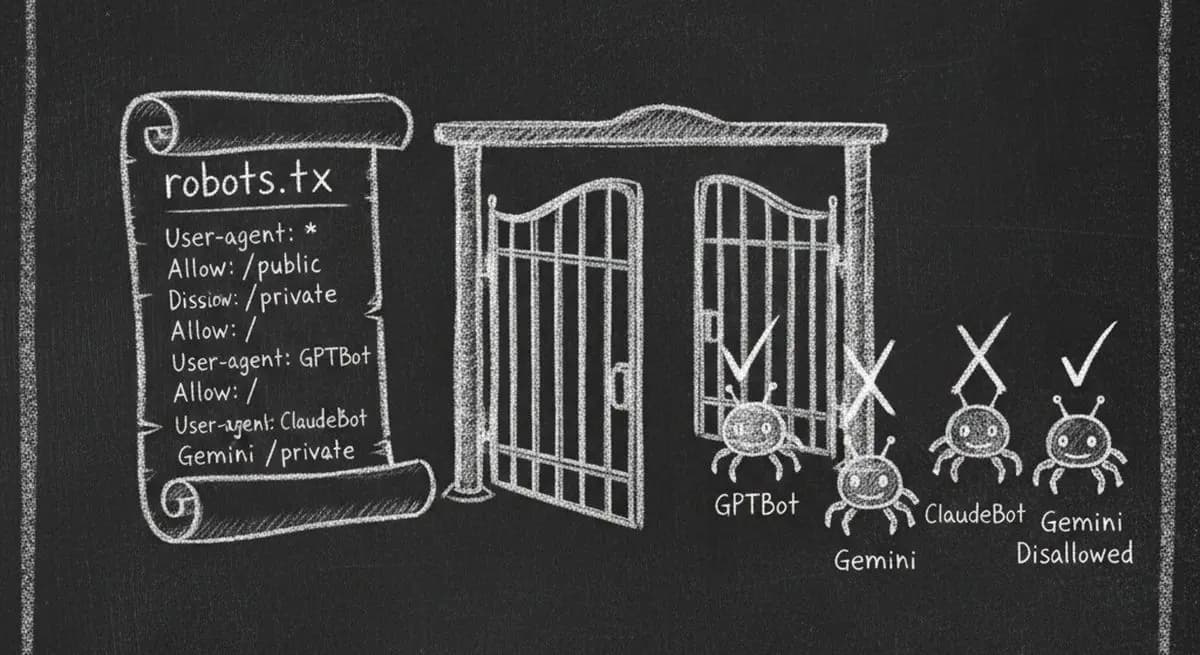
Right now, AI agents from OpenAI, Anthropic, Google, and Perplexity are visiting your website. They're trying to read your content, understand your business, and recommend you to users. But there's a good chance your robots.txt file is slamming the door in their face.
A recent analysis shows that over 90% of websites are partially or completely invisible to AI agents — not because their content is bad, but because their robots.txt file explicitly blocks AI crawlers from accessing the site.
In this guide, we'll show you exactly which AI crawlers are visiting your site, how to check if you're blocking them, and how to fix your robots.txt so AI agents can find, understand, and do business with you.
Why AI Crawlers Matter More Than Ever in 2026
The web is shifting from human-first browsing to agent-first interaction. AI agents are already comparing services, booking appointments, and making purchase recommendations — all without ever opening a traditional browser.
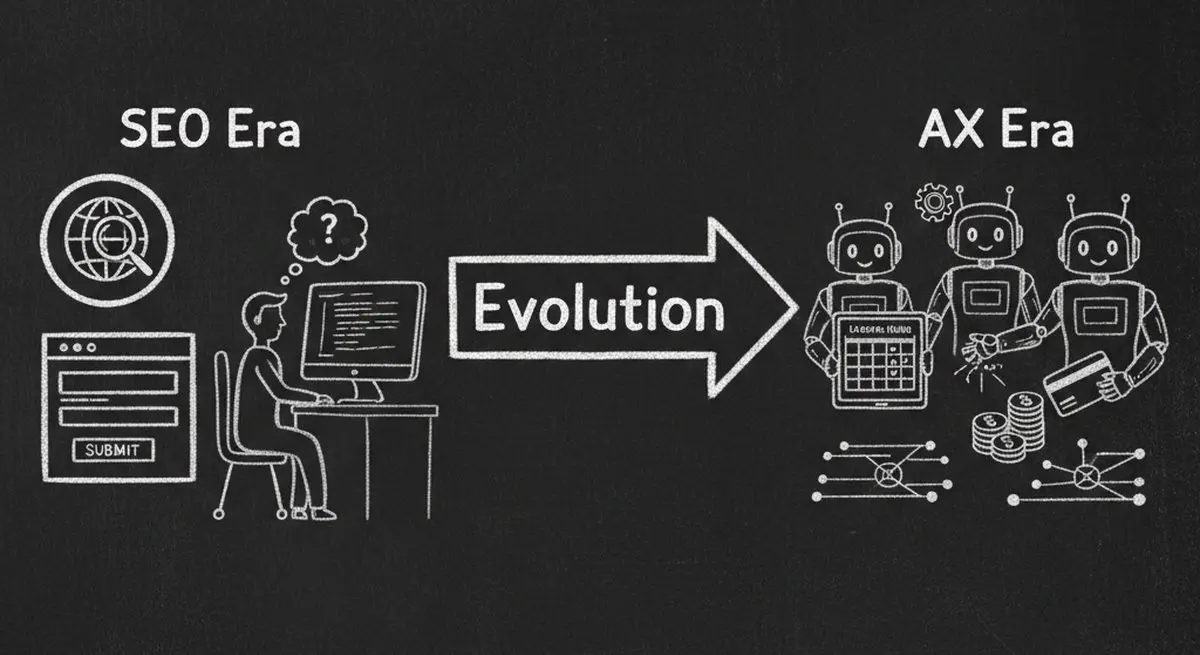
SEO Era vs AI Agent Era
| Dimension | SEO Era | AI Agent (AX) Era |
|---|---|---|
| Audience | Search engine crawlers (Googlebot) | AI agents (GPTBot, ClaudeBot, Gemini) |
| Goal | Rank on page 1 of Google | Be usable by AI agents |
| Key File | robots.txt + sitemap.xml | robots.txt + llms.txt + MCP endpoint |
| Data Format | Meta tags, title tags | Schema.org JSON-LD structured data |
| Conversion | User finds you, fills a form | Agent finds you, books directly |
| Metric | Google Lighthouse Score | AX Score (Agent Experience) |
Industry projections estimate that 25% of all business bookings will be agent-driven within two years. If your website blocks AI crawlers, you're not just missing out on SEO — you're becoming invisible to an entirely new channel of customer acquisition.
The 12 AI Crawlers Visiting Your Website Right Now
There are currently 12 major AI crawlers actively scanning websites. Each one serves a different purpose, and blocking any of them has real business consequences.
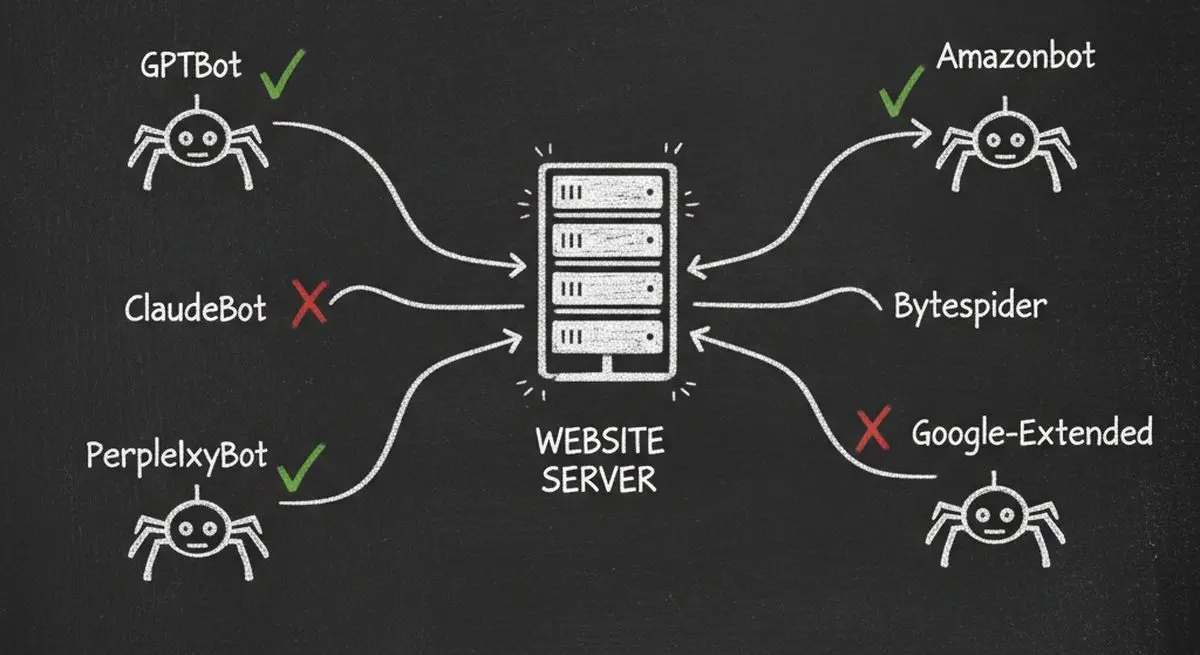
12 Major AI Crawlers You Need to Know
| Crawler Name | Owner | Purpose | Importance |
|---|---|---|---|
| GPTBot | OpenAI | Trains GPT models, powers ChatGPT recommendations | Critical |
| ChatGPT-User | OpenAI | Real-time browsing when ChatGPT users ask questions | Critical |
| ClaudeBot | Anthropic | Trains Claude models, powers Claude's knowledge | Critical |
| Google-Extended | Trains Gemini models, powers AI Overviews in Search | Critical | |
| OAI-SearchBot | OpenAI | Powers SearchGPT and ChatGPT search features | High |
| PerplexityBot | Perplexity | Powers Perplexity AI search engine | High |
| Claude-Web | Anthropic | Real-time web access when Claude users browse | Medium |
| Gemini-Deep-Research | Deep research mode in Gemini for comprehensive analysis | Medium | |
| Applebot-Extended | Apple | Powers Apple Intelligence and Siri AI features | Medium |
| meta-externalagent | Meta | Powers Meta AI across Facebook, Instagram, WhatsApp | Medium |
| Bytespider | ByteDance | Trains TikTok's AI recommendation systems | Low |
| Amazonbot | Amazon | Powers Alexa and Amazon's AI shopping assistant | Low |
Blocking GPTBot alone means your business won't appear when ChatGPT's 200+ million weekly users ask for recommendations. Blocking Google-Extended means you won't show up in Google's AI Overviews — the AI-generated answers that now appear above traditional search results.
How to Check If Your Website Is Blocking AI Crawlers
There are three ways to check, from quickest to most thorough:
Method 1: Manual robots.txt Check (30 seconds)
Open your browser and go to yourdomain.com/robots.txt. Look for any of these patterns that block AI crawlers:
Common robots.txt Rules That Block AI Crawlers
| Rule | What It Does | Impact |
|---|---|---|
| User-agent: GPTBot / Disallow: / | Blocks all OpenAI crawling | Invisible to ChatGPT |
| User-agent: ClaudeBot / Disallow: / | Blocks all Anthropic crawling | Invisible to Claude |
| User-agent: Google-Extended / Disallow: / | Blocks Google AI training | Missing from AI Overviews |
| User-agent: * / Disallow: / | Blocks ALL crawlers including AI | Invisible to everything |
| User-agent: CCBot / Disallow: / | Blocks Common Crawl (used by many AI) | Reduced AI training data |
If you see any "Disallow: /" rules targeting AI user-agents, your site is blocking those crawlers.
Method 2: Use AX Audit for a Complete Scan (60 seconds)
The fastest way to get a complete picture is to use Dashform's free AX Audit tool. Just enter your URL and it instantly scans your robots.txt against all 12 AI crawlers, checks your structured data, tests your page speed, detects CAPTCHAs and bot walls, and gives you an overall AX Score out of 100.
No signup required. Results in under 60 seconds. Every issue comes with a copy-paste code fix.
Method 3: Check Server Logs (Advanced)
If you have access to your server logs, search for AI crawler user-agent strings. Look for entries containing "GPTBot", "ClaudeBot", "Google-Extended", or "PerplexityBot". If you see 403 (Forbidden) or 429 (Rate Limited) responses, your server is actively rejecting AI crawlers.
Beyond robots.txt: 5 Other Ways Your Website Blocks AI Agents
robots.txt is just the first barrier. Many websites have additional layers that prevent AI agents from accessing content:
Hidden AI Blockers Beyond robots.txt
| Blocker | How It Works | How to Detect | Fix |
|---|---|---|---|
| CAPTCHA / Bot Walls | reCAPTCHA, hCaptcha, Cloudflare Turnstile intercept all automated requests | Visit your site in incognito, check for challenges | Whitelist AI crawler IPs or use challenge-free verification |
| JavaScript-Only Rendering | SPA frameworks (React, Angular, Vue) render content client-side that crawlers can't execute | View page source — if body is mostly empty, it's JS-rendered | Implement server-side rendering (SSR) or static site generation (SSG) |
| Cookie Consent Walls | EU cookie banners block content until accepted — agents can't click 'Accept' | Check if content is hidden behind a consent modal | Serve content first, consent banner as overlay |
| Login Walls / Paywalls | Content behind authentication is completely invisible to crawlers | Check if key pages require login to view | Offer summary content publicly, gate premium content |
| Aggressive Rate Limiting | Server returns 429 errors when crawl rate is too high | Check server logs for 429 responses to bot user-agents | Set reasonable rate limits (10+ req/min for known bots) |
How to Fix Your robots.txt for AI Crawlers (Copy-Paste Templates)
Here's exactly what to add to your robots.txt to allow AI crawlers while maintaining control:
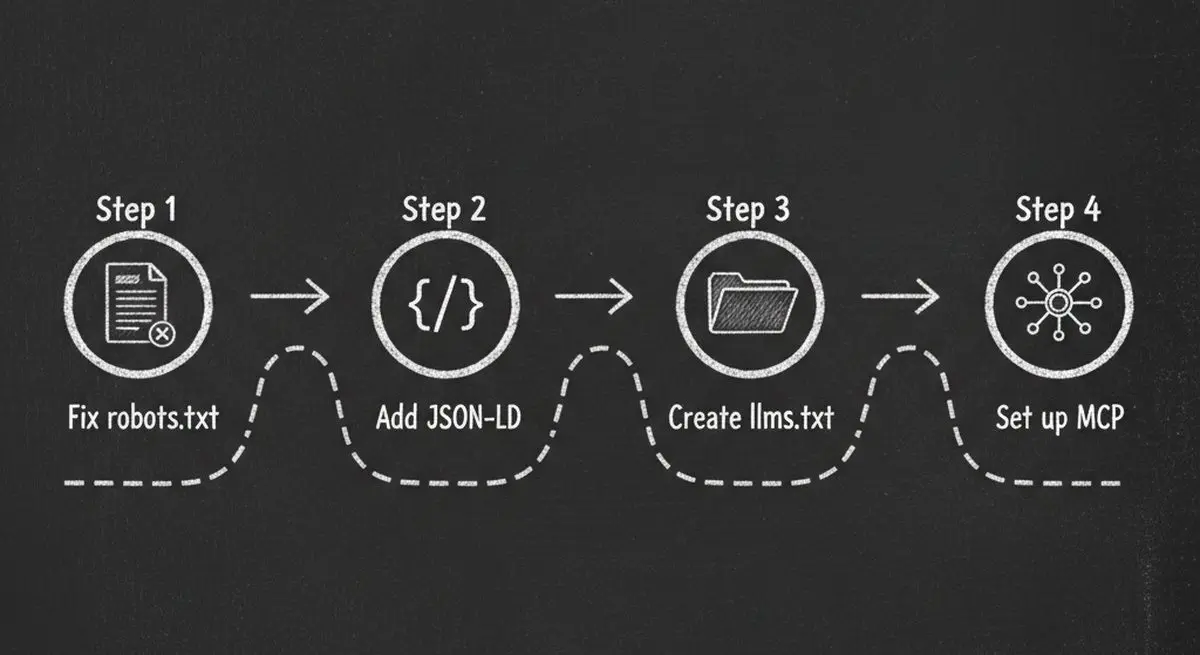
Option 1: Allow All AI Crawlers (Recommended)
Add these lines to your robots.txt file to explicitly allow all major AI crawlers:
User-agent: GPTBot / Allow: / ... User-agent: ClaudeBot / Allow: / ... User-agent: Google-Extended / Allow: / ... User-agent: PerplexityBot / Allow: / ... User-agent: OAI-SearchBot / Allow: / ... User-agent: ChatGPT-User / Allow: /
Option 2: Allow AI Crawlers But Protect Sensitive Pages
If you want AI agents to access your public content but not admin pages, private directories, or internal tools, use selective allow/disallow rules. Allow the root path for each AI user-agent, then add specific Disallow rules for /admin/, /dashboard/, /internal/, and any other private paths.
Option 3: Allow Only Specific AI Crawlers
If you want to be selective — for example, allowing ChatGPT and Claude but not training data crawlers — you can explicitly allow certain user-agents while blocking others. Allow GPTBot, ChatGPT-User, ClaudeBot, and Google-Extended. Set other AI crawlers to Disallow if you prefer.
Important: Changes to robots.txt take effect immediately for new crawl requests. However, it can take days or weeks for AI models to re-index your content after you unblock them. The sooner you fix it, the sooner you'll be visible.
Beyond robots.txt: The Complete AI Readiness Checklist
Fixing your robots.txt is step one. But a truly AI-ready website needs more. Here's the complete checklist:
Complete AI Readiness Checklist
| Category | Action | Priority | Impact |
|---|---|---|---|
| Crawlability | Allow all 12 AI crawlers in robots.txt | Critical | Without this, nothing else matters |
| Crawlability | Page loads in under 3 seconds | High | Slow pages get abandoned by agents |
| Crawlability | No CAPTCHA or bot walls blocking AI | Critical | 100% blocker for all AI interaction |
| Structured Data | Add JSON-LD Schema.org markup | Critical | Agents need structured data to understand your business |
| Structured Data | Include business type, services, hours, location | High | Enables agent-to-business matching |
| Structured Data | Validate OpenGraph tags (title, description, image) | Medium | Improves how agents present your business |
| Content | Semantic HTML (proper headings, landmarks) | High | Agents parse structure, not just text |
| Content | Alt text on 80%+ of images | Medium | AI agents read alt text for context |
| Agent Interaction | Create an llms.txt file | High | The new standard for AI-readable site summaries |
| Agent Interaction | Set up MCP endpoint (.well-known/mcp.json) | Medium | Enables agents to take actions on your site |
| Agent Interaction | Clear CTA labels (not vague 'Click here') | Medium | Agents need descriptive action labels |
| Discoverability | Schema.org sameAs links to social profiles | Medium | Cross-references verify your identity |
| Security | HTTPS enabled with valid SSL certificate | Critical | Agents won't trust insecure sites |
| Security | Privacy policy and terms of service linked | Low | Trust signals for AI evaluation |
Check Your Score: Free AX Audit Tool
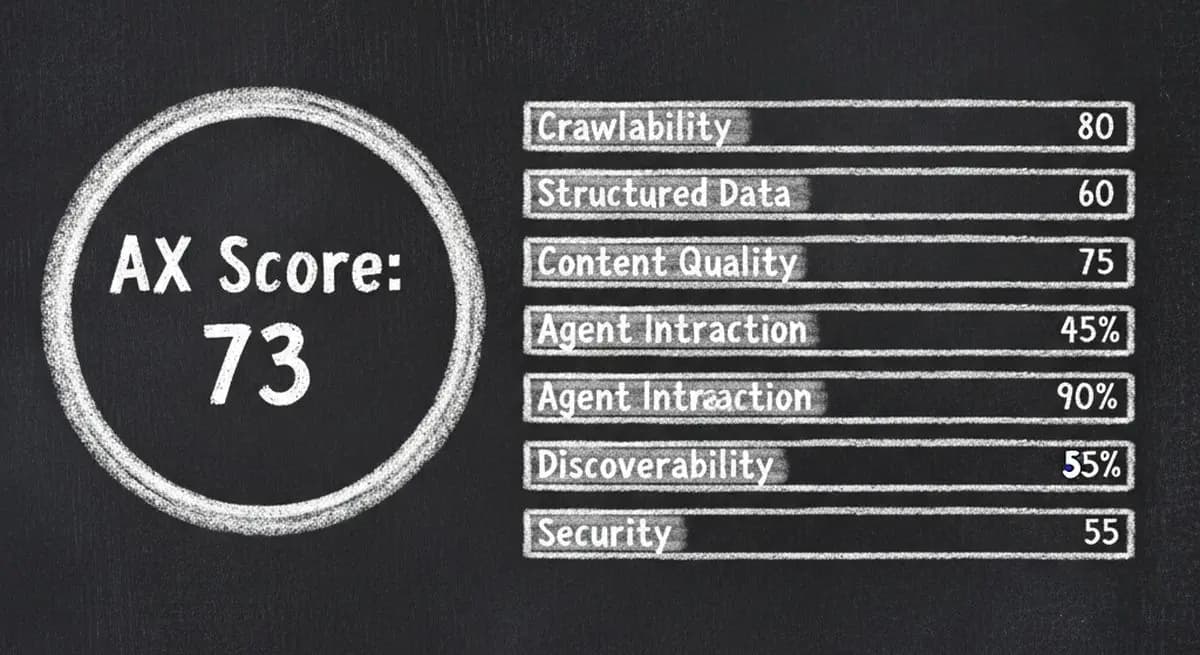
Instead of manually checking each of these items, run a free AX Audit on your website. It checks all 6 dimensions — Crawlability, Structured Data, Content Quality, Agent Interaction, Discoverability, and Security — and gives you an AX Score out of 100.
Every issue comes with severity levels (Critical, Warning, Info) and copy-paste code fixes. No signup required. No credit card. Just enter your URL and get your score in under 60 seconds.
AX Score Grading Scale
| Score | Grade | What It Means |
|---|---|---|
| 90-100 | Excellent (Agent-Ready) | AI agents can fully discover, understand, and interact with your business |
| 70-89 | Good (Mostly Ready) | Most AI agents can access your site, but key improvements are needed |
| 50-69 | Needs Work | Significant gaps that make your site partially invisible to AI agents |
| 0-49 | Poor (Not Ready) | Your website is largely invisible to AI agents — urgent fixes needed |
Frequently Asked Questions
What is robots.txt and why does it affect AI agents?
robots.txt is a text file at the root of your website (yourdomain.com/robots.txt) that tells web crawlers which pages they can and cannot access. Traditionally it was used to guide search engine bots like Googlebot. Now AI companies use their own crawlers — GPTBot, ClaudeBot, PerplexityBot — that also respect robots.txt rules. If your file blocks these user-agents, AI tools like ChatGPT and Claude literally cannot read your website.
Will allowing AI crawlers hurt my SEO?
No. Allowing AI crawlers has no negative impact on traditional SEO. Google has explicitly stated that Google-Extended controls only AI training data, not search ranking. Your Googlebot rules (which control search ranking) are completely separate from Google-Extended rules. In fact, being visible to AI agents opens an entirely new traffic channel alongside traditional search.
How do I know which AI crawlers are visiting my site?
Check your server access logs for user-agent strings containing GPTBot, ClaudeBot, Google-Extended, or PerplexityBot. Or run a free AX Audit which checks your robots.txt against all 12 known AI crawlers instantly — no log analysis required.
Is it safe to allow AI crawlers? What about content scraping?
Allowing AI crawlers lets them read your publicly available content — the same content any human visitor can see. It does not give them access to private data, admin areas, or anything behind authentication. You can use selective Allow/Disallow rules to open public pages while keeping sensitive directories blocked. The business benefit of being visible to 200+ million ChatGPT users typically far outweighs concerns about content being used in AI training.
How long after fixing robots.txt will I appear in AI tools?
Changes to robots.txt take effect immediately for new crawl requests. However, AI models need time to re-crawl and re-index your content. For real-time tools like ChatGPT browsing and Perplexity search, you may appear within days. For model training (which affects the AI's built-in knowledge), it can take weeks to months. The key takeaway: fix it now, because the clock starts ticking the moment you unblock.
What is an AX Score?
AX Score (Agent Experience Score) is a 0-100 metric that measures how well your website is prepared for AI agents — similar to how Google Lighthouse measures performance and accessibility. It evaluates 6 dimensions: Crawlability, Structured Data, Content Quality, Agent Interaction, Discoverability, and Security. You can check your AX Score for free at getaiform.com/axaudit.
Do I need technical skills to fix these issues?
Basic robots.txt changes are straightforward text edits that anyone can do. More advanced fixes like adding JSON-LD structured data or creating an llms.txt file require some technical knowledge, but the AX Audit tool provides copy-paste code snippets for every issue it finds. For businesses that want a fully agent-ready web presence without technical work, Dashform provides MCP-discoverable forms and AI-native funnels that are agent-ready by default.
Key Takeaways
Over 90% of websites are partially or completely invisible to AI agents because their robots.txt blocks AI crawlers — this is fixable in under 5 minutes
12 major AI crawlers from OpenAI, Anthropic, Google, Meta, Apple, and others are actively visiting websites — blocking any of them means losing visibility on those platforms
robots.txt is just the first layer — CAPTCHAs, JavaScript-only rendering, cookie consent walls, and aggressive rate limiting can all silently block AI agents
The complete AI readiness checklist covers 6 dimensions: Crawlability, Structured Data, Content Quality, Agent Interaction, Discoverability, and Security
Fixing your robots.txt is free and immediate — but the sooner you do it, the sooner AI agents will start recommending your business to their users





