A lead qualification quiz is a short set of questions a prospect answers before they talk to you, so you can tell who you can help, how soon, and what each person should do next. Done well, it can take over the basic questions of a discovery call and keep more of your calendar for people you can actually help.
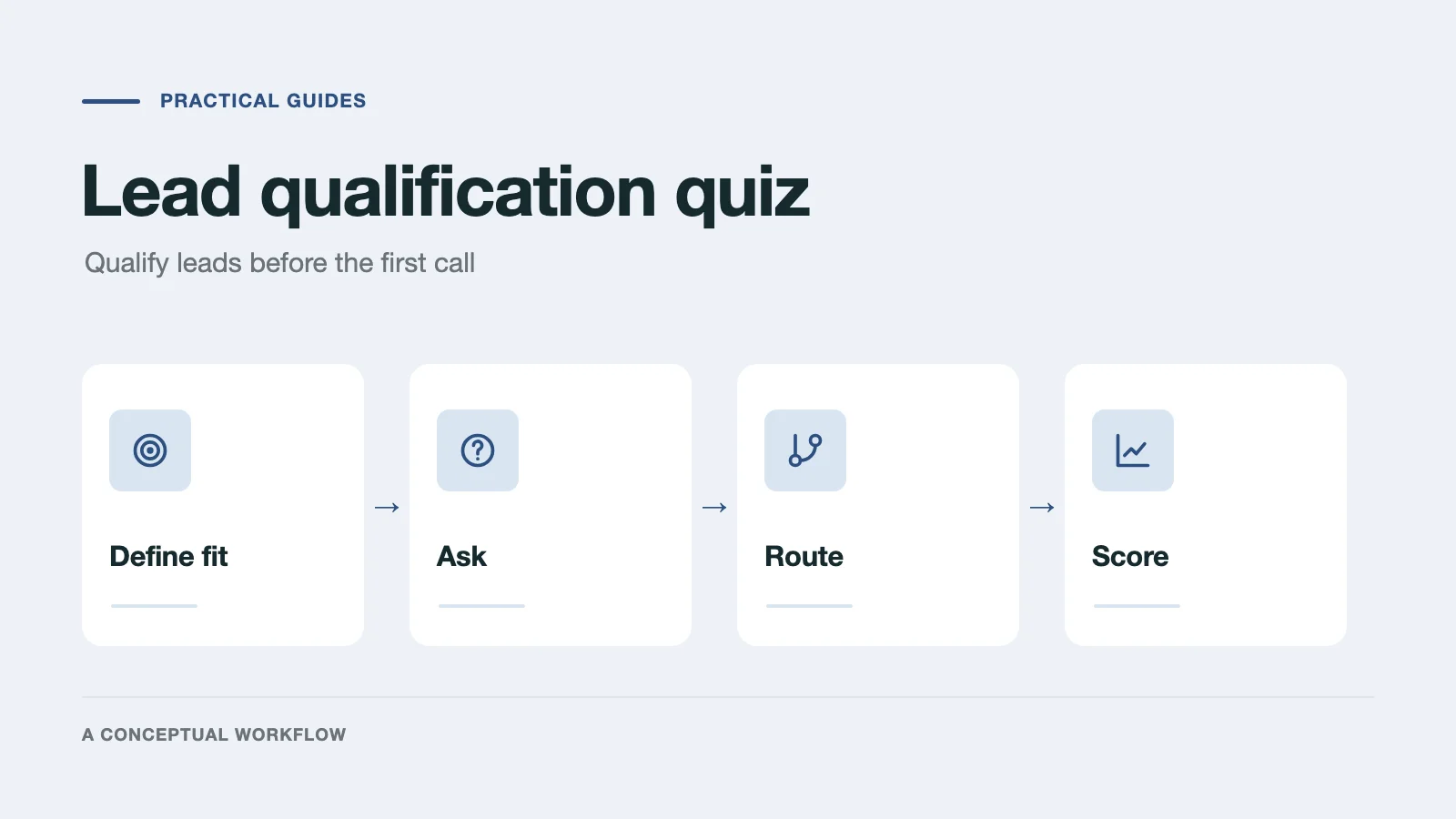
This guide covers the whole process: deciding what "qualified" means for your business, writing questions that reveal it, routing every answer to a next step, and scoring replies once they arrive. At the end are guides for four kinds of service business and a prompt to build your own.
Qualification quiz vs. contact form vs. lead magnet
A contact form asks for a name, an email, and a message. Everyone who sends one gets the same treatment, and you sort them out by reading each message or by getting on a call.
A lead generation quiz trades a result, such as a score, a recommendation, or a report, for contact details. Its job is to grow a list. Our lead generation quiz guide covers that kind in depth.
A lead qualification quiz asks the questions you'd otherwise ask on the first call, and uses the answers to decide what happens next. It may still give a result, but its main output is a decision: book a call, send a resource, suggest a smaller offer, or refer the person elsewhere.
The difference shows up in the questions. A lead magnet asks what makes the result interesting. A qualifier asks what makes the prospect a fit.
Step 1: Decide what "qualified" means
Write down who you want to talk to before you write a single question. Most service businesses qualify on some mix of these:
- Fit: is the request something you actually do?
- Need: is the problem real and specific, or still vague?
- Timing: when do they want to start, and is that date fixed?
- Budget: can they afford your smallest real engagement?
- Authority: are they the person who decides, or will someone else need to approve?
The last four are the classic BANT checklist (budget, authority, need, timeline). Fit comes first because a large budget for a service you don't offer is still not a lead.
Then write three short descriptions in plain language:
- High priority: who you want to call back today.
- Medium priority: who might be a fit once something is clarified.
- Low priority: who you can't help right now, and why.
Also list your hard disqualifiers, such as a service area you don't cover or a minimum project size. A disqualifier is a rule, not a judgment, so it belongs in the quiz's logic, not in anyone's opinion of the lead.
These descriptions do double duty. They tell you which questions to ask, and later they become the criteria your scoring uses.
Step 2: Ask questions that reveal fit
Turn each criterion into a question with answers you can act on.
| Criterion | Question | Answer format |
|---|---|---|
| Fit | What do you need help with? | Your actual services as choices, plus "Something else" |
| Need | What's prompting this now? | Short text, or common triggers as choices |
| Timing | When would you like to start? | This month, next 1–3 months, later, just exploring |
| Budget | What budget range have you set aside? | Bands that match your real pricing, plus "Not sure yet" |
| Authority | Who else is involved in the decision? | Just me, a partner or team, a manager or board |
A few rules keep the quiz short and honest:
- Use bands, not open numbers. "What's your budget?" invites a guess. Bands built from your real prices tell the prospect what to expect and give you a clean answer.
- Always offer "Not sure yet." Forcing an answer creates fake precision. An unsure answer is useful information: it usually means medium priority.
- Cut questions that don't change the next step. If every answer leads to the same place, the question belongs on the call, not in the quiz.
- Ask for contact details once there's a reason to give them. Asking after the fit questions, just before the result, works well for many businesses. Test it with your own audience.
- Don't hide what happens next. Say on the start screen what the quiz is for and what the prospect gets at the end.
Step 3: Route every answer to a next step
Qualification only pays off when different answers lead to different places. Plan one ending for each outcome:
- Ready to talk: fit, need, timing, and budget line up. Embed your scheduling tool, such as Calendly or Cal.com, on the ending so they can pick a time before they leave.
- Not yet: the fit is there, but timing or budget is unclear. Offer a guide, a smaller first step, or an invitation to come back.
- Not a fit: the request is outside what you do. Say so kindly, and point to a resource or a referral.
No ending should be a dead end. A prospect who doesn't qualify today may become a buyer next quarter, or refer someone who is a fit now.
In Dashform, a Logic Funnel does this with Branches: a rule on an answer sends the prospect to a specific Ending, and an Ending can embed a booking widget and add extra links. If you want a single ending whose copy changes with the answers, use Result Sections, which pick the right paragraph for each prospect.
Step 4: Score each reply after it completes
Branches handle the clear cases. Scoring handles the rest: the reply that ticks most boxes but leaves budget unsure, or the one with a vague answer that turns out to be promising.
Dashform's Lead Scoring is opt-in for each form. You write what a high, medium, and low priority lead looks like (the three descriptions from Step 1), or generate a first draft from your form's questions. Each completed Reply then gets a High, Medium, or Low priority Verdict, with a short reason. If a high priority Reply goes unopened for a day, the Replies page flags it.
Treat the Verdict as a first sort, not a final answer:
- Read the answers before you act on a lead.
- Override any Verdict you disagree with, and note why.
- Keep rules that must always hold, such as a service area, in Branches rather than in scoring criteria.
- Never show a score or label to the prospect.
Step 5: Hand the reply to whoever follows up
A qualified lead is only useful if the right person sees it quickly. Send each Reply where your team already works: a Slack channel, HubSpot, Google Sheets, Airtable, Notion, or Mailchimp, or anywhere else through webhooks and Zapier. The person who follows up should see the full answers, so the first call starts from what the prospect already said.
Agree on who owns new replies and how fast they respond, and pick a response time your team can actually keep.
When the person filling it in is an AI agent
Some prospects now ask an AI assistant to contact a business for them. A Dashform form can serve both: a person fills it in step by step, and with AI Handoff on, the start screen also lets them hand the form to an AI assistant, which answers the same questions. Forms that take a payment leave this off. Either way the answers arrive as one Reply and are scored the same way. We tested both routes in can an AI assistant fill out your intake form.
Guides for your industry
The steps above hold for any service business, but the questions and disqualifiers differ by trade.
Coaches. Qualify on readiness and commitment as much as budget, and keep the discovery call for the conversation only a coach can have. Read the modern client qualification process for coaches, see Dashform for coaches, or start from the 1-on-1 coaching form template.
Agencies. Score project fit, not the person: service, budget against your minimum, timeline, and who approves. Copy the agency lead qualification scorecard, see Dashform for agencies, or start from the web design quote template.
Real estate. Separate buyers from sellers early, then ask about area, price range, timeline, and financing status. Read how realtors qualify buyers before the first call, see Dashform for real estate, or start from the property inquiry form template.
Home services. Put emergency instructions before any questions, then ask about the job, urgency, property type, and system age. Read AI lead qualification for HVAC, plumbing, and electrical, see Dashform for home services, or start from the plumbing service request template.
Build your qualification quiz
To build one in Dashform, sign up, choose Logic Funnel on your dashboard so the quiz can use Branches, and paste a prompt like this with the brackets filled in:
Create a lead qualification quiz for a [type of business] that offers [your services].
Ask about: the service they need, what prompted the request,
when they want to start, their budget range (use these bands: [your bands],
plus "Not sure yet"), and who else is involved in the decision.
Ask for name and email after the fit questions.
Create three Endings:
- Ready to talk: invite them to book a call.
- Not yet: offer [a guide or smaller offer].
- Not a fit: thank them and point to [a resource or referral].
Send anyone who needs [a service you don't offer] to "Not a fit".
Then read every question as a prospect would, fill it in a few times with different answers to check each Ending, write your high, medium, and low priority criteria, and send yourself a test reply before you share the link. For what Dashform does at each step, see lead qualification with Dashform.
Check that it works
After the quiz has run for a while, compare what it decided with what actually happened:
- Of the prospects sent to booking, how many booked, showed up, and bought?
- Did anyone you'd have wanted end up at "Not yet" or "Not a fit"? Which answer sent them there?
- Do the Verdicts match your own reading of the replies? Where they don't, rewrite the criteria.
- Is one question producing vague answers? Sharpen its choices or cut it.
Change one thing at a time and keep a note of what you changed and when, so you can tell whether the next batch of leads is better.