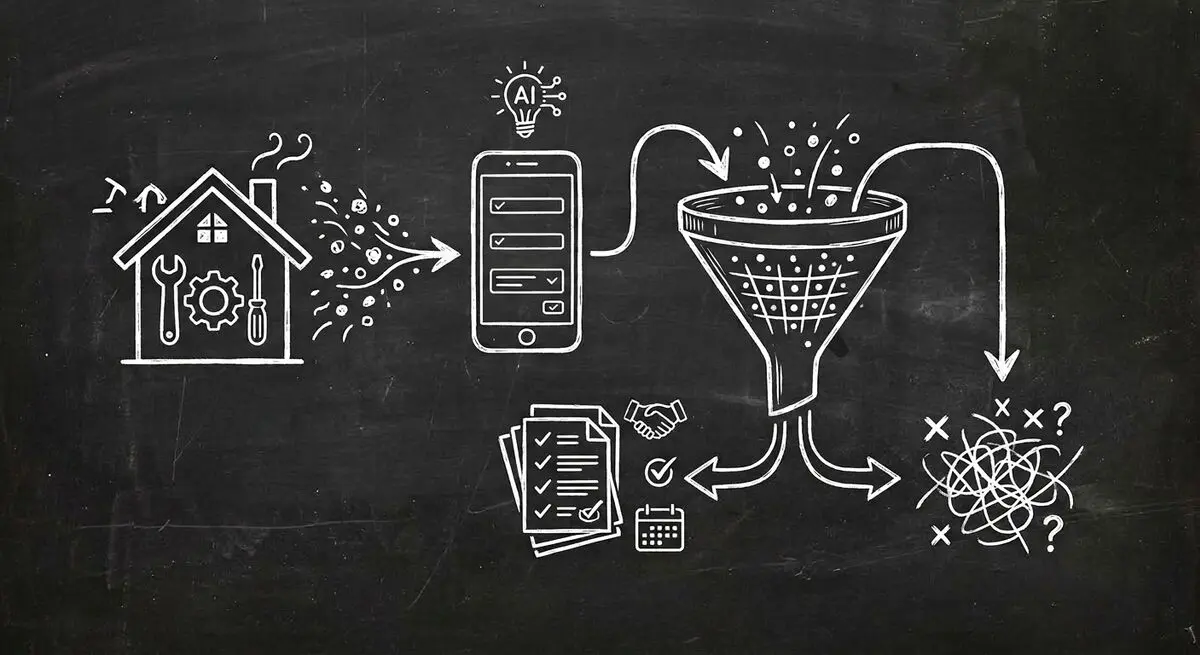
A home service inquiry may concern a small repair, a planned installation, or an urgent problem. Collecting the job type, location, and contact details gives dispatch staff context for deciding the next step.
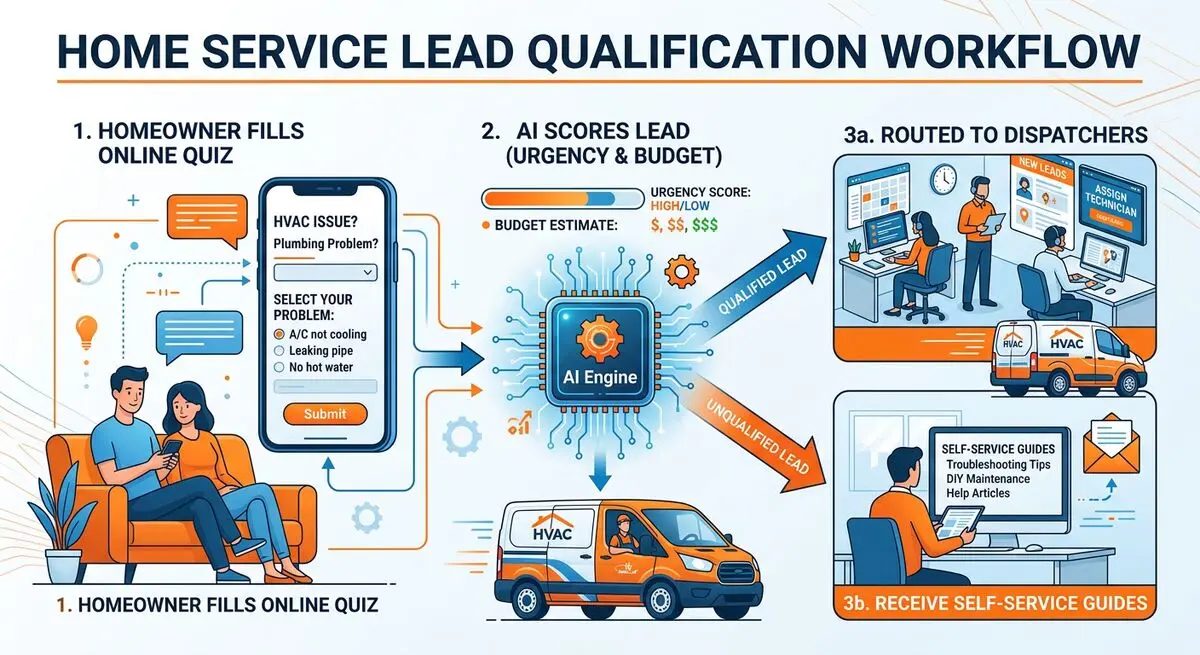
Use Dashform to draft intake questions and configure lead review criteria. The workflow below is a proposed setup: staff must review replies, and scheduling, SMS, estimates, and dispatch require explicit external configuration.
Home Services Lead Flow: Paid Platforms vs AI Qualification
| Step | Paid Platforms | AI Quiz Funnel |
|---|---|---|
| Lead source | Shared leads, paid per lead | Your own website and ads |
| Qualification | A dispatcher call for every lead | Service, urgency, property, and budget answered upfront |
| Booking | Depends on your process | Collect preferences or link to a configured scheduler |
| Follow-up | The same for every lead | Matched to urgency and job type |
Why Traditional Home Service Lead Gen Is Broken
Home services are a huge market. Yet most HVAC, plumbing, electrical, and roofing companies acquire leads through the same broken channels:
- Pay-per-lead platforms (Angi, HomeAdvisor, Thumbtack) charge per lead with no quality guarantee. The same lead is often sold to several competitors at once.
- For paid search, track which clicks become inquiries and confirmed jobs in your own records.
- Record which details dispatchers need before they can decide whether to accept a job.
- Define follow-up responsibilities for each service type and urgency level.
Many home service companies spend heavily on marketing but lack the tools to measure which channels drive profitable jobs versus tire-kickers.
How AI Quiz Funnels Qualify Home Service Leads
An AI quiz funnel built with the Dashform AI Quiz Generator replaces your generic 'Request a Quote' form with an interactive questionnaire that pre-qualifies every lead before your team engages.
Here is an example questionnaire for an HVAC company to review:
- The homeowner visits your website or clicks a social media ad and lands on a quiz titled 'Tell Us About Your HVAC Request.'
- Question 1: What type of service? (AC repair, furnace install, duct cleaning, maintenance plan, etc.)
- Question 2: How urgent? (Emergency today, this week, planning ahead, just researching)
- Question 3: Property type? (Single family, multi-family, commercial, new construction)
- Question 4: System age? (Under 5 years, 5-10, 10-15, 15+, not sure)
- Question 5: Budget range? (Your price bands for repairs, replacements, and full installs, plus need financing)
Configure hot, warm, and cold criteria for routine service fit. Keep emergency instructions independent of lead value and AI judgment. Staff should confirm the required work and any estimate; booking and email sequences need separately configured tools.
Setting Up AI Lead Qualification for Your Home Service Company
Step 1: Build Your Lead Qualification Quiz
Use the AI Quiz Generator to create an interactive questionnaire specific to your trade. Describe your services (HVAC repair, plumbing, electrical, roofing, etc.) and the AI generates a complete qualification quiz with conditional logic.
Step 2: Create Service-Specific Intake Forms
For each service category, create a detailed intake form with the AI Form Generator . An HVAC repair form asks different questions than a new installation form. Conditional logic ensures homeowners only see relevant questions.
Step 3: Set Up Lead Routing
Check whether ServiceTitan, Housecall Pro, Jobber, or your other target system supports the required API or Zapier action. Configure a webhook or automation, map fields, and test delivery and failures. SMS and dispatch are external workflows, not native Dashform guarantees.
Step 4: Deploy Across All Channels
Embed your quiz on your website homepage, service pages, and landing pages. Share the quiz link in Google Ads, Facebook Ads, and Nextdoor posts. Add it to your Google Business Profile as a booking link.
What Changes With an AI Quiz Funnel
Measure whether the pilot helps your team:
- Can dispatchers find the service type, location, and contact details?
- Are incomplete or ambiguous answers flagged for review?
- Does the confirmation accurately describe the next step?
- Do the configured Destinations receive the expected data?
What the Quiz Should Ask, by Trade
| Trade | What the Quiz Should Ask |
|---|---|
| HVAC | Service type, urgency, system age, budget |
| Plumbing | Problem, urgency, fixture, property type |
| Electrical | Job type, panel age, permit needs |
| Roofing | Damage, roof age, insurance claim |
| Landscaping | Project type, yard size, season |
Beyond Lead Gen: AI Forms for Home Service Operations
Other proposed Dashform form workflows include:
- Post-job feedback forms, sent manually or through a configured external messaging tool. Invite honest feedback and assign someone to review it.
- Seasonal maintenance surveys sent to existing customers to generate repeat business. 'Is your AC ready for summer?' surveys with one-tap booking links.
- Pre-estimate consultation forms sent before in-home estimates. Technicians arrive knowing the issue details, system age, and homeowner expectations.
- Referral inquiry forms with a source question. Configure and test any external attribution workflow rather than assuming automatic referral tracking.
Frequently Asked Questions
How quickly can I set up an AI quiz funnel for my home service company?
Launch time depends on your questions, review, website, and integrations. Draft the form, check each branch, and test reply delivery before sharing it.
Will this replace my existing lead sources like Angi or HomeAdvisor?
You can pilot a website form alongside existing lead sources. Compare actual job outcomes and total acquisition costs before shifting your budget; no quality or cost advantage is established here.
Do homeowners actually complete online quizzes?
Test completion with your own audience. Explain what the form collects and what happens next; only display an estimate if you have configured and reviewed its basis.
Can this integrate with ServiceTitan, Housecall Pro, or Jobber?
ServiceTitan, Housecall Pro, and Jobber are external tools, not native Dashform connectors. Confirm supported APIs or Zapier actions, configure the mapping, and test delivery before relying on a dispatch handoff. Get started for free.
What about emergency leads that need immediate response?
Display your actual emergency contact instructions before the form begins. Do not rely on AI scoring for emergency triage. Any SMS alerts or dispatch escalation require an explicitly configured external system, staff coverage, and tested failure handling.