This six-question form guides prospective and returning attendees through the essentials the church needs before a visit. It opens with the "What is your full name?" and "What is your email address?" questions to establish contact, followed by the optional "What is your phone number? (Optional)" question for those happy to share a second channel. The "Who will you be attending with? (e.g., family members, friends)" question helps coordinators plan seating and group arrangements. The "What is your COVID-19 vaccination status?" question collects health information to support any in-place safety policies, and the consent question ensures every registrant has acknowledged the church's terms before their spot is confirmed. After submitting, attendees see a warm thank-you message letting them know they are expected and welcome.
Try the conversation below to see how this template works
Trusted by over 10,000 customers and growing
Conversations Started
Questions Answered
Forms Created
Collects each attendee's email and, if offered, phone number so church administrators can follow up about service arrangements.
Depends on the "What is your COVID-19 vaccination status?" question to assess attendance in line with any current congregational safety policies.
Uses the "Who will you be attending with? (e.g., family members, friends)" question to plan seating, greeters, and group arrangements ahead of each service.

AI builds and refines your form through natural conversation no templates, no complex logic, no coding. From a simple text prompt or URL, Dashform generates intelligent flows that adapt automatically.
Dashform turns traditional form-filling into a two-way dialogue. The AI understands intent, remembers context, and asks relevant follow-up questions just like a real human conversation.
Every response is transformed into structured, meaningful, and ready-to-use data. Integrate with your favorite tools.
Everything you need to create amazing forms
Everything you need to know about this template
Don't see exactly what you need? Use our AI Form Generator to create a custom form in seconds. Just describe what you want, and AI will build it for you.
Explore more templates to find the perfect fit
 Professions
Capture everything a web design team needs to scope, plan, and quote a new project — before the first call.
 Quote
Collect project vision, features, timeline, and budget from prospective web design clients in one structured form.
 Event Registration
Collect wedding attendance, guest counts, meal preferences, and warm wishes in one tidy form.
 Checklist
Collect a couple's ceremony songs, reception playlist, first dance, special dances, and music style in one shareable form.
 Contact
Collect wedding venue inquiries with contact details, date, guest count, services, budget, and vision, so your events team can reply with availability.
 Tracking Log
Track income, fixed and variable expenses, savings goals, and budget adherence in one simple weekly check-in.
Learn how to get the most out of your forms and templates
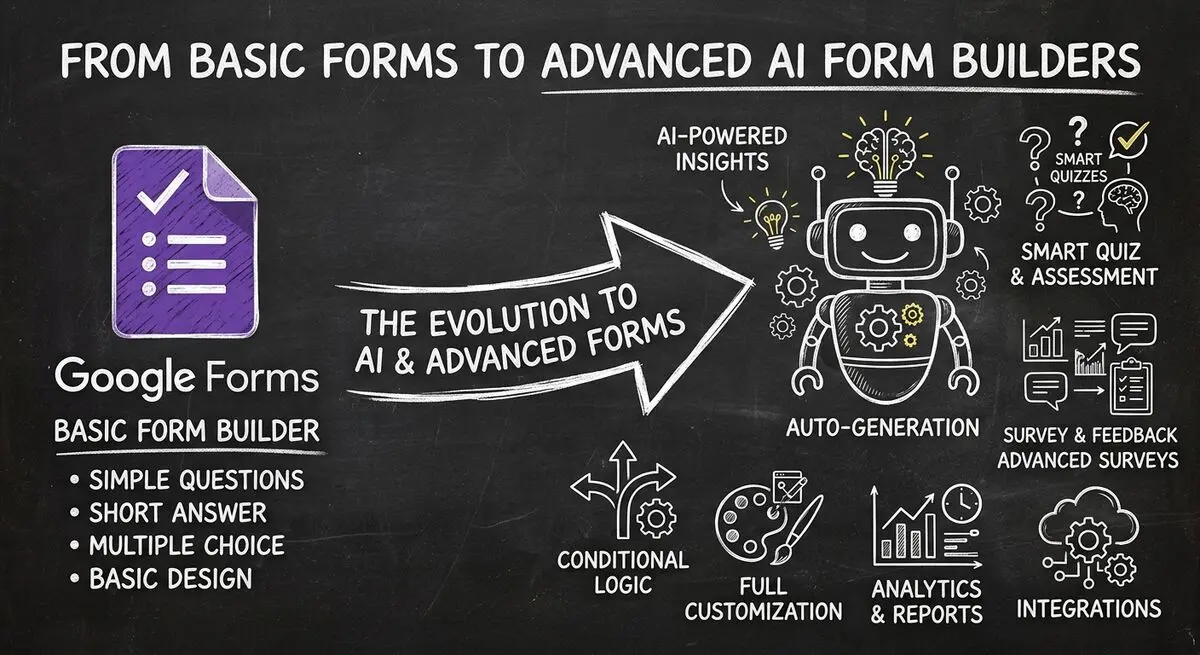
Google Forms 2026 features compared with Dashform: conditional logic, question types, AI generation, integrations, and when Google Forms is enough.
Many consumers now ask AI assistants for local picks as well as Google. Why SEO alone can't reach that discovery, and how to be visible to AI agents.

GPT-5.4 can operate a computer like a person. How computer use agents can automate each funnel stage, from lead capture to onboarding, beside your tools.
Try the world's first AI-native form and turn every response into action instantly.

