


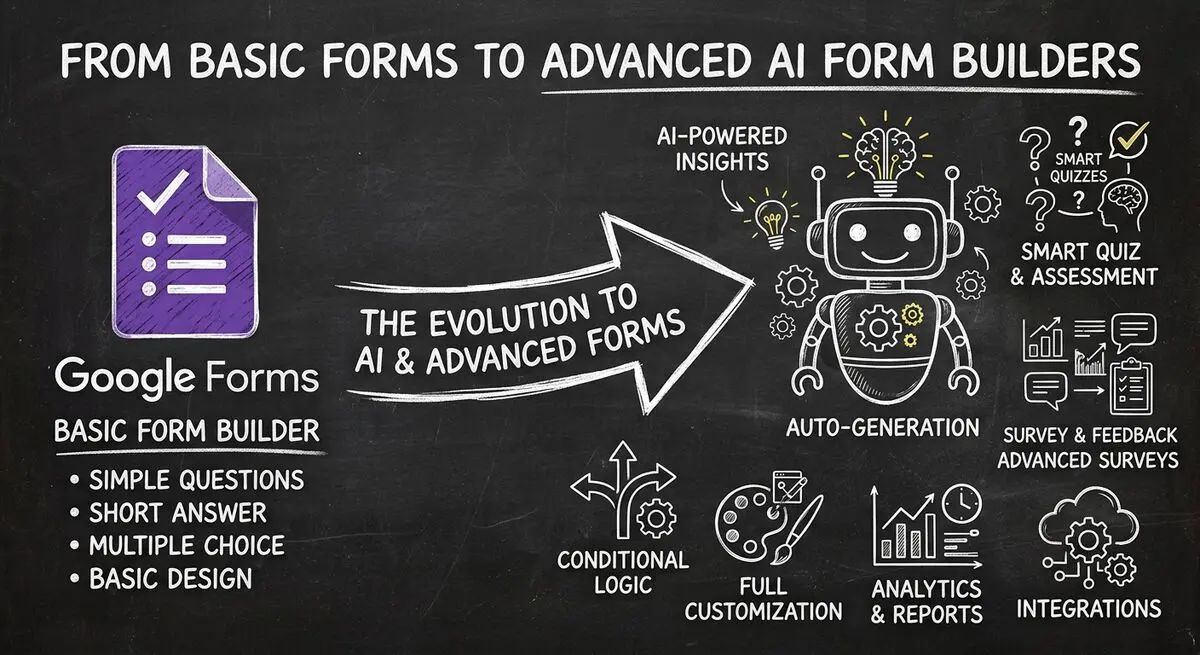
If you have ever needed to collect information online - whether for customer feedback, event registrations, or employee surveys - chances are you have heard of Google Forms. It is the go-to free form builder for millions of users worldwide, and for good reason: it is free, integrates seamlessly with Google Workspace, and gets the job done for basic data collection needs. But here is the question every business owner, marketer, and productivity enthusiast eventually asks: Is Google Forms really enough? The short answer is: it depends. For simple internal surveys, Google Forms remains a solid choice. But for businesses that need branded experiences, AI-powered insights, advanced integrations, and conversion-optimized workflows, the limitations become apparent fast.
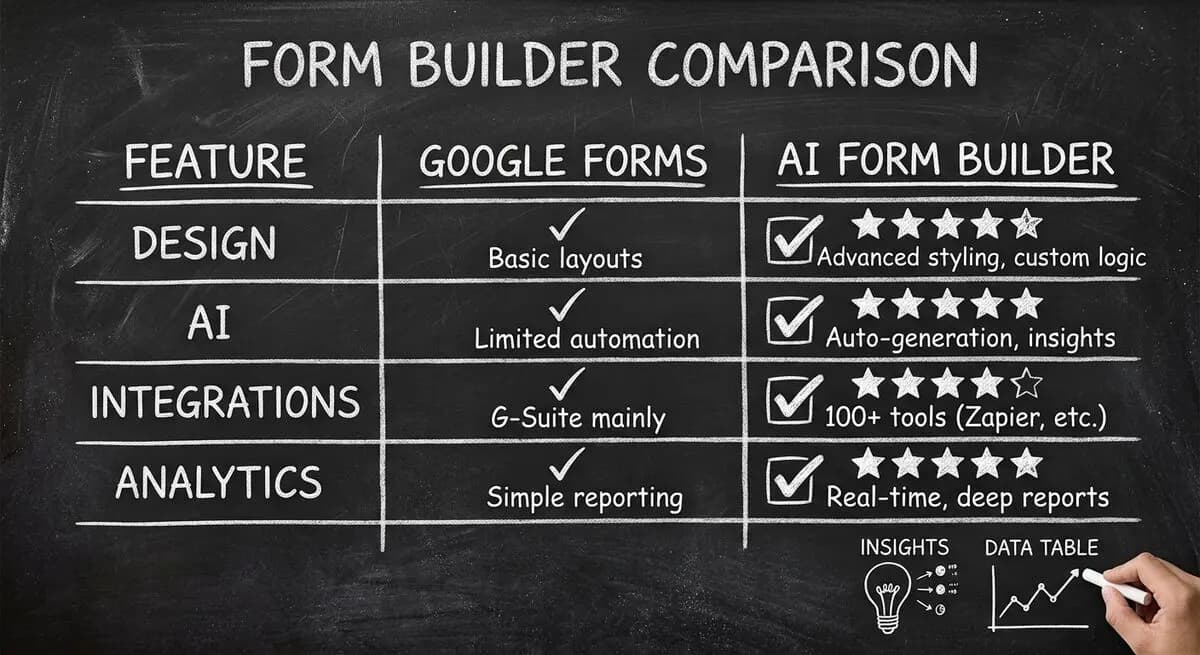
Google Forms vs Dashform: Complete Feature Comparison
| Feature | Google Forms | Dashform | Winner |
|---|---|---|---|
| Price | Free | Free tier + Pro plans | Google (free) |
| AI Form Generation | No | Yes - describe form, AI builds it | Dashform |
| Question Types | 11 types | 15+ types including scoring | Dashform |
| Design Customization | Basic themes | Full branding, custom CSS | Dashform |
| Conditional Logic | Basic | Advanced with scoring | Dashform |
| Lead Scoring | No | Yes - automatic scoring | Dashform |
| CRM Integrations | Via add-ons only | Native integrations | Dashform |
| Analytics Dashboard | Basic | Advanced with insights | Dashform |
What Is Google Forms and Why Is It So Popular
Google Forms is a free, web-based form builder part of the Google Workspace ecosystem. Launched in 2013, it allows anyone with a Google account to create surveys, quizzes, and data collection forms without spending a dime. The simplicity is its greatest strength: you log in, pick a template or start from scratch, add questions, and share via link or email. Responses automatically flow into Google Sheets for analysis, making it a favorite for quick data collection tasks.
- Free for anyone with a Google account
- Instant integration with Google Sheets, Calendar, and Drive
- Mobile-responsive forms out of the box
- Real-time collaboration with team members
- Basic quiz functionality with auto-grading
Key Features of Google Forms
1. Zero Cost
For individuals and small teams on tight budgets, the price tag - exactly zero - is hard to beat. This makes Google Forms perfect for students, teachers, small teams, and non-profits with limited budgets.
2. Google Ecosystem Integration
If your team lives in Google Workspace, Forms feels like a native extension. Responses appear instantly in linked Sheets, you can use Google Calendar for appointment scheduling, and files upload directly to Drive.
3. Real-Time Collaboration
Multiple team members can edit the same form simultaneously - exactly like Docs, Sheets, and Slides. This makes it easy for stakeholders to contribute to survey design without version control headaches.
4. Basic Quiz Functionality
Google Forms includes built-in quiz features: multiple choice, checkbox, and dropdown question types, point values and automatic grading, and instant feedback showing correct answers after submission.
5. Conditional Logic
Google Forms supports basic conditional logic through section branching. You can show or hide entire sections based on how respondents answer specific questions.
Common Google Forms Use Cases
- Customer feedback and satisfaction surveys
- Event registration and RSVPs
- Job applications with file uploads
- Employee surveys for culture and feedback
- Educational quizzes with auto-grading
The Limitations: Where Google Forms Falls Short
1. Limited Design Customization
Google Forms offers only basic theme customization. There is no way to match exact brand colors, customize individual question styling, create multi-column layouts, or add custom CSS. Dashform offers full design control with custom branding.
2. No Native AI Capabilities
Here is the biggest gap in 2026: Google Forms has no AI features. You cannot describe a form in words and have AI build it, get AI-generated question suggestions, or receive AI-powered response analysis.
Meanwhile, AI-powered form builders like Dashform let you describe what you need - Create a customer feedback form for a restaurant - and watch the entire form generate in seconds.
3. Weak Analytics and Insights
Google Forms provides minimal analytics: response counts and a breakdown chart for each question. There is no conversion funnel analysis, trend tracking, or predictive insights. Dashform analytics provides real-time insights with AI-powered recommendations.
4. No Native CRM or Marketing Integrations
While Google Forms supports add-ons, native integrations are limited. There is no direct Salesforce integration, no HubSpot or Mailchimp native sync without paid add-ons. Dashform offers native integrations with major CRM and marketing platforms, plus a full REST API and MCP for custom connections.
5. No Lead Scoring or Qualification
For businesses using forms for lead generation, Google Forms cannot help you score leads, automatically qualify prospects, or route high-value leads to specific teams. Dashform lead scoring automatically assigns scores based on answer patterns.
6. Limited Question Types and Scoring
Google Forms offers 11 question types, but misses advanced options like slider scales with custom ranges, signature capture, payment processing, and advanced scoring with weighted questions.
When to Stick with Google Forms
- Personal use or family event planning
- Basic classroom quizzes and assignments
- Quick one-off surveys with no branding requirements
- Teams with zero budget for form tools
When to Upgrade to Dashform
It is time to consider an AI-powered alternative like Dashform when:
- You need branded, conversion-optimized forms
- AI assistance would speed up form creation significantly
- Lead scoring and qualification matter to your business
- Native CRM and marketing integrations are required
- Advanced analytics and insights drive decisions
- Your forms need to match sophisticated brand experiences
Dashform: The AI-Powered Form Builder Alternative
Where Google Forms stops at basic data collection, Dashform brings AI to every step:
- AI Form Generation: Describe your form in plain language and Dashform builds the complete form with appropriate questions, logic, and styling in seconds.
- AI Quiz Builder: Generates quizzes from topic descriptions with automatic grading setup.
- Lead Scoring: Automatically scores and qualifies leads based on your criteria.
- Product Recommendation: Creates quizzes that recommend products based on customer answers.
- Full API and MCP: Enables deep integrations with your existing tech stack.
Making the Switch: Migration Guide
- Audit your current Google Forms and categorize by complexity
- Map question types - most transfer directly to Dashform
- Recreate logic using Dashform advanced conditional features
- Set up CRM connections, webhook URLs, and automation triggers
- Test thoroughly with test submissions
- Use Dashform API to programmatically migrate form structures.
Pricing Comparison
Google Forms is free. Dashform offers:
- Free tier: Limited forms and responses per month
- Pro plans: Starting at $29/month with full AI features
- Team plans: Starting at $79/month with collaboration features
- Enterprise: Custom pricing with dedicated support
Frequently Asked Questions
Is Google Forms completely free?
Yes, Google Forms is completely free for anyone with a Google account. There are no per-form fees and no premium tiers. However, advanced features require paid add-ons.
Can Google Forms export to other formats besides Sheets?
Google Forms can export to CSV and JSON via Google Apps Script, but native options are limited to Sheets. Dashform offers more flexibility with direct exports and API access.
Does Google Forms support file uploads?
Yes, but with limitations: maximum 15MB per file, and files must be uploaded to the form owners Google Drive. This works for resumes but not for large files.
Can I accept payments through Google Forms?
No, Google Forms has no native payment processing. You would need to integrate with third-party payment processors via add-ons or embed payment links.
What is the best alternative to Google Forms for business use?
For businesses needing more than basic forms, Dashform offers the best combination of AI-powered features, design flexibility, and integrations.
Can I use Google Forms for quizzes and tests?
Yes, Google Forms has basic quiz functionality with point values, automatic grading, and instant feedback. It works well for simple classroom quizzes but lacks advanced assessment features.
Is it difficult to migrate from Google Forms to Dashform?
- Migration is straightforward - describe your existing Google Form purpose and Dashform AI can generate an equivalent with enhanced features.
Conclusion: Choose the Right Tool for Your Needs
Google Forms remains excellent for simple, free data collection. If your needs are basic - occasional surveys, classroom quizzes, quick feedback forms - there is no reason to pay for a premium tool.
But if you are a business that needs branded forms, AI assistance, lead scoring, CRM integrations, and advanced analytics, then explore what Dashform can do.
The AI-powered approach to form building represents a fundamental shift - from manually building forms question-by-question to describing what you need and letting AI handle the rest.
You can try Dashform for free and see the difference AI makes.





