10 Best Coaching Assessment Tools in 2026 (Tested)


Most coaching businesses end up with the same five tools — calendar, payment processor, Notion, contact form, and email. That stack works for booking calls. It doesn't work for assessing clients, scoring intake, or running a real qualification process before a discovery call burns 30 minutes.
We tested 10 tools coaches actually use for assessments and scoring in 2026 — by signing up, building a sample client intake, scoring leads, and sending the results to a coach's CRM. Below: ranked comparison, where each tool wins, and what to pick depending on whether you're a solo life coach or running a 10-person practice.
Top 10 Assessment Tools for Coaches (2026)
| Tool | Starting Price | Best For | AI Features | Rating |
|---|---|---|---|---|
| Dashform | Free | AI assessments + scoring | Full AI | 9.5/10 |
| ScoreApp | $39/mo | Score-based quizzes | None | 7.5/10 |
| Typeform | $25/mo | Conversational forms | Limited | 7/10 |
| TryInteract | $27/mo | Personality quizzes | None | 7/10 |
| Jotform | $34/mo | Complex forms | Basic | 7/10 |
| Google Forms | Free | Simple surveys | None | 5/10 |
| CoachAccountable | $20/mo | Coach management | None | 6.5/10 |
Quick Summary
- The best coaching tools in 2026 focus on assessments, scoring, segmentation, and automation.
- ScoreApp is strong for structured scoring funnels.
- Typeform excels in design and engagement but lacks native scoring.
- CoachAccountable and Practice Better focus on long-term client management.
- Dashform AI combines AI-driven assessments, scoring, and automation in one platform.
- Coaches should choose tools based on whether they prioritize branding, management, or scalable lead conversion.
What makes a great coaching tool?
Coaches usually look for:
- Client assessments and quizzes
- Scoring or evaluation logic
- Lead qualification and segmentation
- Automation and follow-ups
- Professional, branded client experience
- Flexibility to adapt as the business scales
If a tool meets most of these, it’s worth serious consideration — especially when your business shifts from one-off sessions to a scalable coaching system.
Some modern coaching tools go beyond scoring and combine assessments, automation, and AI-driven follow-ups — which we’ll explore later in this guide.
1. ScoreApp
Best for structured client assessments and scoring
Why it stands out
- Built specifically for coaching assessments and scoring funnels.
- Clear score-based logic, useful for lead qualification.
- Good starting point for coaches who want quick assessment→score→segment workflows.
Pros
- Focused on assessments and scoring
- Straightforward lead qualification
- Relatively fast to launch
Cons
- Customization and design control are limited compared to more flexible platforms
- Less flexibility beyond scoring workflows; often combined with other tools for full conversion stacks
Best for: Coaches who primarily need scoring-based assessments to filter and segment leads.
Coaches who need more flexibility, automation, or AI-driven workflows often explore Dashform AI as a ScoreApp alternative.
2. Typeform
Best for beautifully designed coaching questionnaires
Why it’s popular
- Top-tier user experience; excellent for coaches who care about polished brand presentation.
- Strong conditional logic, letting you tailor questions based on prior answers, which improves completion rates and relevance.
Pros
- Polished, conversational UI
- Advanced logic for dynamic flows
- Enhances brand image and professionalism
Cons
- No native, out-of-the-box scoring framework; scoring often relies on integrations or custom logic
- Needs external automation or CRM tools for full lead conversion
Best for: Coaches who prioritize design, brand experience, and high engagement over built-in scoring.
3. CoachAccountable
Best for managing long-term coaching relationships
Why it’s useful
- More than a lead tool; built to manage ongoing programs, progress tracking, and accountability.
- Supports long-term client relationships and structured coaching journeys.
Pros
- Client dashboards, progress tracking, and accountability features
- Designed for ongoing coaching programs and structured sessions
Cons
- Not focused on lead generation or scoring logic
- Assessment and quiz features are limited; often paired with a stronger assessment tool
Best for: Coaches with established, long-term clients who want clearer structure and accountability.
4. Practice Better
Best for health and wellness coaches
Why it fits wellness niches
- Strong fit for health, nutrition, or wellness coaching due to secure workflows and emphasis on compliance.
- Includes scheduling and client management suited to regulated or sensitive fields.
Pros
- Comprehensive scheduling and client management
- Compliance-focused workflows useful for health-related coaching
Cons
- Assessment logic less flexible than assessment-first platforms
- Designed more for service delivery than marketing funnels
Best for: Health-focused coaching businesses prioritizing security, compliance, and long-term client care.
5. Paperbell
Best for selling coaching packages
Why it’s practical
- Simplifies payments, contracts, and scheduling, letting coaches focus on delivering programs.
- Fast to launch for coaches selling structured packages or bundles.
Pros
- Simple setup for package sales and contracts
- Clean, client-friendly experience for payments and bookings
Cons
- No built-in assessment or scoring core
- Best used alongside assessment tools or marketing funnels
Best for: Coaches focused on packaging, selling, and delivering structured programs.

6. Google Forms
Best free option for new coaches
Why it’s often the first choice
- Zero cost and very easy to set up, making it ideal for testing ideas or collecting initial client data.
- Works for basic intake forms, simple surveys, or early-stage research.
Pros
- Free and quick to launch
- Good for early-stage data collection or testing questionnaires
Cons
- No automated scoring or advanced logic
- Less professional appearance for long-term branding
- Requires external tools for automation, segmentation, or advanced follow-up
Best for: New coaches starting out or experimenting with intake and simple feedback.
7. Notion
Best for internal coaching systems
Why many coaches use it behind the scenes
- Extremely flexible for organizing frameworks, scripts, case notes, and internal knowledge.
- Helps coaches keep a structured, searchable system of materials and workflows.
Pros
- Flexible, powerful internal documentation and organization
- Good for building knowledge bases, playbooks, and internal workflows
Cons
- Not client-facing by default; no assessment or automation built in
- Requires external tools to handle client interaction, scoring, or conversion
Best for: Internal organization and building a scalable coaching system behind the scenes.
8. Calendly
Best for booking coaching calls
Why it’s ubiquitous
- Simple booking, widely used, and integrates well with many other platforms and calendars.
- Works smoothly after clients complete assessments or qualify as leads.
Pros
- Very easy appointment booking
- Good integrations, improves client experience after assessment
Cons
- Only solves scheduling, not assessment or scoring
- Advanced features can be paid, though core function is straightforward
Best for: Coaches who want fast, reliable scheduling paired with assessment tools.
9. Acuity Scheduling
Best for advanced scheduling needs
Why it’s chosen when rules are complex
- More control over availability, rules, and payment integrations than many simple schedulers.
- Useful for teams or coaches with multi-step booking, multiple services, or complex payment structures.
Pros
- Flexible availability rules
- Deep payment integration options and more detailed scheduling logic
Cons
- Setup and maintenance are more complex than simple schedulers
- Requires more time to configure rules and workflows
Best for: Coaches or teams with complex booking logic, multiple services, or custom payment flows.
10. Dashform AI
Best all-in-one, AI-powered alternative to ScoreApp
Why it’s a strong upgrade path
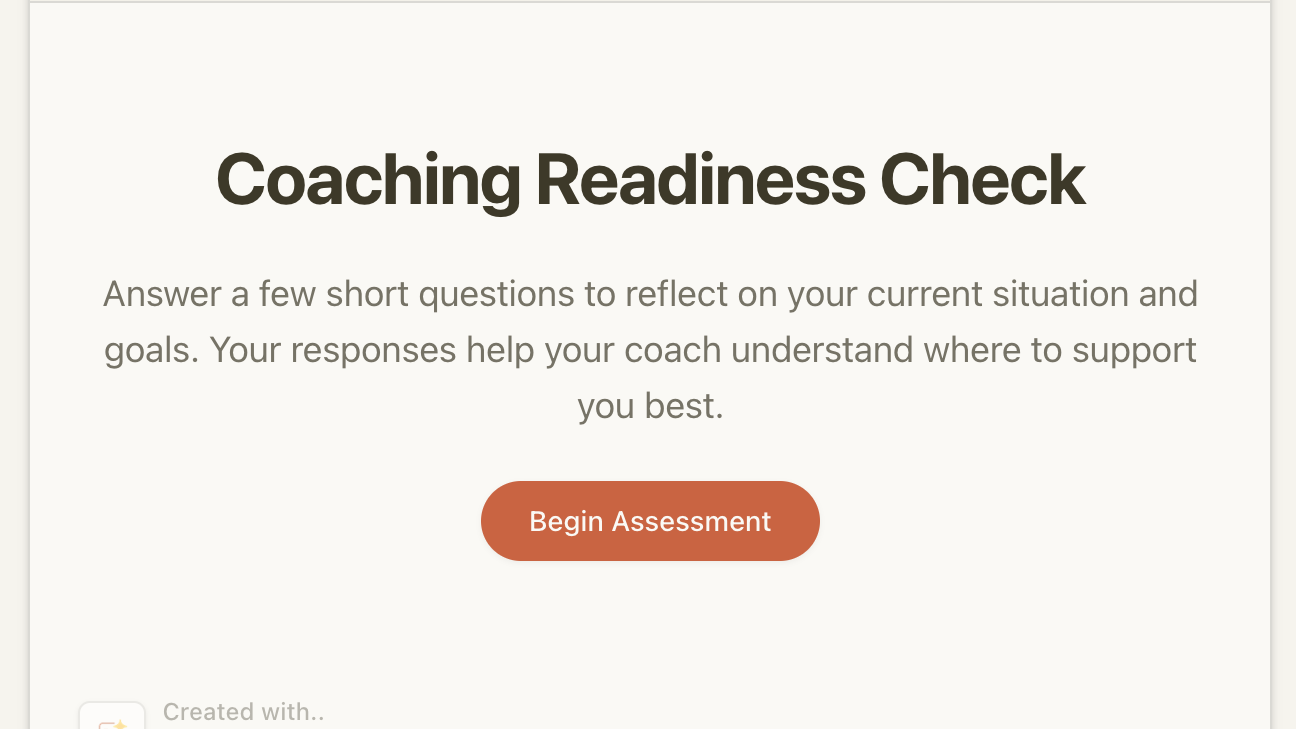
Dashform AI combines AI-driven assessments, scoring, segmentation, and automation in a single platform, cutting down the need for multiple tools. It’s designed to turn assessment insights directly into personalized follow-up and conversion actions, not just score outputs—so coaches spend less time stitching tools together and more time closing clients.
What you can do
- Build AI-driven assessments and quizzes
- Automatically score and segment clients
- Trigger personalized follow-up paths based on responses
- Convert qualified leads into paying coaching clients
Pros
- One platform for assessment, scoring, and automation
- AI-native flexibility, suitable as coaching businesses scale
- Less tool sprawl; reduces integration overhead
Cons
- Some highly specialized workflows may still need niche integrations
- New platform learning curve, though it pays off with long-term efficiency
Best for: Coaches who want an AI-native, scalable alternative to ScoreApp and a unified platform from lead qualification to conversion.
Next step: if you’re exploring ScoreApp or similar tools, check out Dashform AI for an end‑to‑end workflow that already includes AI scoring and follow-ups.
Related guides for coaches and agencies: Why Coaching Discovery Calls Fail | Modern Client Qualification for Coaches | Modern Client Intake for Agencies.
FAQ
Q1. Which tool should I start with if I’m just getting off the ground?
A: Start with tools that are quick to launch and low-cost, like Google Forms for initial intake or Typeform if you want a more polished questionnaire right away. As your coaching load grows, add or switch to a platform with better scoring or automation like ScoreApp or Dashform AI.
Q2. Can I use more than one tool at the same time?
A: Yes. Many coaches combine an assessment tool with a scheduler like Calendly or Acuity, and later add a management platform like CoachAccountable. The key is to keep integrations manageable and ensure the client experience stays smooth.
Q3. When should I switch to an AI-powered platform like Dashform AI?
A: When you want to reduce manual integrations, improve personalization, and scale your lead qualification and follow-up. If your assessments and leads are growing, AI-based automation can save time and improve conversion, especially compared to stitching multiple tools together.
Q4. How do I choose between Calendly and Acuity?
A: Use Calendly if you need simple, fast scheduling with broad integration support. Choose Acuity when you need more complex rules for availability, payments, or service differentiation — for example, multiple coach tiers, different time zones, or complex pricing.
The International Coaching Federation (ICF) reports that the coaching industry reached $4.564 billion in 2023. For client management best practices, see Harvard Business Review's coaching research.
Final thoughts
Every coaching workflow is different. Some coaches stick to one strong assessment tool; others combine more tools for scheduling, packaging, and management. If your priority is to assess clients, score readiness, and convert leads efficiently, especially at scale, consider a tool stack that minimizes friction and maximizes automation.
In 2026, AI-native platforms like Dashform AI are increasingly valuable because they simplify the stack while keeping assessment, scoring, and conversion tightly integrated.
If you’re evaluating assessment-only tools and want a more flexible, AI-native option, you can explore how Dashform AI works for modern coaching workflows.