


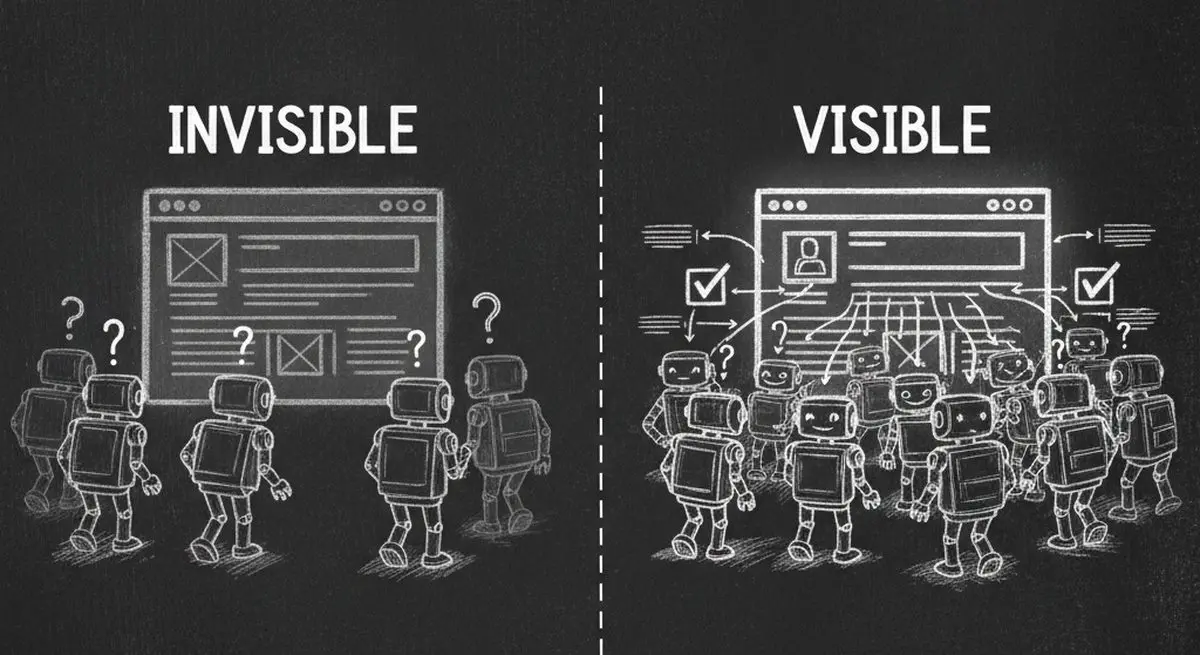
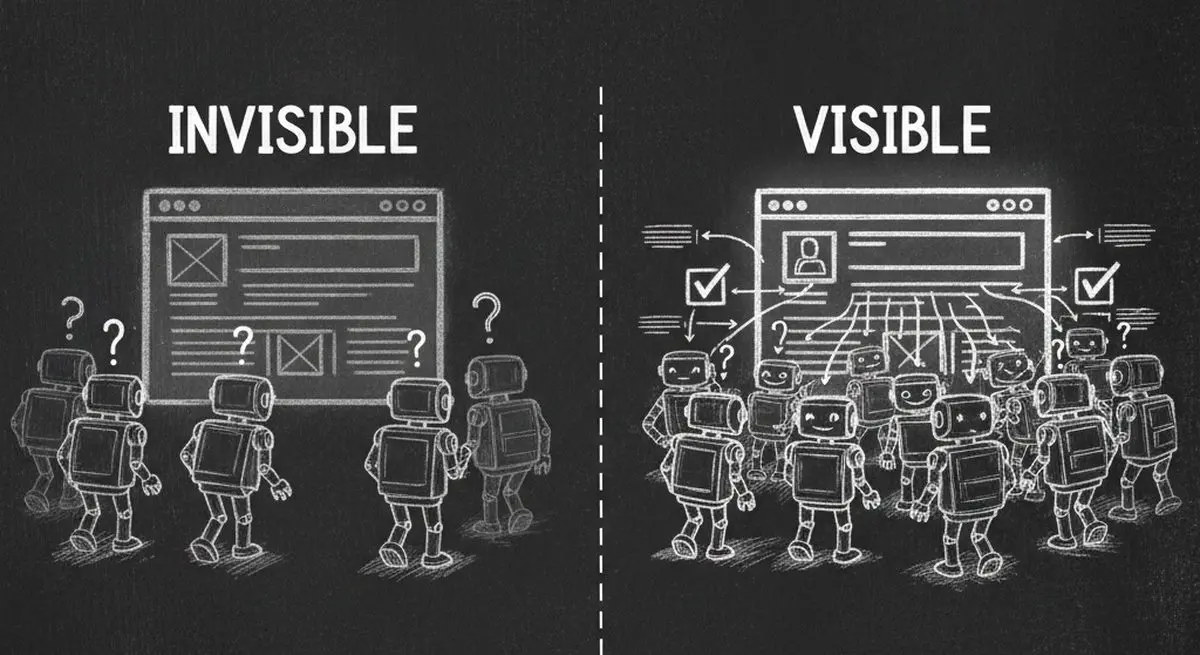
Right now, AI agents from OpenAI, Anthropic, Google, and Perplexity are visiting your website hundreds of times per day. They are trying to read your content, understand your business, and recommend you to potential customers. But here is the uncomfortable truth: most websites are completely invisible to these AI agents.
A recent analysis of over 1,000 business websites found that 90% are partially or completely invisible to AI agents -- not because their content is bad, but because their technical setup actively blocks or confuses AI crawlers. In the age of AI-powered forms and autonomous agents, this is leaving massive revenue on the table.
This guide will show you exactly how AI agents see your website today, what is blocking them, and the step-by-step fixes to become fully visible.
Why AI Visibility Matters More Than SEO in 2026
For 20 years, search engine optimization (SEO) was the gold standard for online visibility. Businesses optimized for Google's crawlers, fought for page-one rankings, and measured success in organic traffic. But in 2026, the game has fundamentally changed.
AI agents are not using Google. They are directly reading websites, querying APIs, and making purchasing decisions autonomously. When a user asks Claude or ChatGPT "find me a dentist in Brooklyn that accepts Blue Cross," the AI agent does not show ten blue links. It directly contacts businesses, checks availability, and books appointments.
| Dimension | Traditional SEO | AI Agent Visibility |
|---|---|---|
| Primary Audience | Googlebot, Bingbot | GPTBot, ClaudeBot, Gemini, PerplexityBot |
| Goal | Rank on page 1 of search results | Be discoverable and usable by AI agents |
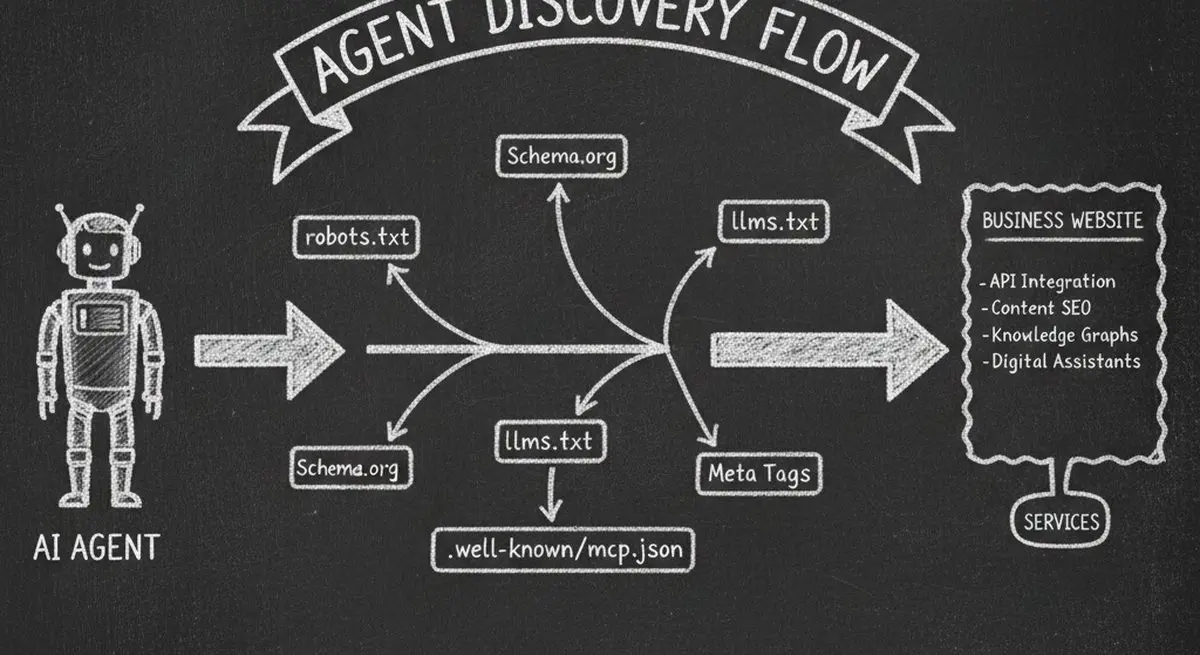
| Key Files | robots.txt + sitemap.xml | llms.txt + .well-known/mcp.json |
| Data Format | HTML meta tags, title tags | Schema.org JSON-LD, structured data |
| Conversion Path | User clicks link, fills form | Agent qualifies lead, books directly |
| Success Metric | Google Lighthouse score | AX Score (Agent Experience) |
| Revenue Impact | Declining (AI answers bypass clicks) | Growing (agents drive direct transactions) |
The shift is clear: businesses that optimize only for Google are missing the fastest-growing channel for customer acquisition -- AI agents that bypass search results entirely.
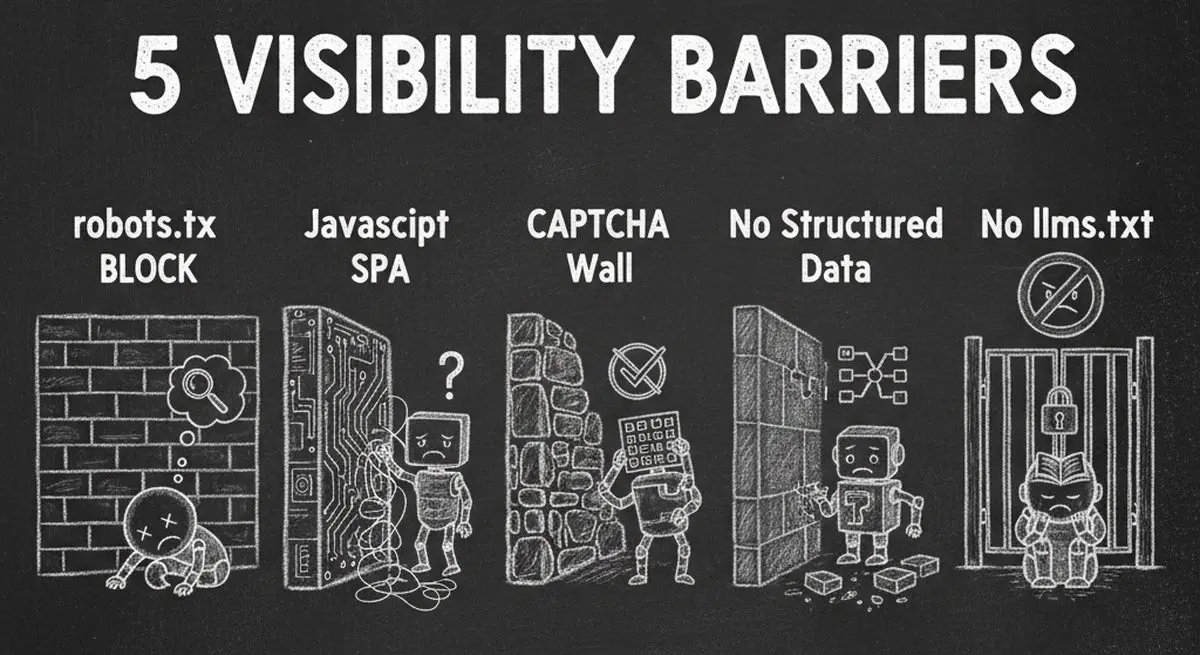
The 5 Barriers Making Your Website Invisible to AI
1. robots.txt Is Blocking AI Crawlers
The most common issue is the simplest one. Your robots.txt file -- originally designed to guide Google's crawler -- may be actively blocking every major AI agent. Many default CMS configurations and security plugins add blanket disallow rules that block GPTBot, ClaudeBot, and other AI crawlers.
| AI Crawler | Company | robots.txt User-Agent | Impact If Blocked |
|---|---|---|---|
| GPTBot | OpenAI | GPTBot | Invisible to ChatGPT, GPT-4 search |
| ClaudeBot | Anthropic | ClaudeBot | Invisible to Claude AI assistant |
| Google-Extended | Google-Extended | Excluded from Gemini AI training | |
| PerplexityBot | Perplexity | PerplexityBot | Invisible to Perplexity AI search |
| Bytespider | ByteDance | Bytespider | Excluded from TikTok's AI features |
| Amazonbot | Amazon | Amazonbot | Invisible to Alexa and Amazon AI |
Quick check: Visit yourwebsite.com/robots.txt right now. If you see "Disallow: /" under any AI user-agent, you are blocking that agent completely. Read our complete robots.txt guide for step-by-step fix instructions.
2. JavaScript-Heavy Sites That AI Cannot Render
Single-page applications (SPAs) built with React, Angular, or Vue often serve an empty HTML shell that requires JavaScript execution to render content. Most AI crawlers do not execute JavaScript -- they see a blank page where your business information should be.
If your website relies on client-side rendering without server-side rendering (SSR) or static site generation (SSG), AI agents see nothing useful. This is especially common with modern JavaScript frameworks.
3. CAPTCHA and Bot Protection Walls
Security tools like reCAPTCHA, hCaptcha, Cloudflare Turnstile, and DataDome are designed to block bots -- and that is exactly what AI crawlers are. These tools cannot distinguish between a malicious scraper and an AI agent trying to understand your business to recommend you to potential customers.
4. Missing Structured Data (Schema.org)
Even if AI agents can access your site, they struggle to extract meaningful business information without structured data. Schema.org JSON-LD markup tells AI agents exactly what your business does, your services, pricing, location, and hours. Without it, agents are guessing from unstructured HTML.
5. No Machine-Readable Business Summary
The newest and most critical gap: most websites lack an llms.txt file -- a standardized, machine-readable summary of your business designed specifically for AI agents. Without llms.txt, AI agents must scrape and parse your entire website to understand what you do. With it, they get a clear, structured overview instantly.
How to Check Your Website's AI Visibility Right Now
You can check your website's AI visibility in under 60 seconds using Dashform's free AX Audit tool. AX Audit scans your website across 6 dimensions and gives you a score out of 100 -- think of it as Google Lighthouse, but for AI agent readiness.
The 6 Dimensions of AI Visibility
| Dimension | Weight | What It Checks | Why It Matters |
|---|---|---|---|
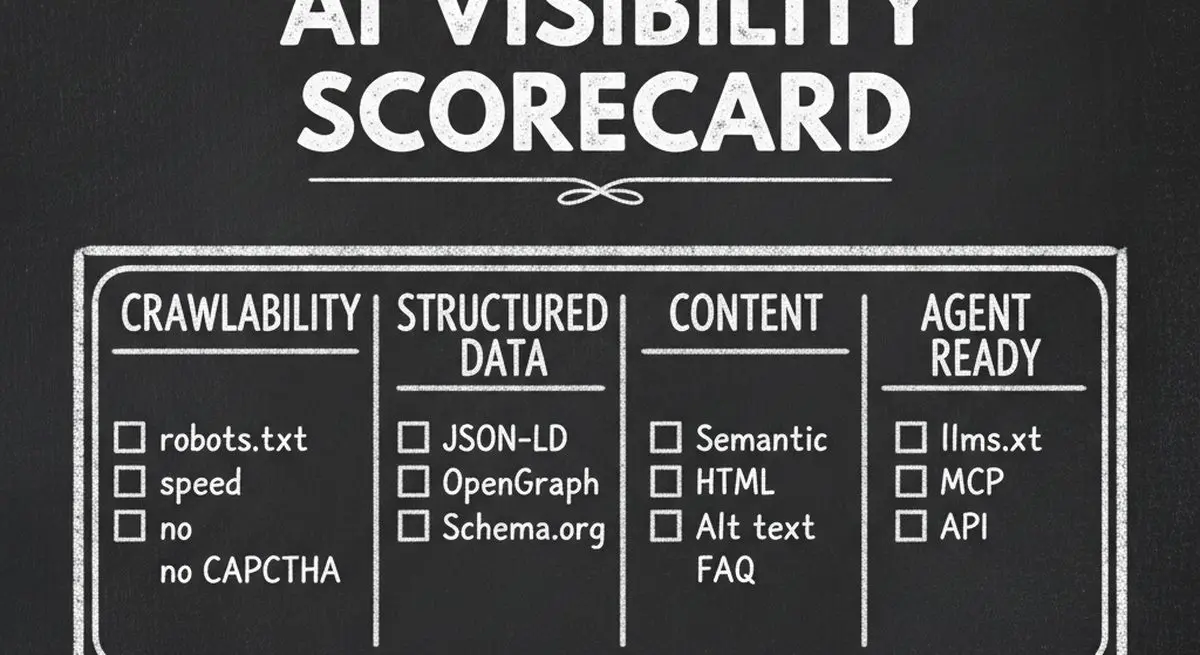
| Crawlability | 25 pts | robots.txt rules, page speed, CAPTCHA detection | Can AI agents access your site at all? |
| Structured Data | 25 pts | JSON-LD, Schema.org, OpenGraph tags | Can agents understand your business? |
| Content Quality | 15 pts | Semantic HTML, alt text, heading hierarchy | Is content organized for machine consumption? |
| Agent Interaction | 20 pts | llms.txt, MCP endpoint, API discoverability | Can agents do business with you? |
| Discoverability | 10 pts | Social presence, NAP consistency, directories | Can agents verify your identity? |
| Security & Trust | 5 pts | HTTPS, SSL, privacy policy, terms of service | Do agents trust your site? |
Understanding Your AX Score
| Score Range | Grade | What It Means |
|---|---|---|
| 90-100 | Excellent (Agent-Ready) | AI agents can find, understand, and transact with your business |
| 70-89 | Good (Mostly Ready) | Most agents can discover you, but some features are missing |
| 50-69 | Needs Work | Significant gaps that limit AI agent engagement |
| 0-49 | Poor (Not Ready) | Your website is effectively invisible to AI agents |
Step-by-Step: Making Your Website Visible to AI Agents
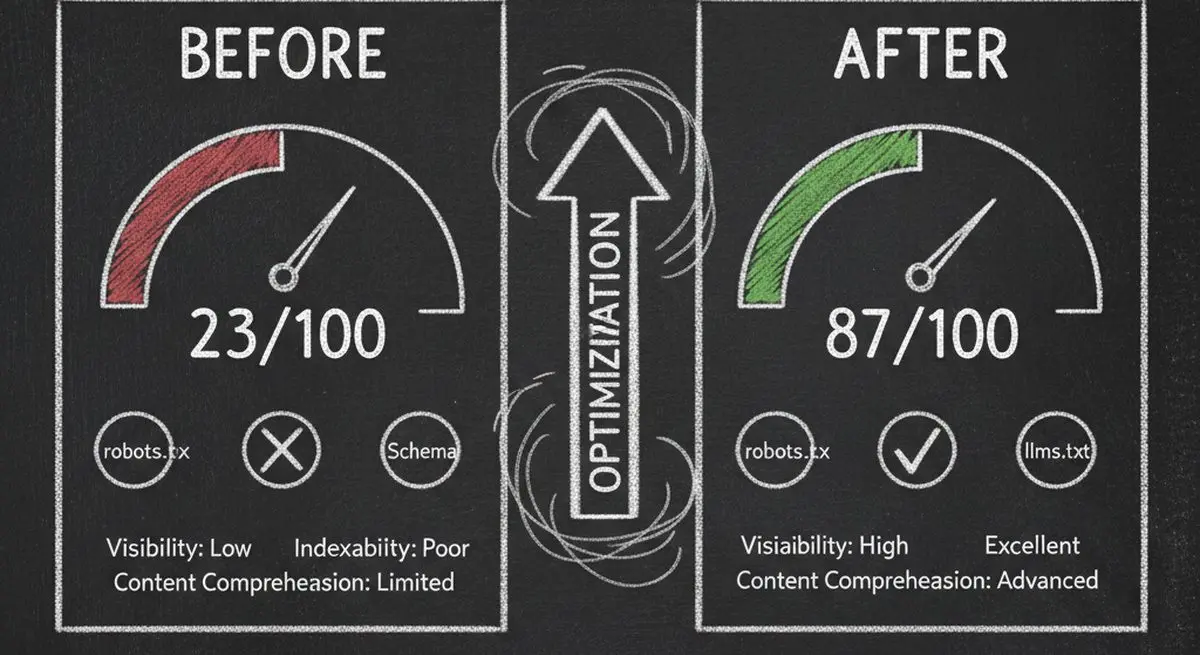
Step 1: Fix Your robots.txt (10 minutes)
Add explicit allow rules for the major AI crawlers. At minimum, add these lines to your robots.txt:
User-agent: GPTBot / Allow: / -- This allows OpenAI's crawler to index your site. Repeat for ClaudeBot, Google-Extended, PerplexityBot, and other AI crawlers listed above. Keep your existing Google and Bing rules unchanged.
Step 2: Add Schema.org Structured Data (30 minutes)
Add JSON-LD markup to your homepage and key service pages. At minimum, include LocalBusiness or Organization schema with your business name, description, address, phone, hours, and services. This gives AI agents structured access to your core business information.
Step 3: Create Your llms.txt File (15 minutes)
Create a Markdown file at yourwebsite.com/llms.txt that summarizes your business for AI agents. Include your business name, description, services, contact information, and key links. See our complete llms.txt setup guide for the exact format and examples.
Step 4: Enable AI Agent Transactions (20 minutes)
The highest level of AI visibility is not just being found -- it is being actionable. This means AI agents can qualify leads and book appointments directly, without requiring a human to fill out a form. Dashform's Agent Funnel turns your lead funnel into an MCP endpoint that any AI agent can discover and interact with -- one toggle, zero code.
Step 5: Re-Audit and Monitor (5 minutes)
After making changes, run AX Audit again to verify your improvements. AI agent technology evolves rapidly, so re-audit monthly to catch new issues. Most businesses see their score jump from under 30 to above 70 after completing steps 1-4.
AI Visibility Benchmarks by Industry
Based on thousands of AX Audit scans, here is how different industries score on average:
| Industry | Average AX Score | Most Common Issue | Quick Win |
|---|---|---|---|
| Med Spas & Wellness | 28/100 | robots.txt blocking all AI crawlers | Allow GPTBot and ClaudeBot |
| Dental & Healthcare | 32/100 | No Schema.org structured data | Add LocalBusiness JSON-LD |
| Real Estate | 35/100 | JavaScript-heavy listing pages | Add SSR or pre-rendering |
| Restaurants | 41/100 | Missing business hours in structured data | Add Restaurant schema |
| Legal Services | 22/100 | CAPTCHA walls blocking all bots | Whitelist AI user-agents |
| Fitness & Gyms | 30/100 | No llms.txt or machine-readable services | Create llms.txt file |
| E-commerce | 38/100 | Product data not in JSON-LD format | Add Product schema markup |
| SaaS & Technology | 45/100 | No MCP or API discoverability | Add .well-known/mcp.json |
Notice that even the highest-scoring industry (SaaS at 45/100) is still in the "Needs Work" category. This represents a massive opportunity: the first businesses in each industry to reach "Agent-Ready" status will capture a disproportionate share of AI-driven leads.
Frequently Asked Questions
How do I know if AI agents are visiting my website?
Check your server access logs for user-agent strings containing GPTBot, ClaudeBot, Google-Extended, PerplexityBot, or other AI crawler names. Most analytics tools do not track these visits separately, so server logs are the most reliable method. You can also use Dashform's AX Audit to check which crawlers can access your site.
Will making my site visible to AI agents hurt my SEO?
No. AI visibility improvements are complementary to SEO, not competitive. Adding Schema.org structured data, improving semantic HTML, and creating llms.txt all strengthen your existing SEO while adding AI agent compatibility. Google's own algorithms increasingly favor well-structured, machine-readable content.
Do I need to change my website design for AI agents?
No visual changes are needed. AI visibility improvements are entirely technical -- robots.txt rules, structured data in your HTML head, a text file at your domain root, and optional API endpoints. Your human visitors will not notice any difference.
How long does it take to become AI-visible?
Most websites can go from a score of under 30 to over 70 in a single afternoon. The steps in this guide take approximately 1-2 hours total. The fastest improvement comes from fixing robots.txt (10 minutes) and adding Schema.org data (30 minutes).
What is the difference between AI visibility and AI optimization?
AI visibility ensures agents can find and understand your business. AI optimization (or AEO -- Agent Experience Optimization) goes further by enabling agents to transact on your behalf -- qualifying leads, booking appointments, and processing orders. Visibility is the foundation; optimization is the competitive advantage.
Is Dashform's AX Audit really free?
Yes. AX Audit is completely free with no signup required. Enter any URL and get your full AI visibility report in seconds. There are no limits on the number of scans you can run.
Check Your AI Visibility Score Now
Every day your website remains invisible to AI agents is a day you are losing potential customers to competitors who have already optimized. The good news: fixing it takes less than an afternoon. Run your free AX Audit now to see exactly where you stand and get actionable fix-it instructions for every issue found.
Ready to go beyond visibility? Dashform's Agent Funnel turns your lead funnel into an AI-agent-discoverable service with one click. AI agents can find your business, qualify leads with AI scoring, and book appointments -- all while you sleep.





