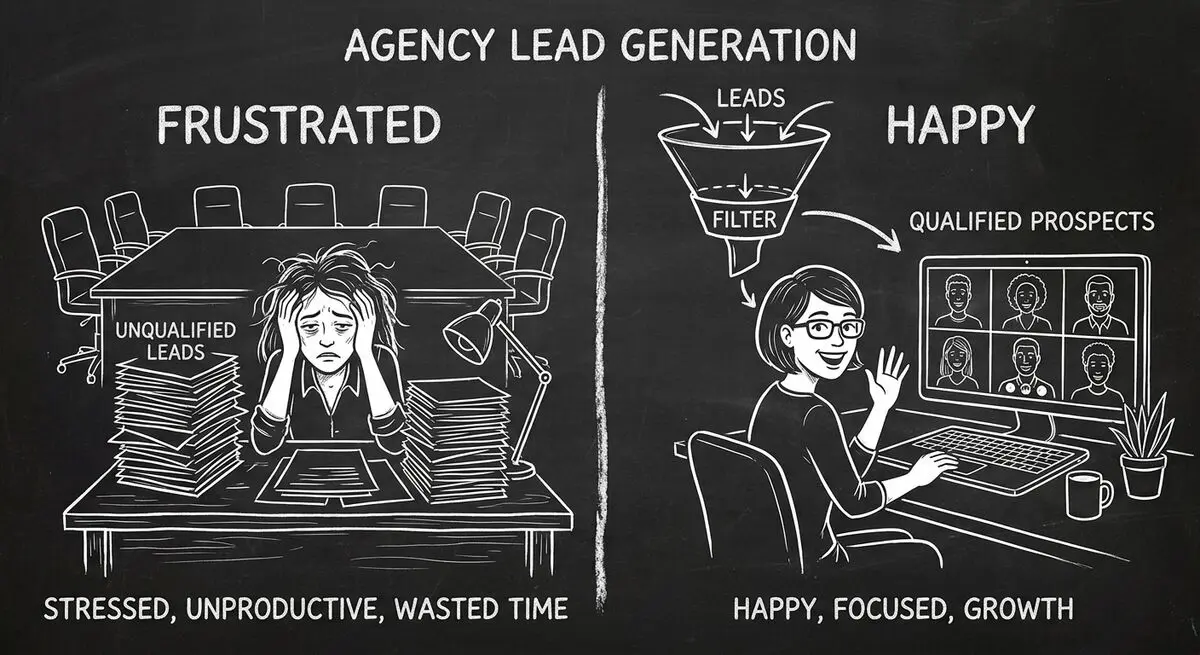
A missed discovery call or a budget mismatch can waste preparation time. If your agency sees this problem, an intake pilot can test whether collecting context earlier helps staff decide how to follow up.
This playbook follows an illustrative mid-sized B2B content marketing agency -- let's call it Meridian Content Group. It is not a Dashform customer, and this article reports no results. Meridian serves SaaS and professional services companies with content strategy, demand generation, and lead qualification. Its inbound volume is solid, but its pipeline quality is poor.
The one change: replace the static contact form with an AI-powered intake quiz built on Dashform. Here's how it works and what to measure.
The Discovery Call Problem in This Scenario
Suppose the agency starts with this process:
- Lead fills out a generic 4-field contact form
- SDR or account manager sends a calendar link via email
- Some booked calls are no-shows
- Of those who show, only a few are actually qualified
- Close rates are lower than they should be
In this example, the form omits budget, timeline, decision-making authority, and needs. Those questions can also be added to a conventional form; the useful change is collecting information the agency will act on. Forrester discusses AI in B2B buying, but that trend does not establish that this proposed quiz improves attendance.
The Agency: Strong Inbound, Weak Pipeline
Our illustrative Meridian Content Group is a B2B content marketing agency whose clients include SaaS companies, professional services firms, and manufacturers looking to generate qualified pipeline through content.
Its service menu:
- Content strategy and execution
- Demand generation campaigns
- Account-based marketing (ABM)
- Lead generation and qualification
- Pipeline acceleration
Its own new business pipeline leaks at every stage: inbound leads, a fraction of whom book discovery calls, fewer of whom show up, fewer still who are qualified, and only a handful who sign.
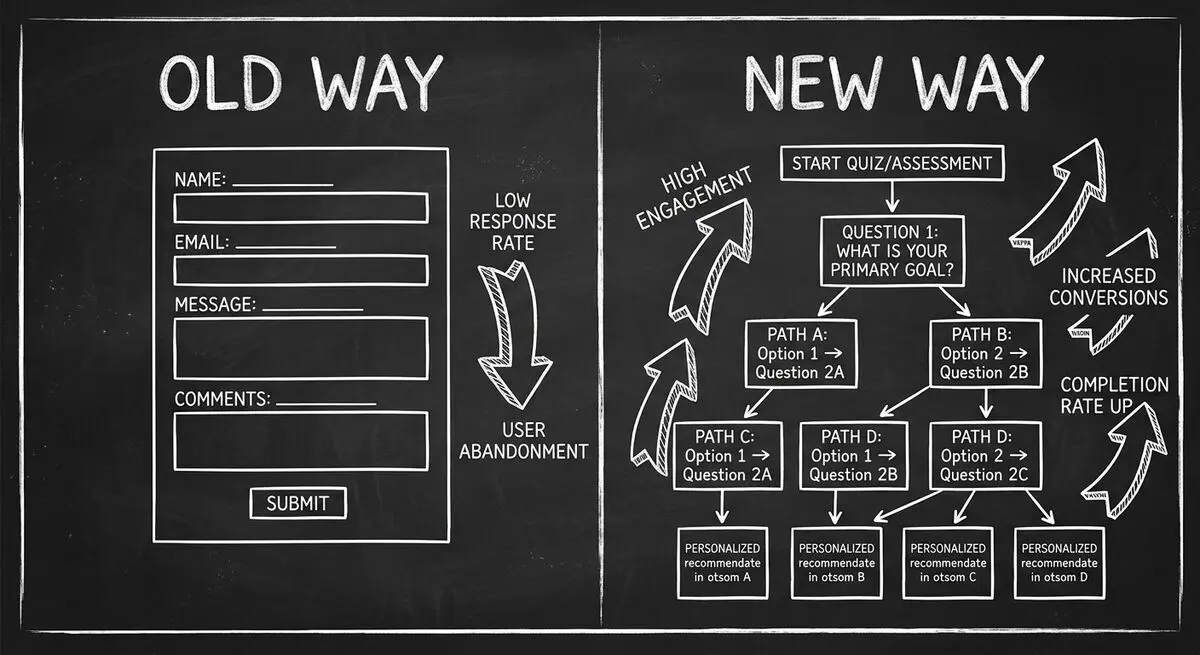
The Old Intake Process -- And Why It Fails
Meridian's assumed starting process is:
- Prospect lands on website from a blog post, LinkedIn ad, or referral
- Fills out a 4-field form (name, email, company, message)
- SDR sends a templated email with a Calendly link
- Prospect books a 30-minute discovery call
- Account manager runs the call blind, spending the first 15 minutes on basic qualification questions
The team would need to measure whether the delay contributes to no-shows. Without qualification answers, staff must gather that context in follow-up.
So the SDR treats all leads equally. Prospects who are "just browsing" get the same urgency as a VP of Marketing with a real budget and a deadline this quarter.
The Proposed Change: A Qualification Quiz
Meridian replaces its contact form with a Dashform-powered intake quiz. The proposed quiz asks 8 sequenced questions; test its completion time:
- Company size (Small, Growing, Mid-sized, Large)
- Industry (SaaS, Professional Services, Manufacturing, Other)
- Current content marketing status (None, In-house, Agency, Hybrid)
- Biggest challenge (Lead quality, Lead volume, Content production, Attribution)
- Monthly content marketing budget (your own budget bands, from below your minimum to enterprise)
- Timeline to start (This month, Next quarter, 6+ months, Just researching)
- Decision-making role (Final decision maker, Part of committee, Researcher)
- Current MQL-to-SQL conversion (Low, Moderate, High, Don't track)
For deterministic paths, configure Branches in a Logic Funnel based on budget and timeline answers. An AI Funnel can ask follow-up questions from its brief. Separately, enable Lead Scoring to evaluate completed replies. This interactive lead qualification approach needs testing against the agency's criteria.
Configure answer-based Endings for these proposed experiences. They do not wait for the post-completion AI verdict:
- High-fit: A link or supported embed for an external scheduling service, plus a relevant founder video authored by the agency
- Medium-fit: Curated resource pack and invitation to a monthly strategy webinar
- Low-fit: Blog content recommendations and newsletter signup

How the Qualification Scoring Works
The following optional BANT point rubric is a worksheet for staff or a separately implemented CRM calculation. It is not Dashform's native Lead Scoring interface. The values are example assumptions to validate against close data:
- Budget (up to 30 points): Top budget band = 30 pts, next band = 22 pts, then 15 pts, below your minimum = 5 pts
- Authority (up to 20 points): Final decision maker = 20 pts, Committee member = 15 pts, Researcher = 5 pts
- Need (up to 15 points): Lead quality = 15 pts, Attribution = 12 pts, Volume = 10 pts, Production = 8 pts
- Timeline (up to 25 points): This month = 25 pts, Next quarter = 18 pts, 6+ months = 8 pts, Just researching = 3 pts
- Company fit (up to 10 points): Your best-fit segment = 10 pts, a good fit = 8 pts, and so on
Dashform's native alternative is to write scoring criteria and review the Hot, Warm, or Cold verdict after a reply completes. Do not treat either the example point rubric or an AI verdict as a verified prediction of a sale.
Assign a staff member to review the reply before the call and prepare talking points. A briefing generated in another system requires a configured workflow. AI-powered client intake supplies answers to review; it does not establish that those answers are complete or correct.
What to Measure in the First 60 Days
Record each number for the month before the quiz goes live, then for the two months after:
| Metric | Why It Matters |
|---|---|
| Discovery call show rate | Attendance among booked prospects |
| Qualified lead ratio | Whether scoring filters the right people |
| Close rate | Whether informed calls close more often |
| Monthly pipeline value | The combined effect |
| SDR hours on manual follow-up | Total follow-up and maintenance time |
| Lead-to-client conversion | The end-to-end result |
| Quiz completion rate | Whether the quiz is too long or unclear |
| Time to first sales contact | Time from inquiry to actual contact |
Show Rate
Compare attendance among similar traffic sources, and record whether prospects used the external scheduler. Quiz completion alone does not prove greater commitment. When a prospect needs to move the call, a clear note keeps it on the calendar. Yoya, our sister product, has reschedule meeting email templates for the common cases.
Qualified Lead Ratio
Review the model's false positives and false negatives. Staff should verify budget, authority, and timeline rather than assuming a score establishes them.
Close Rate
Account managers can review the submitted budget, needs, timeline, and role before a call. Verify the answers during the conversation and compare outcomes rather than assuming a complete profile.
Pipeline Value
Track pipeline value alongside traffic, ad spend, and staff time. A change in pipeline value cannot be attributed to the quiz from a before-and-after comparison alone.
SDR Time
Track time spent reviewing replies, correcting routing, and following up, as well as time spent maintaining the quiz.
The Agency Playbook: How to Replicate This in 5 Steps
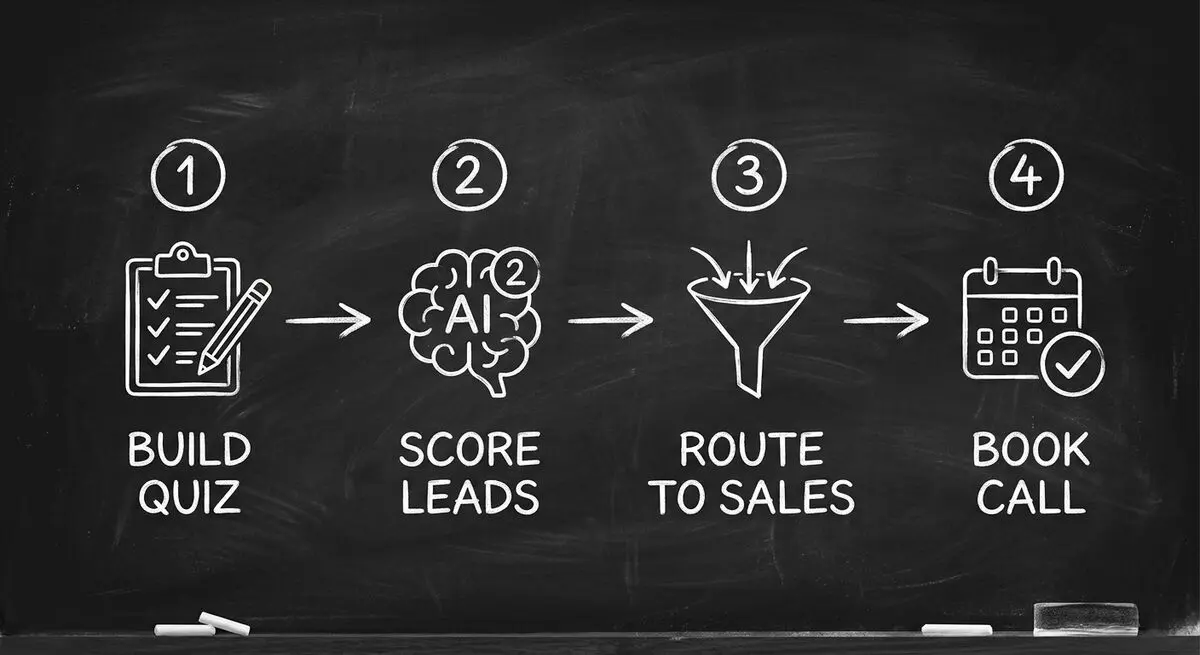
Here's the step-by-step for any B2B agency:
Step 1: Build Your Qualification Quiz
Use Dashform to create an 8-10 question intake quiz. Start with the BANT framework (Budget, Authority, Need, Timeline) and add 2-3 industry-specific questions. Dashform's AI can generate the initial quiz from a description of your ideal client profile.
Step 2: Set Up Scoring Criteria
Write the fit criteria in Dashform's Lead Scoring settings. If you want the numeric rubric above, calculate it in your CRM or a separate tested process. Review verdicts and missed opportunities as outcomes arrive.
Step 3: Create Tiered Outcomes
Design answer-based exit paths for scheduling, resources, and follow-up. Configure any email sequence in your email platform with the required consent; assign staff to review exceptions.
Step 4: Connect to Your CRM
Use the native HubSpot connector for supported contact fields, or configure a compatible Zapier or webhook workflow for Salesforce and other systems. Map the available reply fields explicitly. Do not assume AI verdicts or custom numeric scores are included in a connector payload.
Step 5: Package It as a Client Service
Once you've proven the quiz funnel works for your own agency, package it as a productized service for your B2B clients: build custom qualification quizzes for their websites as a new revenue stream.
Test an Agent-Accessible Intake Path
AI agents are now searching for and booking services on behalf of their users. When a prospect's AI assistant is asked to "find me a B2B content agency with ABM experience that fits my budget," that agent needs structured, machine-readable data to qualify vendors.
Dashform's Agent Funnel feature makes your quiz intake MCP-compatible -- meaning AI agents can discover, interact with, and complete your qualification flow autonomously. Publish the form and test it with a compatible agent client; marketplace participation is a separate setting.
An agent-accessible intake path can let a compatible client submit a request. It does not guarantee discovery or bookings. Run an AX Audit to inspect website findings, then test the intake separately.
Frequently Asked Questions
Is the agency in this article real?
No. The agency is an illustrative example, not a Dashform customer, and the article reports no results. It shows a playbook you can run and measure in your own agency.
How long does it take to build a qualification quiz with Dashform?
Dashform's AI can draft a quiz from your ideal client description. Allow time to review the questions, configure scoring criteria and integrations, and test each path before publishing; this article provides no setup-time benchmark.
Will prospects actually complete an 8-question quiz?
Completion depends on your audience, traffic source, questions, and offer. Measure starts, completions, and qualified conversations in your own pilot before choosing the quiz length. A vendor quiz report is background reading, not a prediction for this workflow.
Can I use this for my clients too, not just my own agency?
Absolutely. Build it for yourself first, prove the results with your own pipeline data, then sell it to your B2B clients as a productized implementation.
How does AI scoring compare to manual lead scoring in a CRM?
When enabled, Dashform evaluates completed replies against your criteria and assigns Hot, Warm, or Cold verdicts. Review those verdicts alongside your CRM outcomes. Numeric point models or CRM automation require separate implementation and validation.
What if my agency serves multiple verticals?
Dashform supports conditional logic, so you can create one quiz that branches into different question paths based on the prospect's industry. Each vertical gets a customized qualification experience while sharing a single entry point on your website.
Does the quiz funnel integrate with my existing tech stack?
Dashform has native HubSpot and Mailchimp connectors. Salesforce and other destinations require a compatible Zapier workflow, webhook receiver, or custom integration. Configure field mappings, permissions, and downstream actions, then test delivery.