


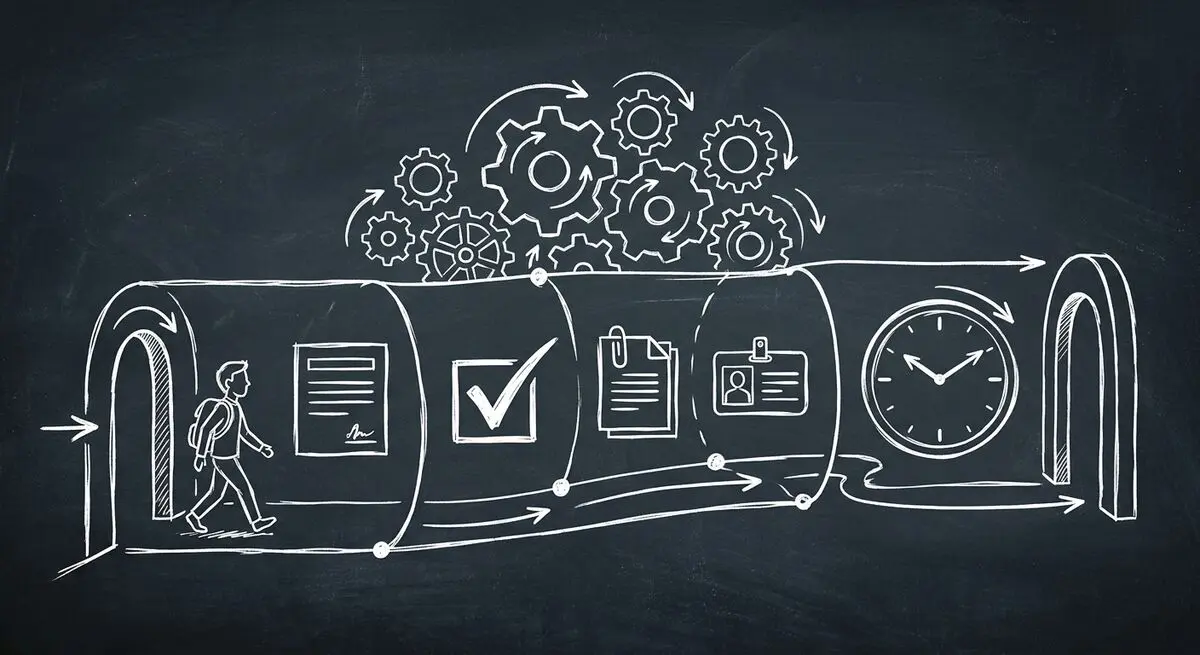
Client onboarding is where first impressions become lasting relationships — or where promising deals quietly die. A Moxo study found that AI-powered onboarding automation reduces manual follow-ups by up to 60%. Yet most agencies, coaches, and service businesses still rely on scattered email threads, manual form-filling, and error-prone spreadsheets to onboard new clients.
In 2026, AI-powered onboarding flows are changing the game. Modern tools use intelligent forms with conditional logic, automated document collection, and smart workflow triggers to transform a 10-hour manual process into a 30-minute automated experience. The result? Happier clients, fewer errors, and 10+ hours saved every week per team member.
Manual vs. AI-Powered Client Onboarding
| Process Step | Manual Approach | AI-Powered Flow | Time Saved |
|---|---|---|---|
| Intake form creation | 2-3 hours in Google Forms | 5 min with AI builder | 95% |
| Data collection | Email back-and-forth | Smart form with logic | 80% |
| Document requests | Manual email follow-ups | Auto-triggered requests | 90% |
| CRM data entry | Copy-paste from emails | Auto-synced from forms | 100% |
| Welcome sequence | Manually draft + send | Automated email flow | 95% |
| Follow-up reminders | Calendar + memory | AI-scheduled nudges | 100% |
| Total time per client | 8-12 hours | 30-60 minutes | 90%+ |
Start building your automated onboarding flow with Dashform — create intelligent intake forms in seconds with AI.
Why Traditional Client Onboarding Is Broken
If your onboarding process involves any of these, you're leaving money and client satisfaction on the table:
- Sending a generic Google Form or PDF and waiting days for responses
- Emailing clients repeatedly to request missing information or documents
- Manually entering client data into your CRM, project management tool, and accounting software
- Forgetting to send welcome emails, login credentials, or next-step instructions
- Spending the first client meeting re-asking questions they already answered in the form
A HubSpot study found that 63% of customers consider the onboarding experience when making a purchase decision. Poor onboarding doesn't just waste your time — it directly impacts client retention and referrals.
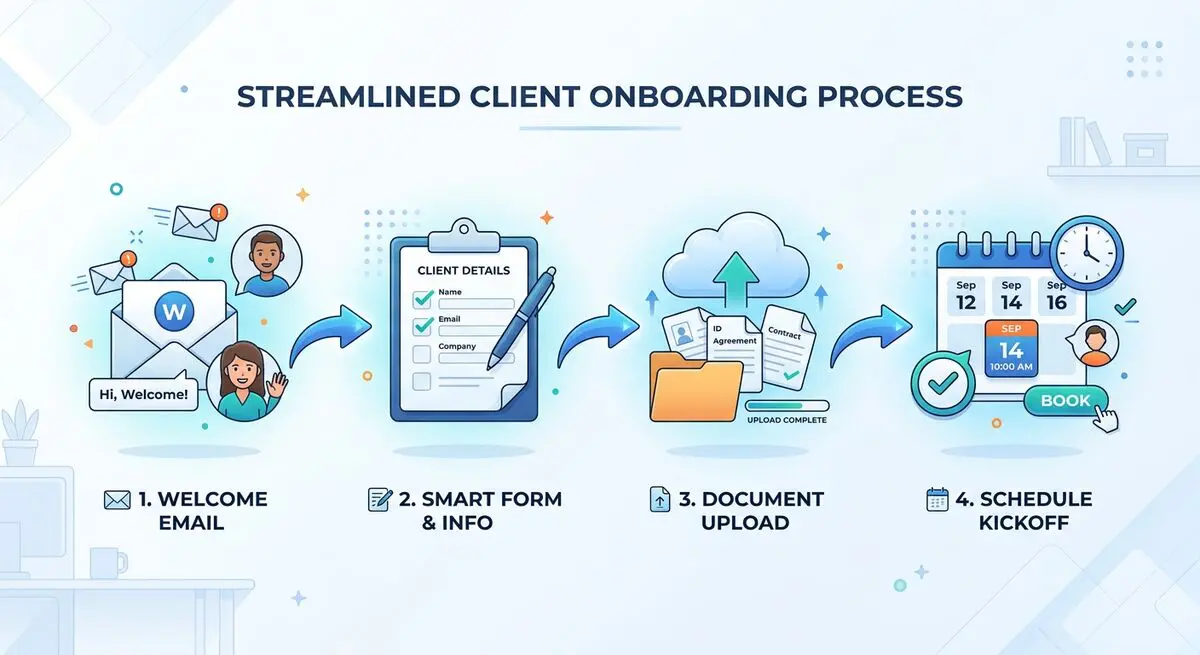
The 5 Building Blocks of an AI-Powered Onboarding Flow
1. Intelligent Intake Forms
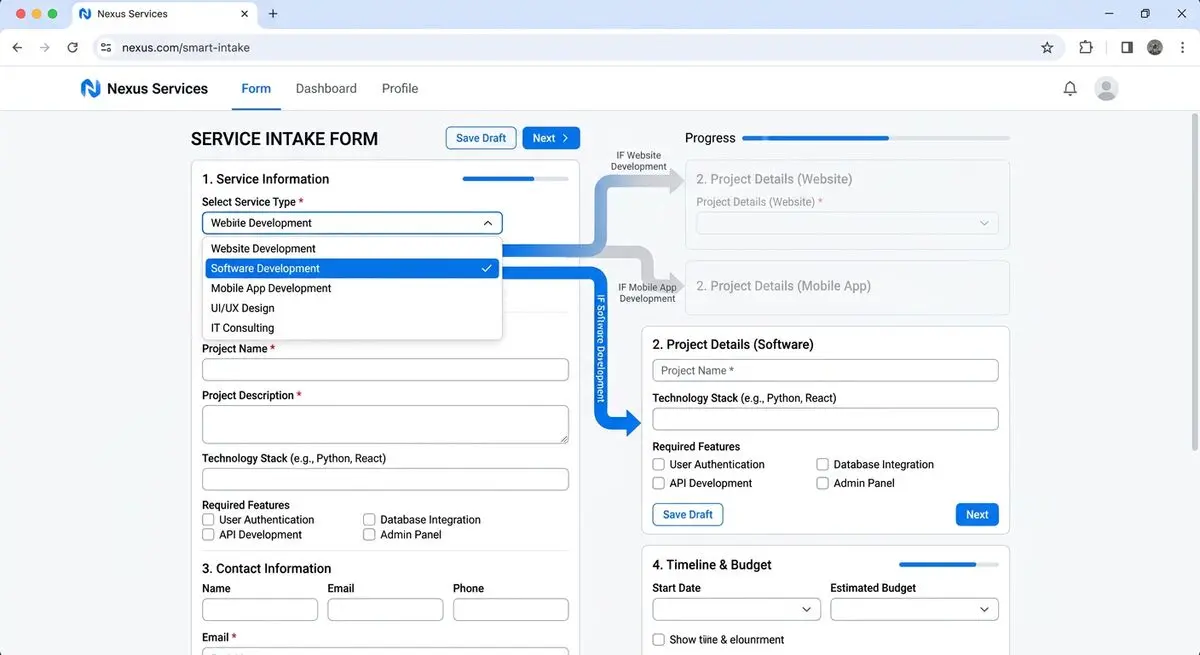
The foundation of any onboarding flow is the intake form. But not all forms are created equal. AI-powered intake forms use conditional logic to adapt in real-time — showing different questions based on previous answers, pre-populating known fields, and validating inputs as they're entered.
Dashform's AI form builder creates smart intake forms that feel like a conversation, not a bureaucratic chore. Describe your needs in plain language and the AI generates a complete intake flow with branching logic.
2. Automated Document Collection
Clients need to submit contracts, IDs, tax documents, brand assets, or project briefs? Set up automated triggers that request specific documents based on the client's service tier or project type. When a client selects "Website Redesign" in your intake form, they automatically see upload fields for their brand guidelines, current site access, and content inventory.
3. Smart Workflow Triggers
When a client completes the intake form, the entire onboarding sequence fires automatically:
- CRM record created with all form data
- Welcome email sent with next steps and timeline
- Project workspace created in your PM tool
- Kickoff meeting link sent with calendar invite
- Team members notified with client summary and priorities
4. Personalized Welcome Sequences
Based on the client's intake responses, trigger a tailored welcome email series. A client who indicated "urgent timeline" gets an expedited onboarding track. A client who selected "ongoing retainer" receives a relationship-building sequence. Segmentation from day one means better engagement and higher retention.
5. Progress Tracking and Follow-Up
AI monitors onboarding completion and automatically nudges clients who haven't finished their intake. "Hey Sarah, you're 80% done — just upload your logo and we'll get started!" These gentle reminders recover 30-40% of incomplete submissions without any manual effort.
Step-by-Step: Build Your AI Onboarding Flow
Step 1: Map Your Current Process
Before automating, document your existing onboarding steps. What information do you collect? What documents do you need? What tools do you update? What emails do you send? This audit reveals exactly what to automate.
Step 2: Create Your AI Intake Form
Use Dashform's AI form builder to create a comprehensive intake form. Start by describing your ideal onboarding flow: "I need an intake form for a marketing agency that collects company info, project goals, brand assets, budget range, and timeline. Include conditional sections for different service types." The AI generates everything in seconds.
Step 3: Add Conditional Logic
Set up branching paths so clients only see relevant questions. If they select "Social Media Management," show questions about platforms and posting frequency. If they select "Website Design," show questions about design preferences and existing tech stack. This keeps the form focused and completion rates high.
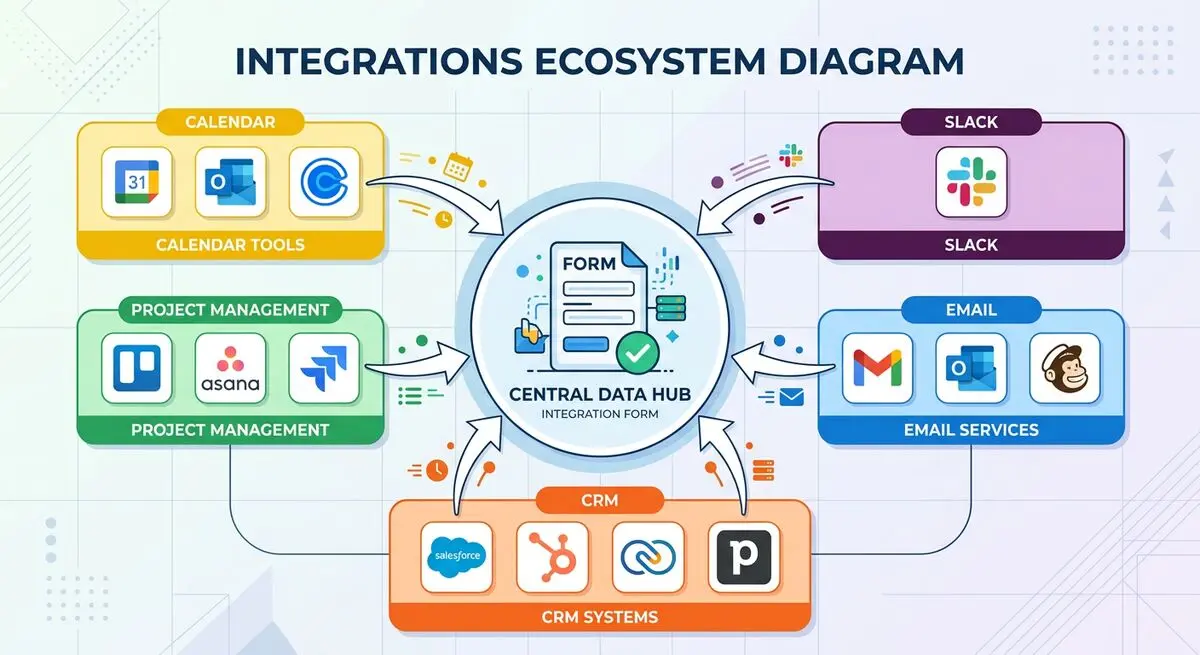
Step 4: Set Up Integrations
Connect your intake form to your tools:
- CRM (HubSpot, Salesforce): Auto-create client records
- Email (Mailchimp, ActiveCampaign): Trigger welcome sequences
- Project management (Asana, Notion): Create project boards
- Calendar (Google Calendar, Calendly): Schedule kickoff meetings
- Slack/Teams: Notify team members of new clients
Step 5: Test and Launch
Run through the entire flow yourself, then test with a team member playing "client." Check that all conditional logic works, integrations fire correctly, and emails arrive on time. Then embed the form on your website's onboarding page or send the link directly to new clients.
Onboarding Templates for Different Industries
Different businesses need different onboarding flows. Here are proven templates:
For Agencies
Collect: Company overview, brand assets (logo, colors, fonts), project scope, competitor references, access credentials, billing preferences, key stakeholders and approval process.
See: Modern Client Intake Process for Agencies.
For Coaches
Collect: Personal goals, current challenges, coaching history, availability, communication preferences, health/lifestyle context (for fitness/wellness coaches), commitment level.
See: Modern Client Qualification for Coaches and Why Discovery Calls Fail.
For Service Businesses
Collect: Service requirements, property/project details, scheduling preferences, budget range, special instructions, emergency contact, payment method.
Browse ready-made templates for your industry — customize any template with AI in seconds.
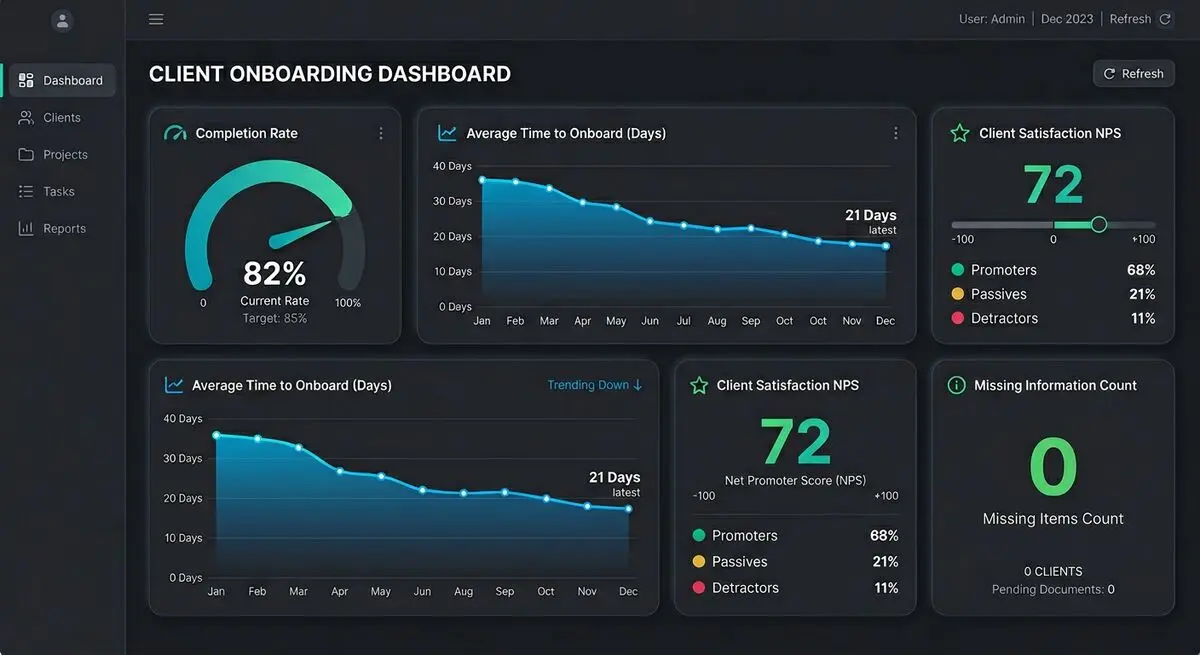
Measuring Onboarding Success: Key Metrics
Track these KPIs to ensure your AI onboarding flow is performing:
Client Onboarding KPIs
| Metric | Poor | Good | Excellent |
|---|---|---|---|
| Form completion rate | < 50% | 60-75% | > 80% |
| Time to complete intake | > 30 min | 10-20 min | < 10 min |
| Days to fully onboard | > 14 days | 5-7 days | < 3 days |
| Client satisfaction (NPS) | < 30 | 40-60 | > 70 |
| Missing info follow-ups | > 3 per client | 1-2 | Zero |
| Team hours per client | > 5 hours | 2-3 hours | < 1 hour |
Want to measure client satisfaction? Use Dashform's free NPS survey tool to track and improve your onboarding experience.
Frequently Asked Questions
How long does it take to set up an AI onboarding flow?
With Dashform, you can create a complete intake form in 5-15 minutes using AI generation. Setting up integrations and email sequences takes an additional 1-2 hours. Most businesses have a fully automated onboarding flow running within a single afternoon.
Will clients find an automated onboarding impersonal?
The opposite is true. Personalized, conditional forms that adapt to each client's needs feel more thoughtful than a generic Google Form. Adding branded welcome videos, personalized result pages, and timely follow-ups actually creates a more premium, personal experience.
What if my onboarding process is complex with many variables?
That's exactly where AI forms shine. Conditional logic handles unlimited branching paths — different questions for different service tiers, industries, or project types. The client only sees what's relevant to them, making even complex processes feel simple.
Can I use this for internal team onboarding too?
Absolutely. The same principles apply to employee onboarding — collecting personal information, distributing training materials, tracking completion, and automating IT setup requests. Read more: How Dashform Reinvents Onboarding with AI.
How do I ensure data security in automated onboarding?
Look for form builders with end-to-end encryption, SOC 2 compliance, and GDPR-compliant data handling. Dashform encrypts all form submissions and offers data residency options. Never collect sensitive information (SSN, financial data) through unsecured forms.





