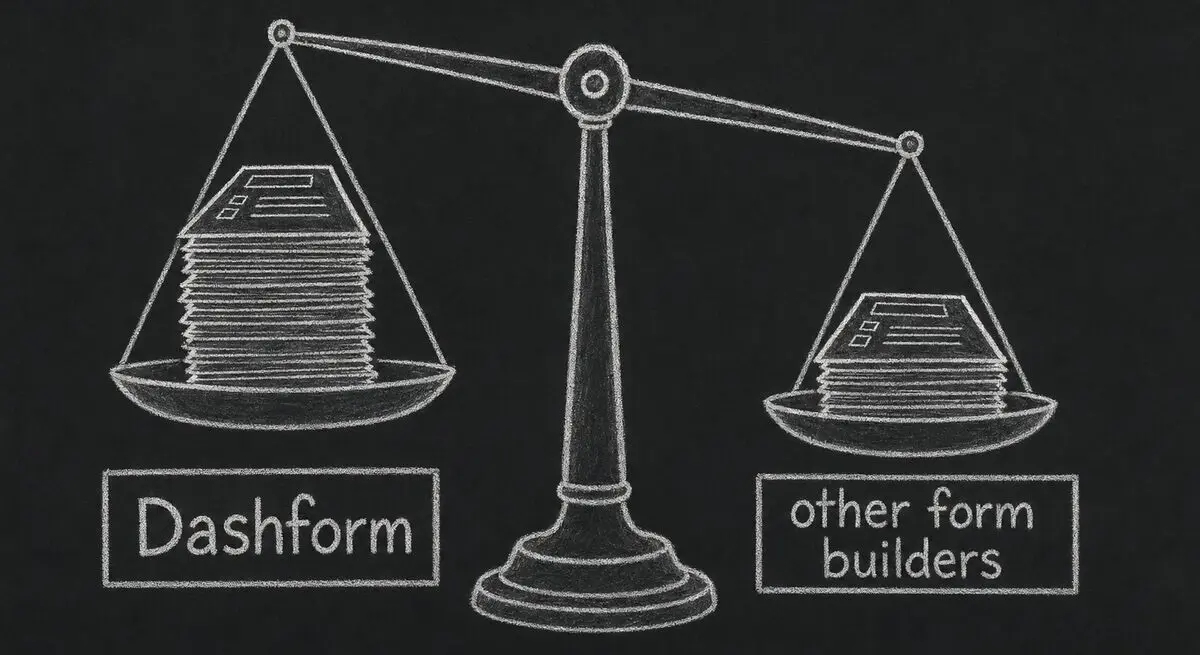
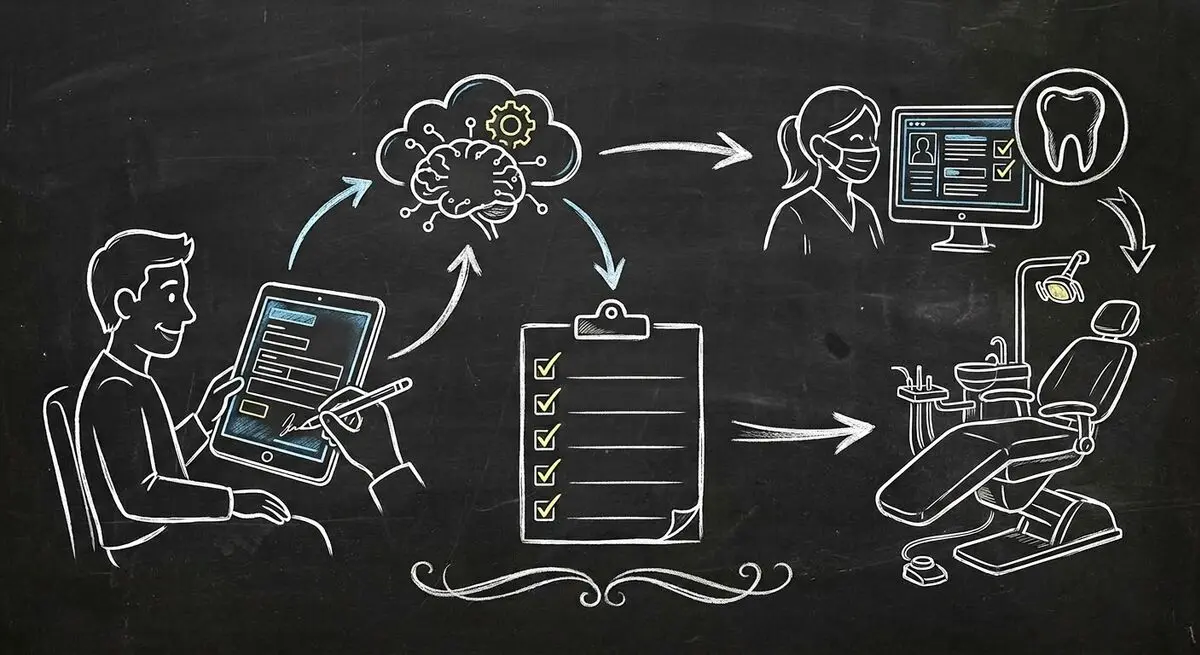
The average dental practice loses 15-20 minutes per patient on paper intake forms. Front desk staff spend hours re-entering data into practice management software. New patient no-show rates hover around 25% because there is zero pre-visit engagement. These are not minor inefficiencies. For a practice seeing 30 patients per day, that is 7-10 hours of wasted time every single day.
AI-powered form builders like Dashform are changing how dental practices handle patient intake, consent collection, and post-visit feedback. This guide breaks down exactly how to automate your dental intake process, what tools to use, and what results to expect.
Dental Patient Intake: Manual vs AI-Automated
| Metric | Manual Paper Forms | AI-Automated Forms | Improvement |
|---|---|---|---|
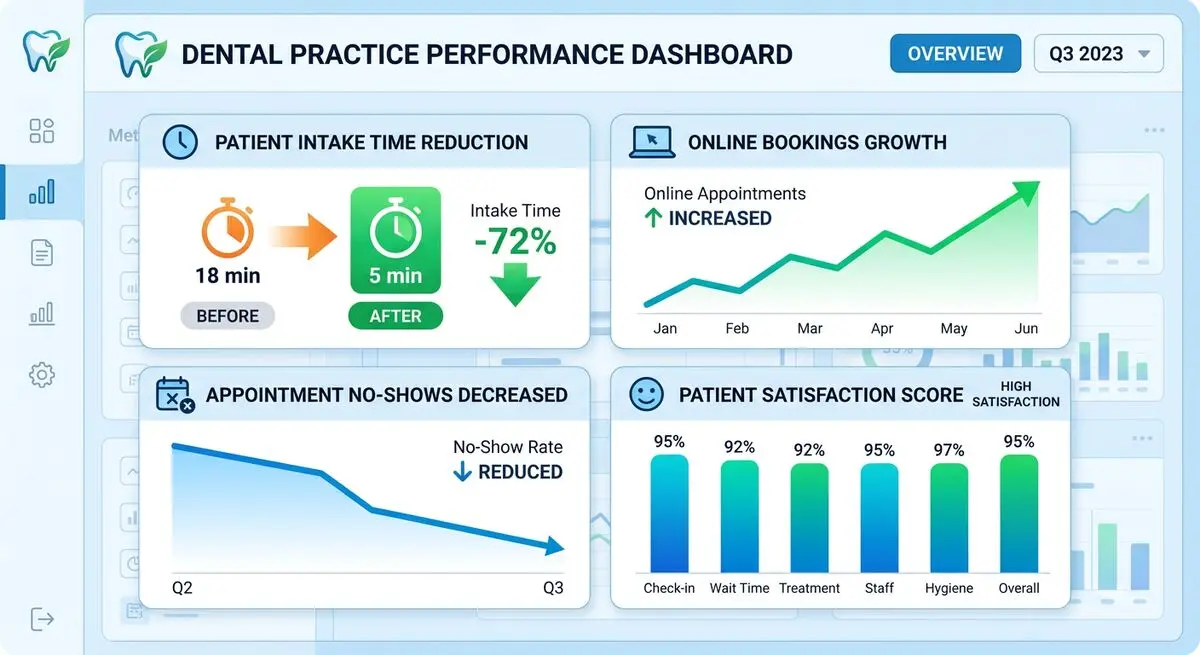
| Avg intake time per patient | 18 min | 5 min | -72% |
| Data entry errors | 12-15% | <1% | -93% |
| Staff hours on data entry/day | 3-4 hrs | 0.5 hrs | -85% |
| New patient no-show rate | 25% | 12% | -52% |
| Pre-visit form completion | 0% | 78% | New capability |
| Patient satisfaction (intake) | 3.2/5 | 4.7/5 | +47% |
Why Paper Dental Intake Forms Are Costing You Patients
Paper intake forms create a cascade of problems that most dental practices accept as normal. They are not normal. They are expensive.
- Patients arrive and spend 15-20 minutes in the waiting room filling out clipboards. This delays appointments, creates bottlenecks, and starts the patient experience with frustration.
- Front desk staff manually enter handwritten data into Dentrix, Eaglesoft, or Open Dental. Handwriting legibility issues cause errors in 12-15% of records, according to the American Dental Association.
- Medical history forms are static. Every patient answers every question regardless of relevance. A patient coming in for a routine cleaning fills out the same form as a patient needing a root canal.
- No pre-visit engagement means no psychological commitment. Patients who have invested zero effort before their appointment are far more likely to no-show.
A 2025 ADA Practice Management Report found that dental practices with digital intake systems saw 31% higher patient retention rates compared to those using paper forms. The data is clear: paper intake is a competitive disadvantage.
How AI Form Generators Solve Dental Intake
AI form generators like the Dashform AI Health Assessment Form Generator create intelligent, adaptive intake forms that adjust based on patient responses. This is fundamentally different from digitizing a paper form into a PDF.
Here is what AI-powered dental intake actually looks like:
- Conditional logic: A patient selecting 'orthodontic consultation' sees questions about bite alignment, jaw pain, and previous orthodontic work. A patient selecting 'teeth whitening' sees questions about sensitivity, staining history, and cosmetic goals. No irrelevant questions.
- Smart medical history: The form asks about medications, allergies, and conditions with branching follow-ups. If a patient reports taking blood thinners, the form automatically flags this for the dentist and asks additional questions about dosage and prescribing physician.
- Consent capture: Electronic signatures for treatment consent, HIPAA acknowledgment, and financial agreements are collected digitally before the patient arrives.
- Pre-visit delivery: Forms are sent via SMS or email 48 hours before the appointment. Patients complete them on their phone in 4-5 minutes.
Step-by-Step: Setting Up AI Dental Intake with Dashform
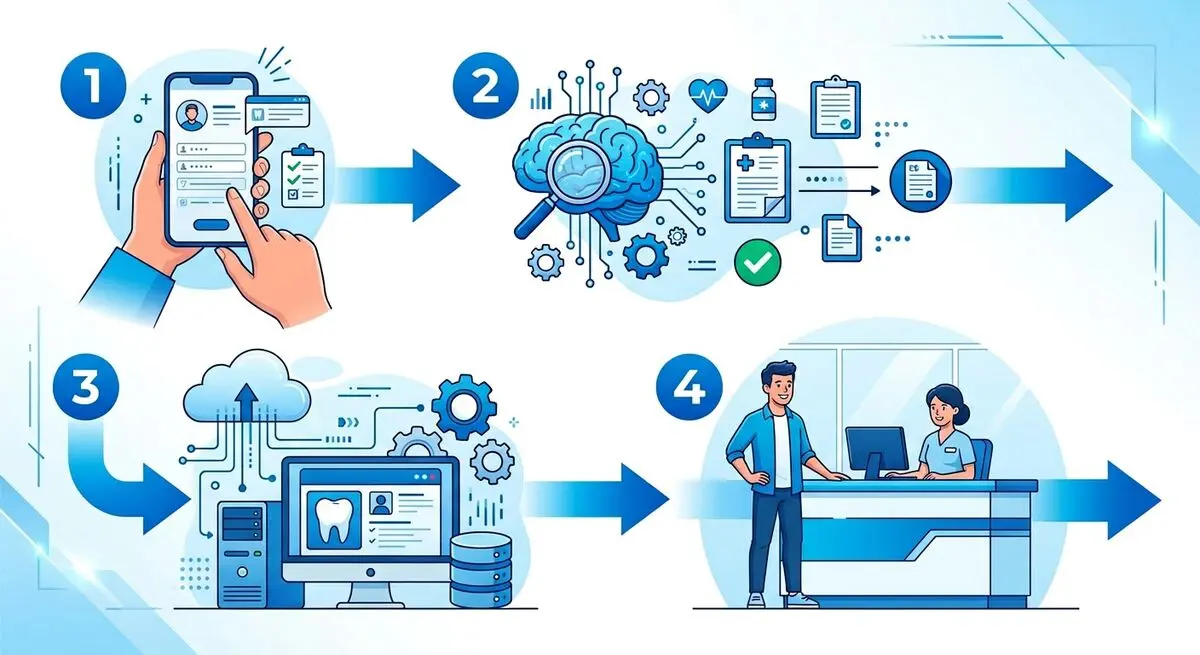
Here is the exact process for automating your dental practice intake:
Step 1: Create Your Health Assessment Form
Go to the AI Health Assessment Form Generator and describe your dental practice. The AI will generate a complete intake form with medical history, dental history, insurance information, and consent sections. Customize the questions for your specific practice specialties.
Step 2: Set Up Patient Registration
Use the AI Clinic Registration Form Generator to create a new patient registration form that captures demographics, insurance details, emergency contacts, and communication preferences.
Step 3: Configure Pre-Visit Delivery
Connect your forms to your appointment scheduling system. When a new patient books, they automatically receive the intake forms via SMS and email 48 hours before their visit. A reminder is sent 24 hours before if the forms are not yet completed.
Step 4: Integrate with Your Practice Management Software
Dashform integrates with major dental practice management systems through webhooks and Zapier. Patient data flows directly into Dentrix, Eaglesoft, Open Dental, or your preferred system without manual entry.
Real Results: What Dental Practices Are Seeing
Dental practices that switch to AI-powered intake consistently report these improvements:
- Patient intake time drops from 18 minutes to under 5 minutes. Patients arrive with forms already completed and verified.
- Front desk staff reclaim 3-4 hours per day that were spent on data entry. This time is redirected to patient communication and scheduling optimization.
- New patient no-show rates drop by 40-55%. The pre-visit form creates a commitment touchpoint that dramatically increases show-up rates.
- Data accuracy improves to 99%+. No more handwriting interpretation errors or missed allergy flags.
According to Dental Economics , practices that fully digitize their intake process see an average revenue increase of $150,000 annually from improved efficiency and reduced no-shows.
Tool-by-Tool Impact for Dental Practices
| Dashform Tool | Use Case | Key Metric | Impact |
|---|---|---|---|
| Health Assessment Form | Medical history + dental history | Intake time | 18min → 5min |
| Clinic Registration Form | New patient demographics + insurance | Data entry errors | 15% → <1% |
| Consultation Form | Pre-treatment questionnaire | No-show rate | 25% → 12% |
| Feedback Form | Post-visit satisfaction | Review collection | 8% → 58% |
Beyond Intake: AI Forms for the Full Patient Journey
Patient intake is just the starting point. Forward-thinking dental practices use Dashform across the entire patient lifecycle:
- Pre-consultation forms sent before complex procedures to gather treatment-specific information and set expectations.
- Post-visit feedback forms sent via SMS within 2 hours of appointment completion. Promoters are directed to Google Reviews. Detractors trigger immediate follow-up.
- Patient satisfaction surveys sent quarterly to measure NPS, identify trends, and benchmark against industry standards.
- Treatment recommendation quizzes embedded on your website to qualify potential patients and match them with appropriate services.
Frequently Asked Questions
How long does it take to set up AI dental intake forms?
Most dental practices have their AI intake forms live within 1-2 hours. Dashform's AI generates the initial form based on your practice description, and you customize from there. No coding or IT support required.
Will AI forms work with my existing dental practice management software?
Dashform integrates with Dentrix, Eaglesoft, Open Dental, and other major dental PMS through webhooks and Zapier. Patient data syncs automatically without manual export or import steps.
Are AI-generated dental forms HIPAA compliant?
Dashform uses secure data collection with encryption in transit and at rest. For practices with strict HIPAA requirements, review Dashform's security documentation to ensure your specific implementation meets compliance standards for protected health information.
What is the cost of switching to AI dental intake?
Dashform offers plans starting from free. For most dental practices, the ROI is immediate. Saving 3-4 hours of staff time daily at $20-25/hour translates to $1,500-2,500/month in labor savings alone. Start free here.
Can patients complete forms on their phones?
Yes. All Dashform forms are mobile-first and responsive. Over 80% of patients complete their intake forms on smartphones. The average completion time is 4-5 minutes on mobile, compared to 18 minutes on paper.