



A smarter way to activate, guide, and delight new users.
Onboarding is the moment your relationship with a new user truly begins. It’s when curiosity turns into clarity, and when a product stops being a website and becomes an experience. At Dashform, we believe onboarding should feel less like filling out a form, and more like having a conversation with someone who actually understands what you need.
That’s why we built AI-powered onboarding: a friendly, adaptive guide that personalizes every user’s journey from the very first message.
In this article, we’ll walk you through how Dashform approaches onboarding differently, why it works, and how teams use it to activate users faster and more meaningfully than ever before.
Trying Onboarding AI Form on Dashform
Quick Summary
AI-powered onboarding transforms the first user experience into a personalized, adaptive conversation.
- Dashform uses AI to understand each user’s goal from the first message
- Onboarding asks only relevant questions — no unnecessary setup steps
- A working form and workflow are generated instantly
- Users reach meaningful milestones in minutes
- Personalized tone and guidance increase activation and retention
Dashform replaces rigid onboarding checklists with intelligent, conversational guidance that helps users see value faster.
Why onboarding matters more than most teams realize
A user’s first 3–5 minutes define:
- whether they understand the product
- whether they feel confident
- whether they experience value
- whether they stay or churn
In Typeform’s user studies, nearly 40% of all drop-off happens in the first session. On the other hand, a frictionless, personalized onboarding can increase long-term retention by 2–3×.
Dashform takes this seriously. But instead of long checklists or rigid setup forms, we use something much more intuitive:
A conversation.
A conversational onboarding experience — powered by AI
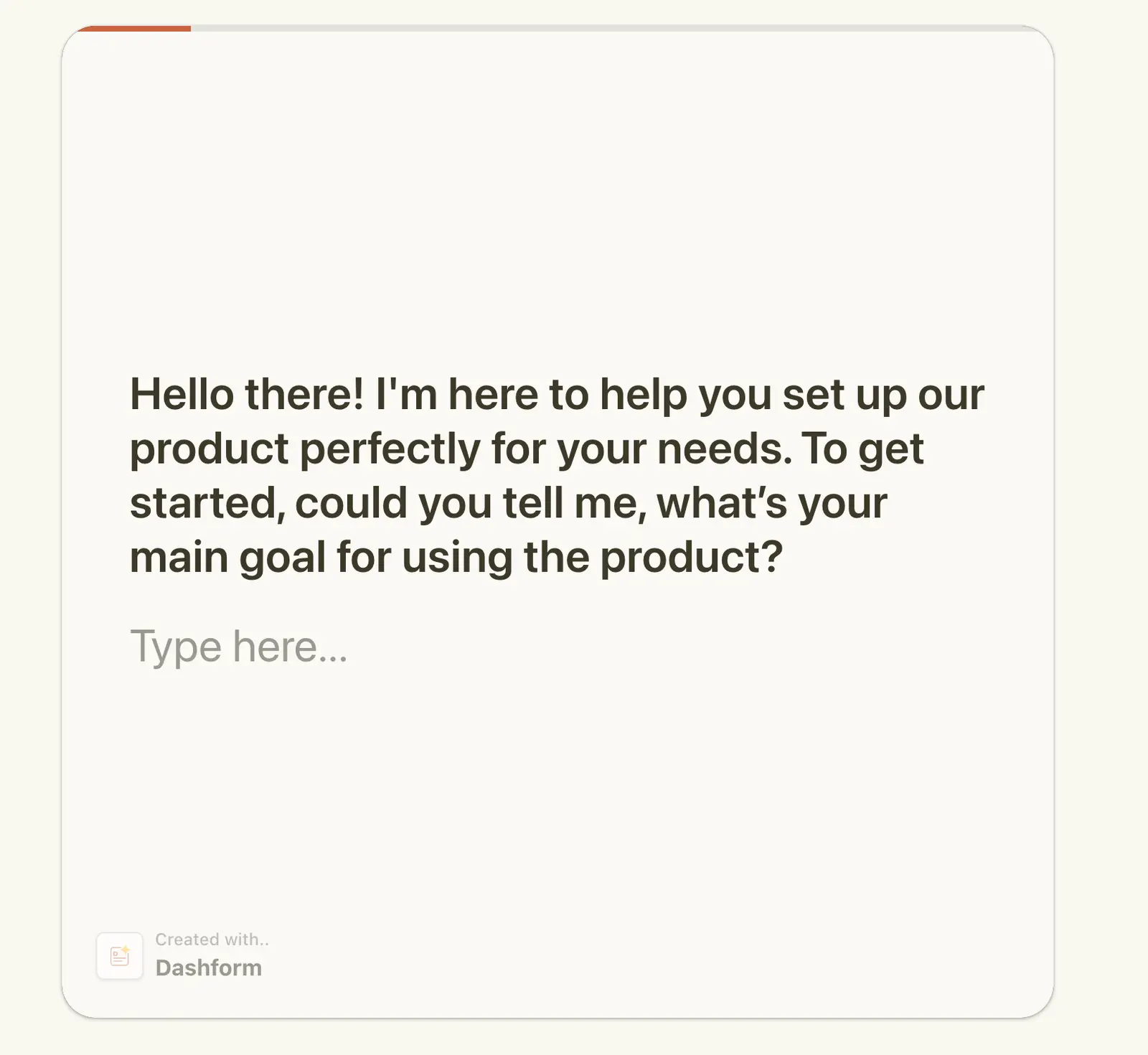
The moment a user opens Dashform, the onboarding doesn't start with steps or instructions. It starts with a simple, human question.
“Hi there! I’m here to help tailor your experience. What’s your main goal for using Dashform?”
From this one sentence, DashformAI begins shaping a totally personalized path.
No preset templates. No generic options. Just a natural conversation that adapts in real time.
1. Understanding each user’s goal (Goal Discovery)
Every user is different: a marketer running campaigns, a founder building an intake pipeline, a support specialist improving help requests, an HR leader onboarding employees.
DashformAI interprets the user’s first message and identifies their intent:
- Lead capture
- Feedback & surveys
- Onboarding flows
- Customer success routing
- Request/quote management
- Website qualification
- Internal workflows
- Automation triggers
Instead of forcing users to choose their category — the AI does it for them.
2. Asking the right questions only the necessary ones
Traditional onboarding tends to front-load information:
- What’s your company size?
- What’s your industry?
- What’s your role?
Often none of these matter yet.
Dashform flips the logic: AI asks only what’s relevant for the user’s goal.
If someone says “I want a lead qualification form,” the AI might ask:
“Great! Are you qualifying visitors for sales or for product access?”
If someone says “I want a service request flow,” it might ask:
“Do you want routing rules for different request types?”
Each next step exists for a reason. No noise. No unnecessary fields.
3. Instantly generating a personalized first setup
Dashform’s onboarding isn’t just about learning — it’s about building.
As soon as AI understands what the user wants, it automatically generates:
- a tailored multi-step form
- dynamic question logic
- follow-up prompts
- conditional routing
- a brand-matched tone of voice
- recommended templates
- automation steps (notifications, integrations, triggers)
It’s not a blank canvas anymore. It’s a fully working starting point.
This dramatically reduces activation time — most users complete their first setup in under 3 minutes.
4. Guiding users through the first meaningful milestones
Onboarding shouldn’t stop when a form is created.
Dashform helps users complete the tasks that actually move them toward success:
- Create a smart form
- Connect a notification (Slack, email, Gmail)
- Add an integration (Sheets, Notion, HubSpot, Zapier, n8n)
- Publish the form
- Share and collect the first response
And to keep motivation high, Dashform celebrates milestones:
🎉 “Your form is live! Want help getting your first response?”
Small wins matter. They make onboarding feel like progress, not a chore.
5. A consistent brand voice — generated automatically
One of the most underrated parts of onboarding is the micro-copy — button labels, helper text, question wording, nudges.
DashformAI adapts the entire flow to match the brand’s tone:
- friendly
- professional
- energetic
- minimalist
- corporate
- playful
Whether you’re a SaaS company, a service provider, or a large enterprise, the onboarding feels like your product, not ours.
Why teams love Dashform for onboarding
After switching to Dashform AI onboarding, teams report:
- 50–70% faster setup times
- Users understanding value in the first session
- Higher completion and publish rates
- Less support load (“How do I get started?” disappears)
- A cleaner, more intuitive first-time experience
Most importantly — users don’t feel overwhelmed. They feel guided.
What this means for your product
Imagine if every new user saw:
- only the questions that mattered
- a form built specifically for them
- a tone that matches your brand
- clear next steps
- real progress within minutes
That’s what AI onboarding enables.
And when your onboarding adapts to each user instead of forcing everyone through the same flow, everything changes:
More activation → More value found → More return visits → More conversions → More loyal customers.
A new standard for onboarding
Dashform isn’t just making onboarding easier. We’re making it smarter, faster, and more human.
When onboarding starts feeling like a conversation not a task, users stop hesitating and start building. They move faster. They see results sooner. They become confident in your product.
And that’s the real magic of great onboarding.
If you haven’t tried it yet, start your first AI-guided onboarding in Dashform today, and see how different it feels to let AI do the heavy lifting.
Related Reading
Automated Form Workflows Powered by Dashform
The Real Problem With Forms and How Dashform Changes Everything





