This eight-question form collects the details a medical office needs to verify a patient's insurance before providing care. It opens by asking for the patient's legal name and date of birth to confirm identity, then moves to insurance specifics: the primary insurance company name, the policyholder's name if different from the patient, the policy number, and an optional group number. The "Is this a new insurance policy or an update to an existing one?" question helps staff route the submission to the right workflow without a follow-up call. A final optional question invites the patient to share the reason for verification, such as an upcoming appointment, so the team can prioritize accordingly. After submitting, respondents see a confirmation that their information has been securely received.
Try the conversation below to see how this template works
Trusted by over 10,000 customers and growing
Conversations Started
Questions Answered
Forms Created
Relies on the policy number, group number, and insurance company name questions to gather exactly what's needed to check coverage before an appointment.
Uses the 'New Policy' vs. 'Existing Policy (Update)' question to quickly sort incoming submissions and direct them to the right intake workflow.
Depends on the policyholder name and policy number questions to reconcile patient records with insurance accounts accurately and without extra follow-up.

AI builds and refines your form through natural conversation no templates, no complex logic, no coding. From a simple text prompt or URL, Dashform generates intelligent flows that adapt automatically.
Dashform turns traditional form-filling into a two-way dialogue. The AI understands intent, remembers context, and asks relevant follow-up questions just like a real human conversation.
Every response is transformed into structured, meaningful, and ready-to-use data. Integrate with your favorite tools.
Everything you need to create amazing forms
Everything you need to know about this template
Don't see exactly what you need? Use our AI Form Generator to create a custom form in seconds. Just describe what you want, and AI will build it for you.
Explore more templates to find the perfect fit
 Agreement
Collect renter details, boat type, rental dates, and T&C sign-off in one tidy agreement form.
 Self Assessment
A five-question self-assessment that maps your symptoms, trigger foods, and reaction severity to help you understand histamine intolerance.
 Quiz
A five-question history quiz covering exploration, world wars, ancient civilizations, and the Roman Empire.
 Leave Request
A straightforward employee leave request form covering dates, leave type, department, and optional contact details.
 Request
Reserve a holiday event booth by sharing your organization details, preferred dates, booth size, and setup needs.
 Signup
Collect names, wishlists, gift restrictions, and shipping details for a holiday gift exchange.
Learn how to get the most out of your forms and templates
AI lead form tools compared: Dashform, Typeform, Jotform, Fillout, Heyflow, Tally, and involve.me on drafting, scoring, integrations, and best use.
Draft intake questions for clinician review, distinguish administrative forms from validated assessments, and plan privacy and scheduling requirements.
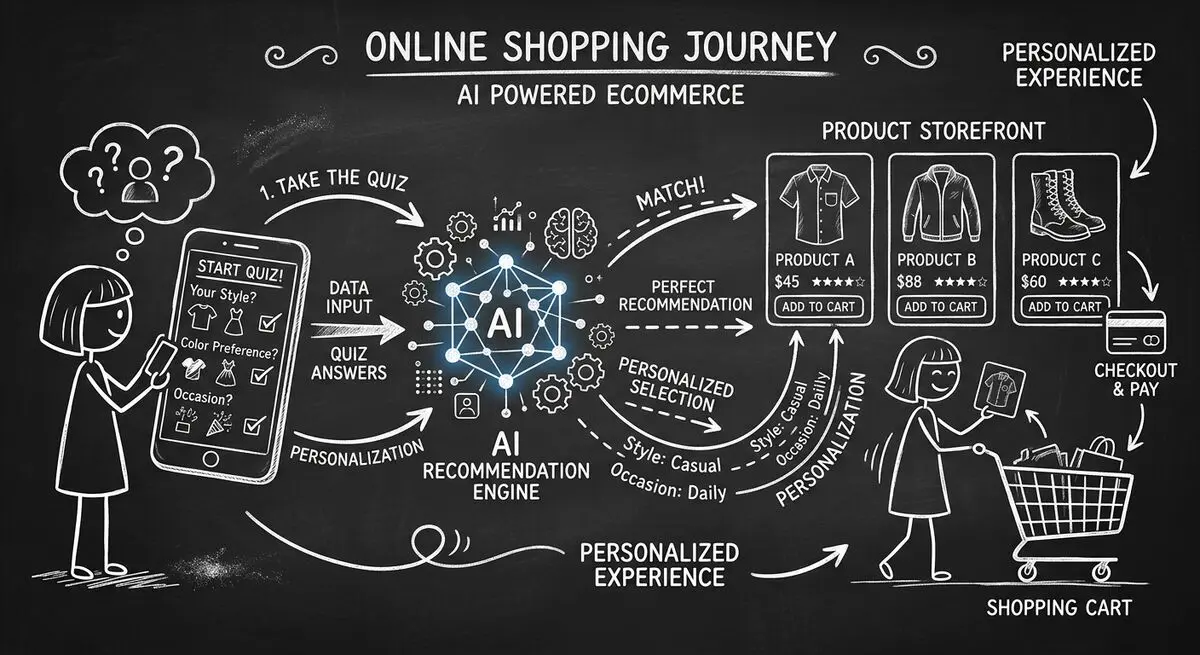
How to design an AI-assisted product quiz, map answers to recommendations, configure external tools, and measure the result for your store.
Try the world's first AI-native form and turn every response into action instantly.

