

The Task Checklist Form opens by collecting the submitter's name and email address, so there's a clear owner and point of contact for every task logged. It then moves through the task itself — name, description, who it's assigned to, priority level, category, and due date — giving the form owner everything needed to slot the task into the right workflow. The "Current Status" question and the optional "Additional Notes or Dependencies" question close the form, capturing where things stand right now and flagging anything that might block progress. After submitting, respondents see a confirmation telling them their task has been logged and that relevant team members will be notified.
Try the conversation below to see how this template works
Trusted by over 10,000 customers and growing
Conversations Started
Questions Answered
Forms Created
Relies on the "Priority Level", "Due Date", and "Current Status" questions to keep every task visible and sortable across a project timeline.
Uses the "Task Category" and "Assigned To (Name or Team)" questions to route work to the right department — from Development and Design to Finance and HR — without ambiguity.
Depends on the 'Blocked' option in the "Current Status" question and the "Additional Notes or Dependencies" field to surface obstacles before they stall the wider team.

AI builds and refines your form through natural conversation no templates, no complex logic, no coding. From a simple text prompt or URL, Dashform generates intelligent flows that adapt automatically.
Dashform turns traditional form-filling into a two-way dialogue. The AI understands intent, remembers context, and asks relevant follow-up questions just like a real human conversation.
Every response is transformed into structured, meaningful, and ready-to-use data. Integrate with your favorite tools.
Everything you need to create amazing forms
Everything you need to know about this template
Don't see exactly what you need? Use our AI Form Generator to create a custom form in seconds. Just describe what you want, and AI will build it for you.
Explore more templates to find the perfect fit
 Payment
Outline payer, payee, deposit amount, purpose, date, and method for a receipt prepared separately.
 Tracking Log
Record and track asset depreciation by logging acquisition details, useful life, salvage value, and depreciation method.
 Consent
Capture informed consent for dermaplaning with identity verification, risk acknowledgment, and a typed-name signature.
 Agreement
Capture scope, budget, KPIs, and terms to generate a ready-to-sign digital marketing contract.
 Event Registration
Register for an upcoming dinner seminar by sharing your contact info, dietary needs, and attendance plans.
 General Application
Collect Discord mod applications with questions on experience, availability, rule enforcement judgment, and tool familiarity.
Learn how to get the most out of your forms and templates
7 AI form builders compared on generation quality, scoring depth, integrations, and free plans: Dashform, Typeform, Jotform, Fillout, Heyflow, Tally, and involve.me.
Draft intake questions for clinician review, distinguish administrative forms from validated assessments, and plan privacy and scheduling requirements.
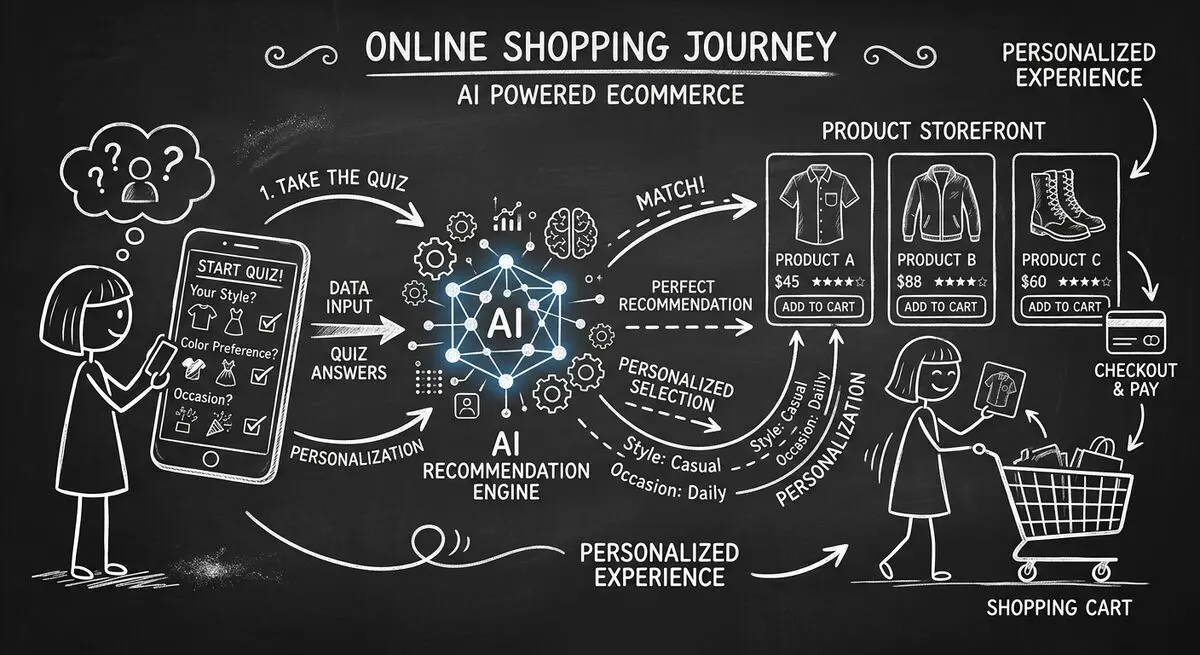
How to design an AI-assisted product quiz, map answers to recommendations, configure external tools, and measure the result for your store.
Try the world's first AI-native form and turn every response into action instantly.