

This eight-question form collects everything a Parent Teacher Organization needs to register a new member and put them to work. It opens by asking for contact details — name, email, and an optional phone number — then establishes the respondent's relationship to the school (parent/guardian, teacher/staff member, or community member). Parents can also note their children's grade levels, giving the PTO context for matching families to relevant programs. A multiple-choice volunteering question lets registrants pick from areas like event planning, fundraising, classroom support, and more, so coordinators can build their volunteer lists from day one. The form closes by confirming membership fee status and inviting any questions or suggestions. After submitting, respondents see a warm end screen thanking them and confirming that their membership supports vital school programs.
Try the conversation below to see how this template works
Trusted by over 10,000 customers and growing
Conversations Started
Questions Answered
Forms Created
The volunteering and grade-level questions give coordinators everything they need to assign new members to the right committees and family-facing programs immediately.
The "What is your primary relationship to the school?" question lets administrators track engagement across parents, staff, and community members in one unified registration.
The "Have you paid your annual membership fee?" question lets membership chairs flag unpaid accounts and fee-waiver cases without a separate follow-up process.

AI builds and refines your form through natural conversation no templates, no complex logic, no coding. From a simple text prompt or URL, Dashform generates intelligent flows that adapt automatically.
Dashform turns traditional form-filling into a two-way dialogue. The AI understands intent, remembers context, and asks relevant follow-up questions just like a real human conversation.
Every response is transformed into structured, meaningful, and ready-to-use data. Integrate with your favorite tools.
Everything you need to create amazing forms
Everything you need to know about this template
Don't see exactly what you need? Use our AI Form Generator to create a custom form in seconds. Just describe what you want, and AI will build it for you.
Explore more templates to find the perfect fit
 Assessment
Gather the health, lifestyle, and metabolic details needed to build a personalized fitness and nutrition plan.
 Agreement
Check understanding of practitioner-supplied microdermabrasion guidance and collect topics that still need explanation.
 Consent
Collect personal details and dual written consent before a microdermabrasion treatment session.
 Hr
HrLog a business mileage claim with trip details, route, total miles, and reimbursement rate for payroll processing.
 Membership Application
A seven-question application form for people interested in joining a ministry, covering contact details, areas of interest, availability, and faith background.
 Survey
A clinician survey on pregnancy loss frequency, causes, training adequacy, and ideas for improving patient support.
Learn how to get the most out of your forms and templates
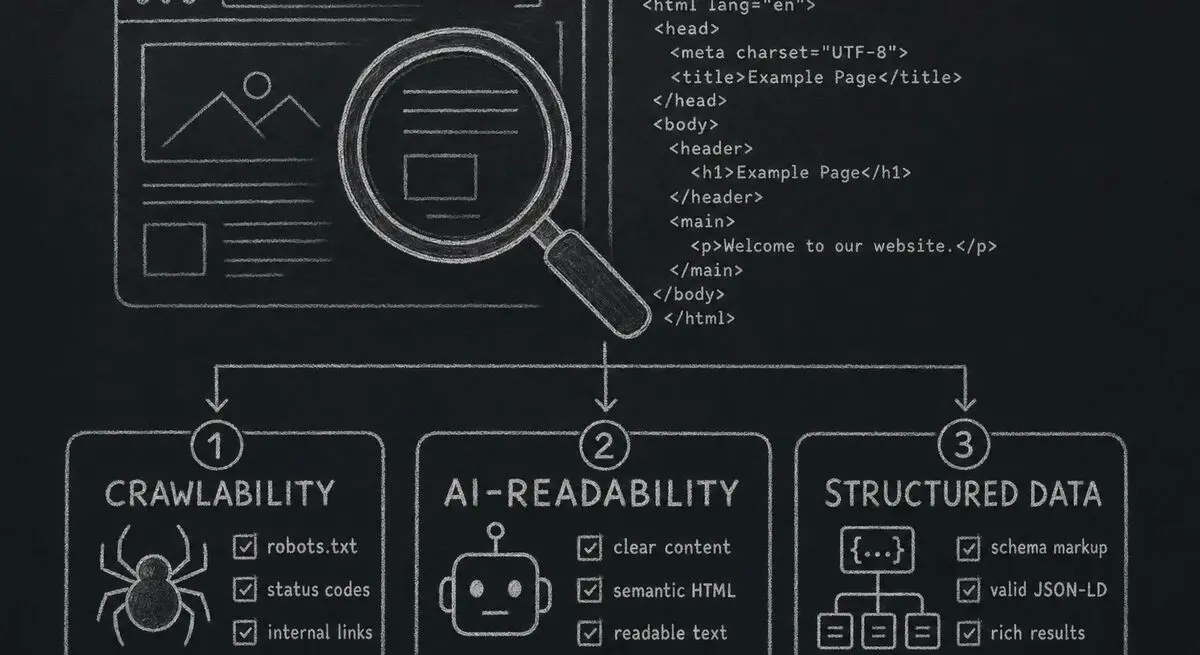
How Dashform computes technical agent readiness, groups its checks into Readiness Layers, and presents Findings without predicting traffic or revenue.

Add a header image in Google Forms and review Dashform's logo, theme, and step-background options for branded forms.

Step-by-step Facebook quiz creation: question types that convert, image setup, embedding, lead capture. Free with an AI quiz generator.
Try the world's first AI-native form and turn every response into action instantly.