This Employee Satisfaction Survey asks nine questions covering the full arc of the employee experience, from day-to-day engagement to overall employment satisfaction. It opens with a rating of work engagement, then moves through manager support, team communication, and work-life balance — each rated on a numeric scale — so owners can spot exactly where sentiment dips. A single-choice question on career growth opportunities anchors the middle of the form, giving respondents fixed options to compare across the workforce. Three optional open-ended questions invite employees to describe the work culture, name what they enjoy most, and suggest one concrete improvement, adding qualitative depth without making the survey feel burdensome. After submitting, respondents see a thank-you screen that acknowledges their honesty and signals that the feedback will be used to improve the workplace.
Try the conversation below to see how this template works
Trusted by over 10,000 customers and growing
Conversations Started
Questions Answered
Forms Created
HR teams rely on the four five-star ratings and the overall satisfaction score and the career growth single-choice question to benchmark satisfaction scores across departments and track changes after policy updates.
Managers focus on the "How satisfied are you with the support and guidance provided by your direct manager? (1 = Very dissatisfied, 5 = Very satisfied)" question and the open-ended culture and improvement questions to understand how their leadership style lands with direct reports.
People ops professionals and consultants use the open-ended "What is one concrete change or improvement you would suggest to enhance your workplace experience?" question to surface specific, actionable changes that numeric scales alone would miss.

AI builds and refines your form through natural conversation no templates, no complex logic, no coding. From a simple text prompt or URL, Dashform generates intelligent flows that adapt automatically.
Dashform turns traditional form-filling into a two-way dialogue. The AI understands intent, remembers context, and asks relevant follow-up questions just like a real human conversation.
Every response is transformed into structured, meaningful, and ready-to-use data. Integrate with your favorite tools.
Everything you need to create amazing forms
Everything you need to know about this template
Don't see exactly what you need? Use our AI Form Generator to create a custom form in seconds. Just describe what you want, and AI will build it for you.
Explore more templates to find the perfect fit
 Other
Outline a recipient, gift value or service, message, proposed expiry, and issuing business for separate certificate preparation.
 Checklist
Organize reported condition observations and safety-check status for separate review by a qualified inspector.
 Other
Collect winner details, verify ticket codes, and capture event preferences in one clean redemption form.
 Preorder
Reserve items from the Good Hart September collection and choose shipping or local pickup before launch.
 Tracking Log
Record a student's assignments, exams, attendance, participation, and final grade in one structured gradebook entry.
 Evaluation Survey
Collect structured graduate student feedback on course quality, instructor delivery, and learning materials.
Learn how to get the most out of your forms and templates
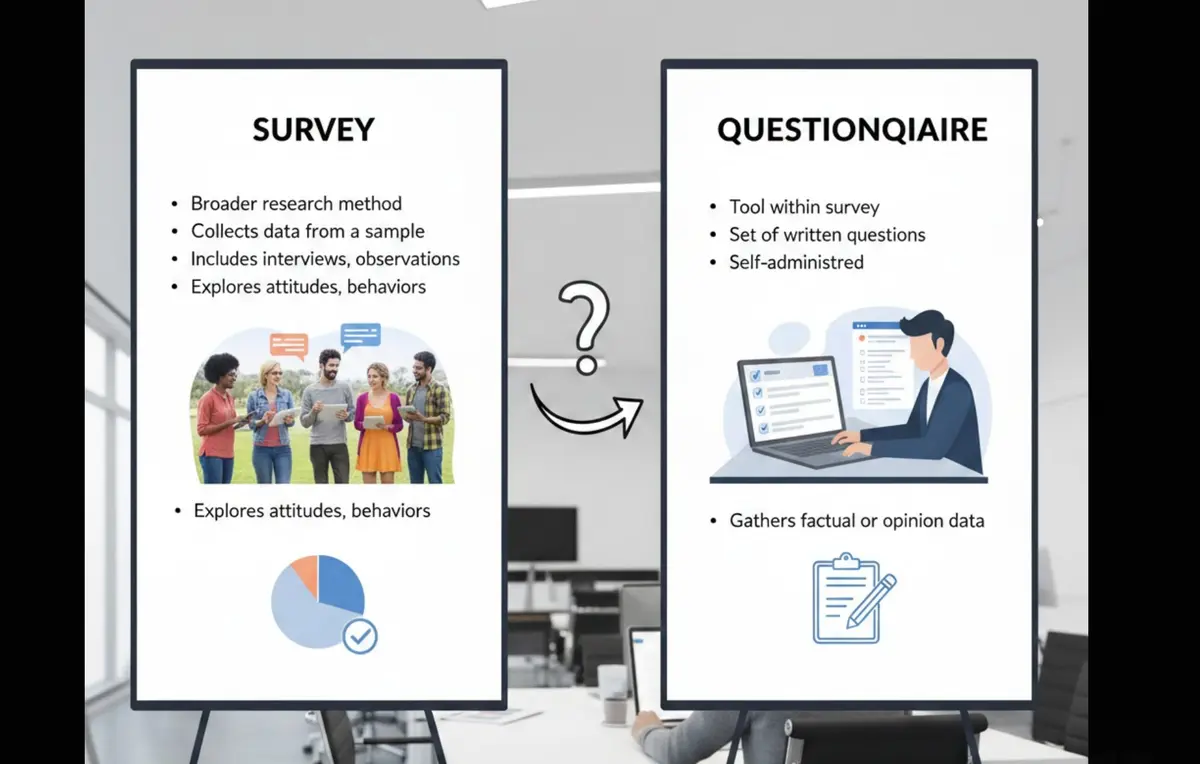
Survey vs questionnaire: the key differences, use cases, and a decision framework for picking the right one for research, feedback, or internal workflows.
Copy a tenant maintenance request form field list, an emergency, urgent and routine triage rule set, and response templates for each tier.
Copy a venue inquiry form question list and simple rules for which requests get an instant quote, a call, or a polite no, then build the form in Dashform.
Try the world's first AI-native form and turn every response into action instantly.

