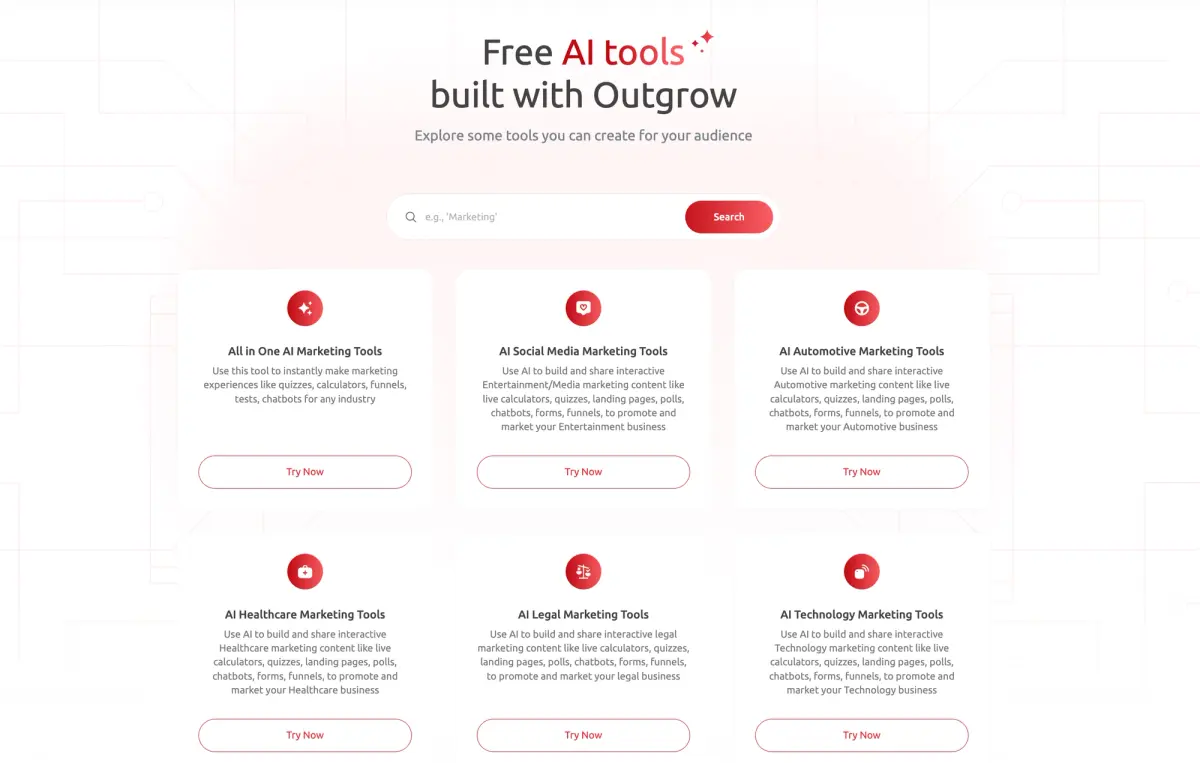
Outgrow and Dashform are options for interactive content. Inspect each product's current authoring and pricing pages before deciding which fits your quiz, calculator, or assessment requirements.
Dashform can generate a quiz draft from a brief. Review its questions and Endings, configure Branches and Lead Scoring, and test the published result. This article is a purchasing checklist, not a measured speed comparison.
Choose based on the complete workflow your campaign needs.
Dashform vs Outgrow: Interactive Content Tool Comparison
| Feature | Dashform | Outgrow |
|---|---|---|
| AI Content Generation | Draft from a prompt | Verify current AI tools and allowances |
| Quiz Builder | AI-powered quizzes | Template-based |
| Starting Price | Free tier | Paid plans (pricing) |
| Lead Qualification | Configured hot/warm/cold verdicts on completed replies | Verify required calculation and result features |
| Templates | Generated from a prompt | Large template library |
| Custom Branding | Themes and logos; branding removal depends on plan | Check current plan requirements |
| Ease of Use | Prompt-based creation | Drag-and-drop |
If you're evaluating quiz funnel and form builder platforms, you may also want to read our guide on AI quiz generators vs traditional quiz makers and learn how to create a high-converting quiz lead magnet.
Quick Summary
Dashform is an option for teams that want AI-assisted form drafts and lead review.
- Generate a draft from a brief, then review it
- Adaptive AI questioning creates conversational quiz flows
- Configure themes and branding in the Form Editor
- Check reply and AI-credit allowances on the current plan
- Review Branches and authored Endings before publishing
Run the same brief through both products and compare the reviewed results and total setup effort.
Evaluate Dashform's Authoring Workflow
Check Outgrow's current pricing for the AI features and limits relevant to your intended content type.
For Dashform, separate draft generation from publication and configuration.
A Dashform brief can request the following draft elements; inspect each before publishing:
- Full quiz structure
- Smart questions written in your brand voice
- Automatically generated branching logic
- Result pages tailored to your audience
- AI-picked visuals that match your theme
- An Ending with reviewed text and links
AI-generated content and logic can be wrong, so include review and testing in the work.
Measure generation, editing, and testing together when comparing authoring time.
Use your campaign's requirements and current plan quotes to compare value.
Compare Current Plan Allowances
The image below is a historical pricing illustration; use the live pricing page for a purchase decision.
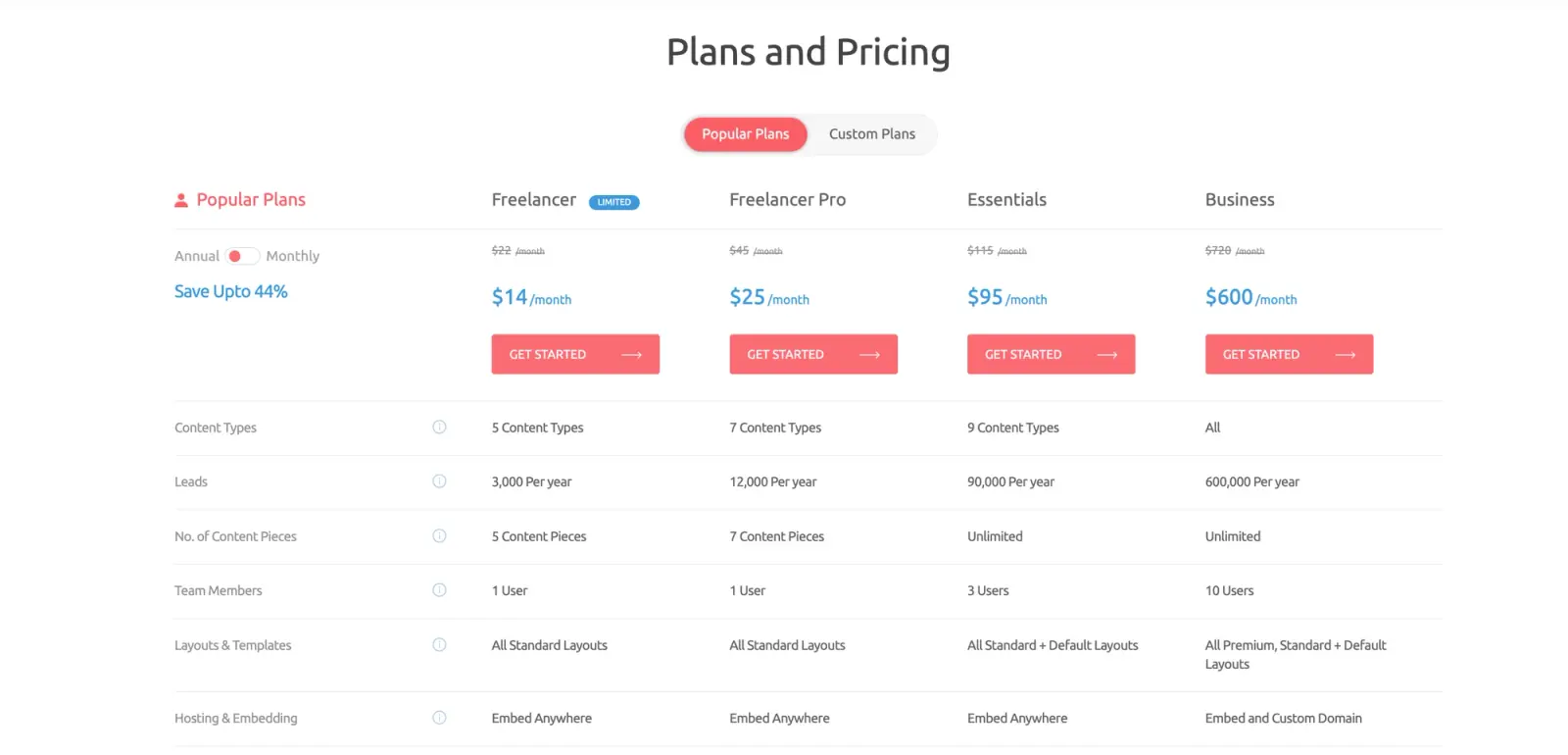
Include these constraints in your evaluation:
Check Outgrow's Current Content and Usage Limits
Confirm the allowance for:
- content types
- number of quizzes
- number of leads
- number of team members
Ask which required features would change the plan you need.
Check Dashform's Reply and AI-Credit Limits
Dashform's free plan has usage limits; it is not unlimited AI generation.
With Dashform, you can:
- Draft quizzes within the plan's AI allowance
- Use branching logic
- Get brand-matched styling
- Generate result pages
- Author Ending links
- Publish instantly
Check Dashform pricing for current feature access, AI credits, and reply limits.
This makes Dashform the ideal tool for:
- solo creators
- students
- early-stage startups
- small businesses
- marketers testing ideas
- agencies prototyping fast
Use a pilot to inspect the published appearance and behavior before choosing a plan.
Adaptive Questioning: quizzes that behave like conversations
Dashform offers Logic Funnels with authored Branches and AI Funnels with conversational follow-up.
For an AI Funnel, configure the brief and follow-up settings, then test:
- Whether the questions fit the intended audience
- Whether the configured conversation stays within scope
- If a user’s answer is unclear → AI generates clarification questions
Follow-up questioning is not a promise of adaptive educational difficulty or better conversion. Verify the corresponding behavior in any product you compare.
Configure and Review Branding
Use your actual brand assets and inspect the published form.
Review these elements in the draft and theme settings:
- Brand colors
- Typography
- Layout style
- Voice & tone
Check the final appearance on desktop and mobile; do not assume generation reproduces a website's identity exactly.
Adjust any mismatched typography, colors, or wording before publishing.
Design the Respondent's Ending
Verify each product's result features against what you promise the respondent.
In Dashform, review the authored Ending and its configured content:
- Authored outcome copy selected by Branches
- AI-generated explanations
- Result Sections when different answer combinations need different copy
- Links to relevant resources or a separately configured booking tool
- Recall tokens for earlier answers
- White-label branding
Test that each answer path reaches the intended Ending and that its claims match the information collected.
Better value for money
Compare the total price for your expected usage and required features.
Dashform offers:
- A free plan creators can actually use
- Pro plan at an accessible price
- Plan-specific AI-credit allowances
- Plan-specific form and reply allowances
- Feature access that depends on the chosen plan
You don’t need an enterprise budget to build something that feels enterprise-grade.
Outgrow vs Dashform: Quick Comparison
| Feature | Outgrow | Dashform AI Quiz Generator |
|---|---|---|
| Branding | Inspect current theme controls | Configure and review themes and logo |
| Follow-up questions | Verify current behavior | AI Funnel follow-up settings |
| Results | Verify needed calculations and reports | Authored Endings and Result Sections |
| Brand styling | Test against your brand assets | Test against your brand assets |
| Images | Verify supported asset workflow | Review generated or uploaded assets |
| Pricing | Check current quote | Free and paid plans with allowances |
Who Dashform Is Perfect For
- Marketers automating quiz funnels
- Creators building viral content fast
- DTC brands personalizing product recommendations
- Agencies producing quizzes at scale
- Educators drafting practice questions for review
- HR teams creating screening quizzes
- Startups wanting a smarter UX without dev time
Choose the product that passes the tests for your actual workflow.
Run a Pilot Before Switching
Recreate a small assessment and compare the saved replies, results, and downstream records.
If you want a quiz builder that:
- Drafts from your brief
- Lets you edit questions and branding
- Supports the required question paths
- Sends tested records to your chosen destination
Then test Dashform AI Quiz Generator against those requirements.
Measure ROI from your own implementation cost and observed opportunities; this article supplies no conversion benchmark.
Related Reading
Best Typeform Alternative for Lead Generation in 2026
Dashform vs TryInteract: The Best Alternative
How to Use Dashform to Create the Ultimate Product Recommendation Quiz