FormHug is an AI form builder for event registration, surveys, quizzes, and booking forms. It's a solid general-purpose tool with a generous free tier.
If you are comparing FormHug with Dashform, test the questions, qualification process, and downstream handoffs your team actually needs. This guide is a workflow comparison, not a benchmark of customer outcomes.
- If your goal is lead qualification, scoring, and routing, Dashform is the stronger choice
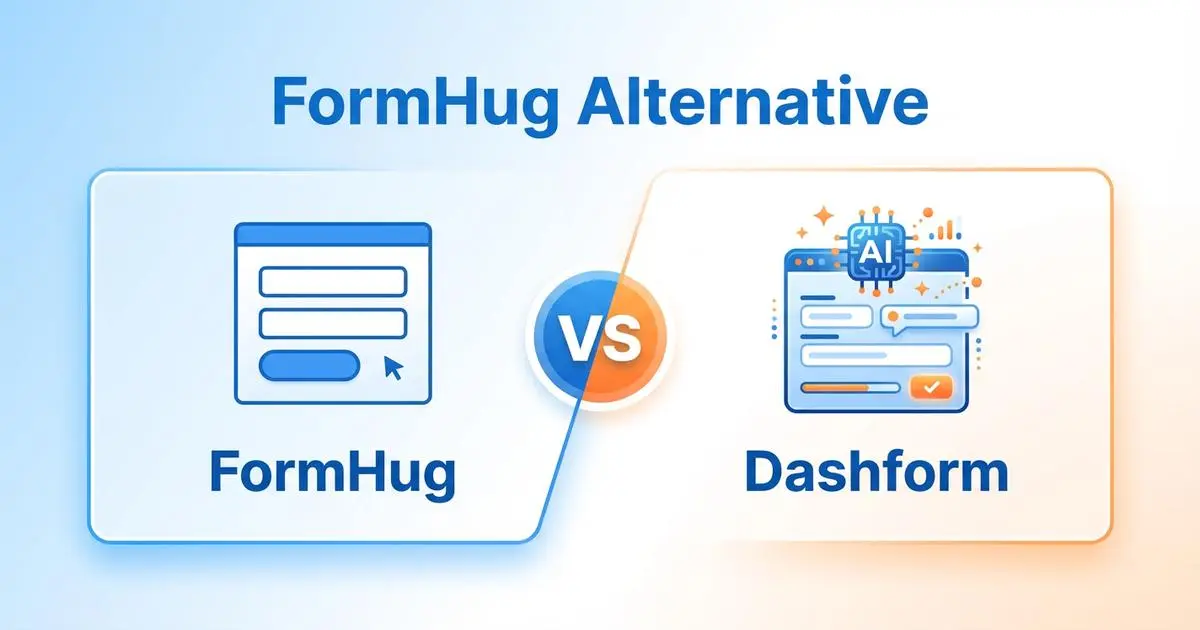
This article compares FormHug and Dashform side-by-side so you can decide which AI form builder fits your business best.
Dashform vs FormHug: Side-by-Side Comparison
| Feature | Dashform | FormHug |
|---|---|---|
| AI Form Builder | Prompt-to-draft authoring | AI form authoring |
| Quiz Funnels | Branches and authored Endings | Check required quiz and result behavior |
| Lead Scoring | Configured Hot/Warm/Cold verdicts | Verify scoring requirements |
| Form Templates | Industry-specific AI templates | Basic templates |
| Analytics Dashboard | AI insights + reporting | Basic stats |
| Custom Domain | Verify current availability | Verify current availability |
| Pricing | Free tier available | Free tier available |
| Conditional Logic | AI-driven branching | Basic conditions |
| White Label | Full branding control | Limited |
If you're evaluating quiz funnel and form builder platforms, you may also want to read our guide on AI quiz generators vs traditional quiz makers and learn how to create a high-converting quiz lead magnet.
1. What Is FormHug?
FormHug is an AI-powered form builder . It positions itself as a tool for creating beautiful forms for event registration, surveys, quizzes, and research. The platform emphasizes design aesthetics and offers an AI agent that helps you build forms from a text prompt.
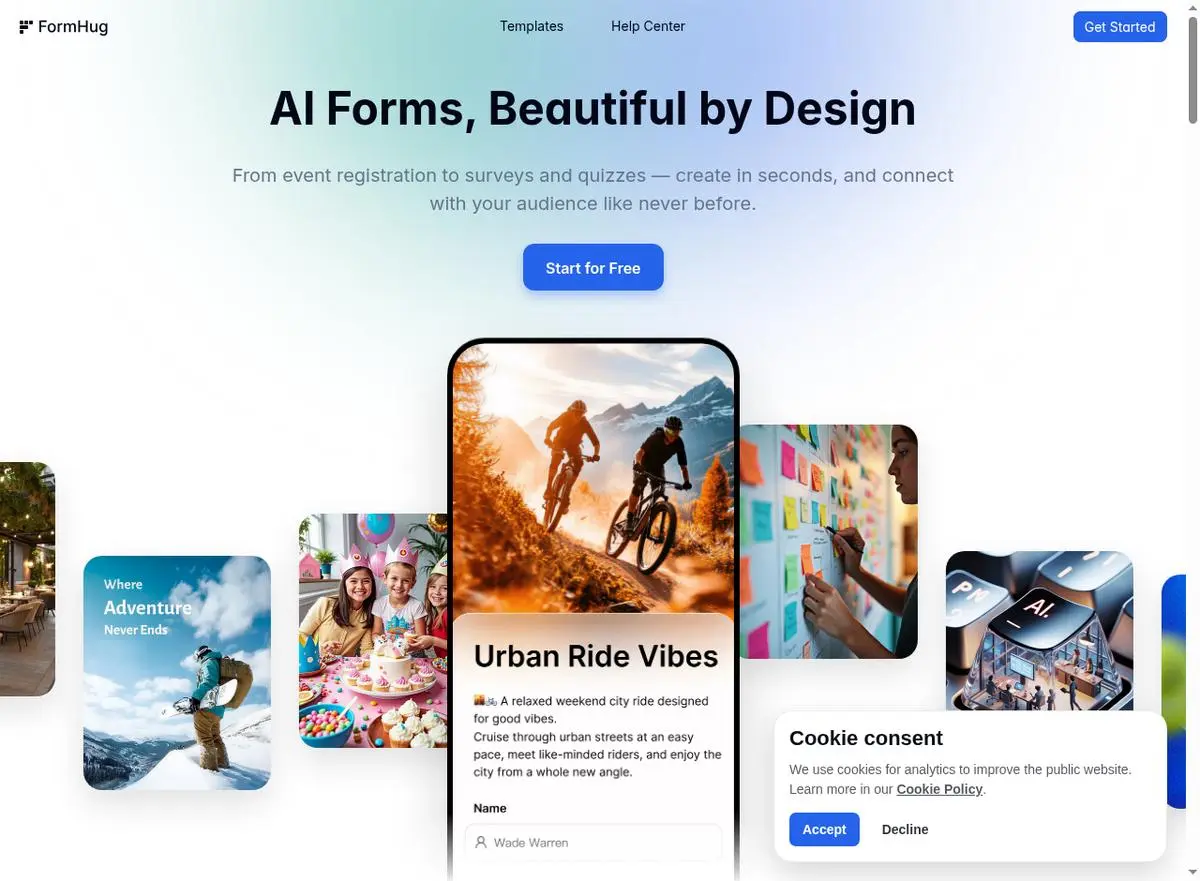
Key features of FormHug include:
- Event Registration & Booking: Create sign-up forms with calendar scheduling and automatic email confirmations.
- Survey & Research: Build professional surveys with real-time analytics, satisfaction scores, and response visualization.
- Quiz & Knowledge Assessment: Design quizzes with automated scoring, correct/incorrect answer analysis, and result summaries.
- Public Query Page: Turn form submissions or Excel data into a searchable lookup page for participants.
- AI Form Builder: Generate forms from a single text prompt using AI.
- Templates: Pre-built templates spanning lead generation, surveys, registration, RSVP, applications, and bookings.
FormHug compares itself to Fillout, Tally, Jotform, and Typeform. It is a solid general-purpose form builder for teams that need registration forms, internal surveys, or educational quizzes.
2. What Is Dashform?
Dashform provides AI-assisted form authoring and forms that people or supported agents can fill. Optional Lead Scoring evaluates completed Replies against the criteria you configure; it does not guarantee qualified prospects or calendar bookings.
Key features of Dashform include:
- AI Quiz Funnels: Build interactive quiz funnels from a single prompt that guide visitors through a qualification flow.
- Lead Scoring: Enable evaluation of completed Replies as Hot, Warm, or Cold against configured criteria.
- Conditional Logic & Branching: Create personalized pathways that adapt based on user answers.
- Scheduling Links: Add a link to a separately configured booking service in an Ending.
- CRM & Webhook Integrations: Configure native HubSpot delivery or a webhook/Zapier workflow. GoHighLevel requires an external handoff.
- Form Templates: Copy a starting form, review its questions, and test the flow before publishing.
Dashform is built for agencies, coaches, and consultants who need more than a form builder. They need a system that filters out unqualified leads before they waste time on sales calls.
3. FormHug vs. Dashform: Feature Comparison
Here is how the two platforms compare across the features that matter most for businesses focused on lead generation and conversion:
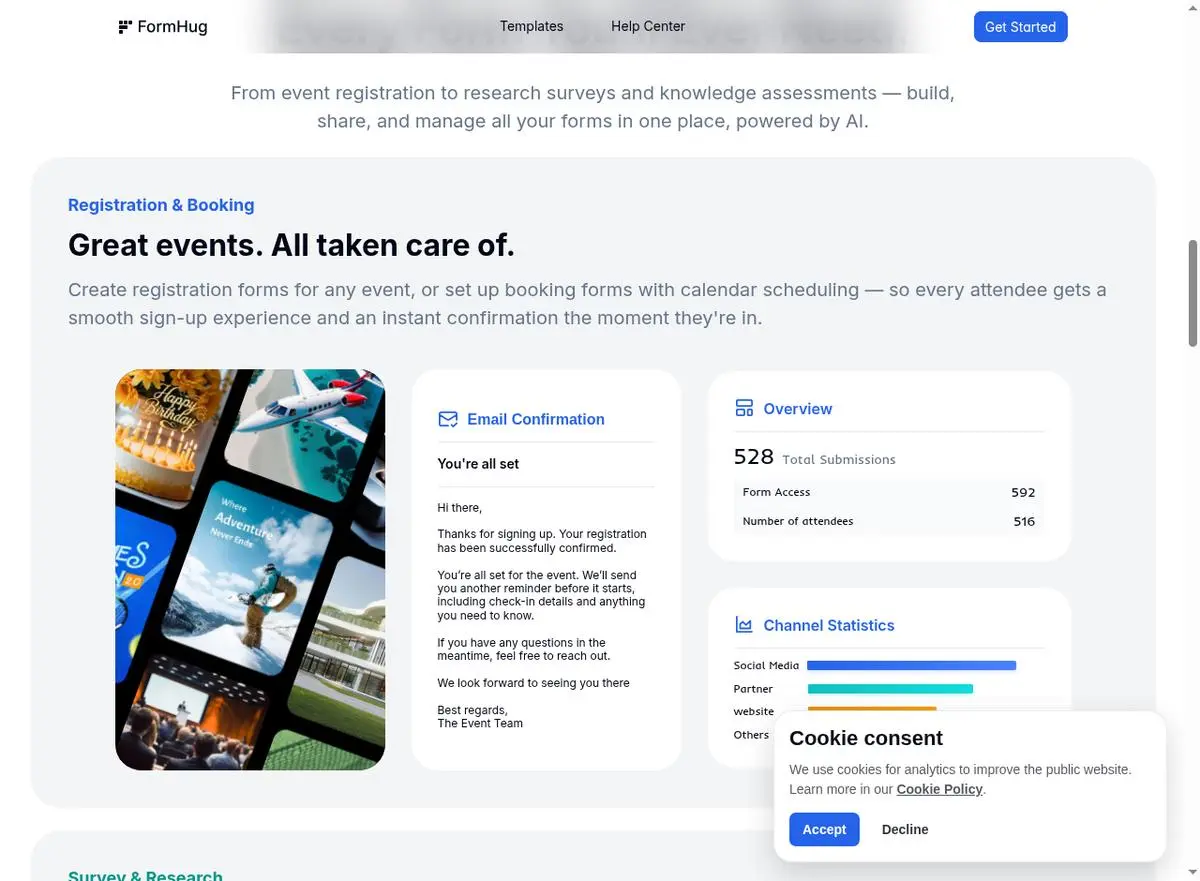
- AI Form Generation: Both platforms offer AI-powered form creation from text prompts. FormHug generates general-purpose forms. Dashform generates conversion-optimized quiz funnels with built-in qualification logic.
- Lead Scoring: Test your criteria in each product. Dashform assigns Hot, Warm, or Cold to completed Replies when scoring is enabled.
- Quiz Funnels: FormHug supports basic quizzes with right/wrong answers. Dashform builds multi-step quiz funnels designed to qualify and segment leads.
- Calendar Booking: Verify the actual booking flow in each product. Dashform can link to a configured external scheduling tool; a completed Reply is not a confirmed booking.
- Templates: FormHug has a library of general-purpose templates. Dashform offers industry-specific quiz funnel templates for coaches, agencies, med spas, real estate, dental practices, and more.
- Integrations: Check the exact action and field mapping you need. Dashform has a native HubSpot Connector and supports separately configured webhook and Zapier handoffs.
- Analytics: FormHug provides submission counts and survey response visualization. Dashform provides conversion analytics, lead quality metrics, and funnel performance data.
4. FormHug Pricing vs. Dashform Pricing
FormHug offers three pricing tiers:
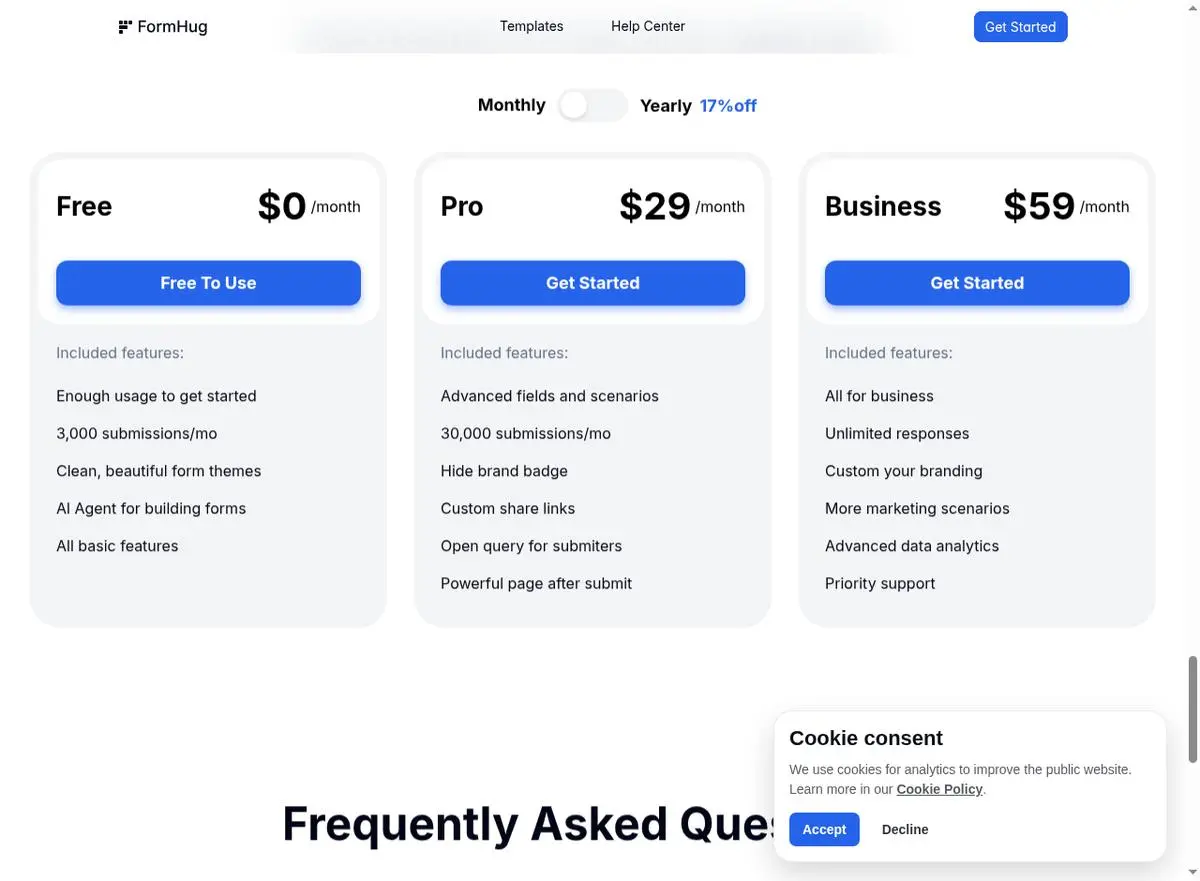
- Free: a free plan with a submission allowance, basic themes, and the AI form builder.
- Pro: more submissions, advanced fields, custom share links, and hidden branding.
- Business: unlimited responses, custom branding, advanced analytics, and priority support.
Dashform also offers a free tier that lets you build and publish AI quiz funnels at no cost. Review Dashform’s pricing for current features and allowances.
Compare the total plan and external-tool cost for your actual volume and workflow.
5. When to Choose FormHug
FormHug is a good fit if you need:
- A general-purpose form builder for event registration and booking
- Internal surveys, feedback forms, or research questionnaires
- Educational quizzes with scored answers and analysis
- A public data query page for participants to look up results
- Beautiful form designs with minimal setup
FormHug works well for organizations focused on data collection, event management, and internal workflows.
6. When to Choose Dashform
Dashform is the better choice if you need:
- AI-powered quiz funnels that qualify leads before they book a call
- Hot, Warm, or Cold verdicts from your configured lead criteria
- Conversion-optimized forms for agencies, coaches, consultants, and local businesses
- Native HubSpot delivery or a configured external CRM handoff
- A system that reduces wasted time on unqualified discovery calls
- Industry-specific templates for med spas, dental practices, real estate, and more
If your primary goal is generating and qualifying leads, not just collecting data, Dashform is built for that purpose.
7. The Bottom Line
FormHug and Dashform both use AI to simplify form creation, but they serve different use cases.
FormHug is a broad form builder for registration, surveys, and quizzes. It is a good alternative to tools like Typeform or Jotform if you want cleaner designs and AI-assisted creation.
Dashform supports form authoring, respondent follow-ups, optional Lead Scoring, and configured delivery. Test the complete workflow with your own criteria and external tools before switching.
If you are comparing FormHug alternatives and your business depends on lead quality, try Dashform for free at getaiform.com.
Explore more comparisons: 7 Best involve.me Alternatives | Dashform vs involve.me | 7 Best LeadQuizzes Alternatives | Dashform vs LeadQuizzes.
FAQ: FormHug Alternative
What is FormHug?
FormHug is an AI form builder for creating registration forms, surveys, quizzes, and booking forms. It offers a free tier and paid plans; see FormHug's pricing page for current limits.
Is Dashform a good alternative to FormHug?
Yes. If your goal is lead generation and qualification rather than general data collection, Dashform is a stronger alternative. It offers AI quiz funnels with built-in lead scoring, conditional logic, and CRM integration.
Can I use Dashform for free?
Yes. Dashform offers a free tier that lets you create and publish AI quiz funnels. You can get started at getaiform.com without a credit card.
What industries does Dashform support?
Dashform serves agencies, coaches, consultants, med spas, dental practices, real estate professionals, home services, and any business that relies on qualified leads and booked calls.
How is Dashform different from FormHug?
Dashform offers AI-assisted authoring, authored branches, AI follow-ups, and optional Lead Scoring. Scoring assigns Hot, Warm, or Cold to completed Replies against configured criteria. Calendar scheduling requires a separately configured tool.
Compare a sample form and a completed Reply in both products before deciding which fits your process.
Related Reading
Best Typeform Alternative for Lead Generation in 2026
Best GoHighLevel Alternatives in 2026
How to Create a High-Converting AI Quiz Lead Magnet with Dashform
Dashform AI Quiz Generator: The Fastest Way to Create Free AI Quizzes