This five-question form collects structured feedback from attendees right after a real estate property showing. It opens with two rating questions — overall experience and likelihood to recommend — that give the agent a quick numerical read on how the showing landed, followed by a single-choice question on property condition that pins down whether buyers see maintenance issues. Two optional open-ended questions then invite attendees to highlight what they liked most and share any other comments, surfacing detail that ratings alone can't capture. After submitting, respondents see a thank-you screen confirming their input will be used to refine property listings and services.
Try the conversation below to see how this template works
Trusted by over 10,000 customers and growing
Conversations Started
Questions Answered
Forms Created
Relies on all three required questions to compare showing performance and property perception across multiple listings and attendees.
Uses the "How would you describe the general condition of the property?" question to track how prospective tenants or buyers perceive maintenance needs before a listing is updated.
Aggregates the two rating questions across agents and properties to benchmark showing quality and identify listings that may need repositioning.

AI builds and refines your form through natural conversation no templates, no complex logic, no coding. From a simple text prompt or URL, Dashform generates intelligent flows that adapt automatically.
Dashform turns traditional form-filling into a two-way dialogue. The AI understands intent, remembers context, and asks relevant follow-up questions just like a real human conversation.
Every response is transformed into structured, meaningful, and ready-to-use data. Integrate with your favorite tools.
Everything you need to create amazing forms
Everything you need to know about this template
Don't see exactly what you need? Use our AI Form Generator to create a custom form in seconds. Just describe what you want, and AI will build it for you.
Explore more templates to find the perfect fit
 Registration
Register a student-athlete for a sports season by submitting their details, sport selection, emergency contact, and participation consent.
 Attendance
Enter participant, event, organizer, and attendance-hour details for separate certificate preparation.
 Rsvp
Track attendance across events, training sessions, or workplaces with a single, straightforward form.
 Assessment
Capture audit scope, findings, compliance status, recommendations, and priority level in one structured report.
 Request
Collect customer contact info, vehicle details, and repair descriptions to log auto body service requests in one place.
 Assessment
Eight questions that map your B2B sales funnel from lead generation to conversion and surface your biggest process gaps.
Learn how to get the most out of your forms and templates
What scorecard marketing is, where the term comes from, and a build checklist: topic, questions, honest result levels and what to do with each lead.
Choose between n8n's Form Trigger and a Webhook node, then build a signed, deduplicated n8n workflow that maps each form submission into a sheet.
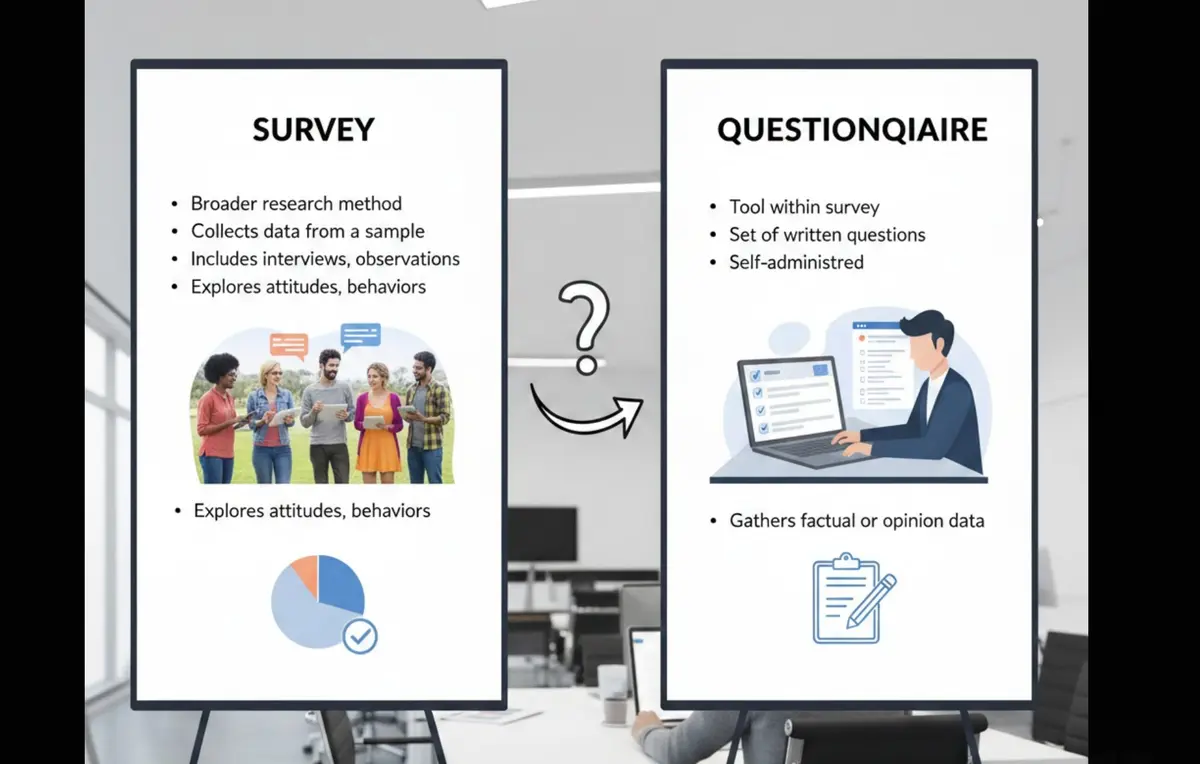
Survey vs questionnaire: the key differences, use cases, and a decision framework for picking the right one for research, feedback, or internal workflows.
Try the world's first AI-native form and turn every response into action instantly.

